Signing Requests
The Signing Request section
is the primary interface for managing and enforcing
human approval workflows for
code signing operations. This ensures that no code is signed
without explicit, multi-factor authenticated permission from an
authorized party, significantly enhancing security and compliance.
The main page displays a table listing all historical and active
signing requests. You can use the filters at the top to refine the
view by
Certificate, Environment, or Approval Status.
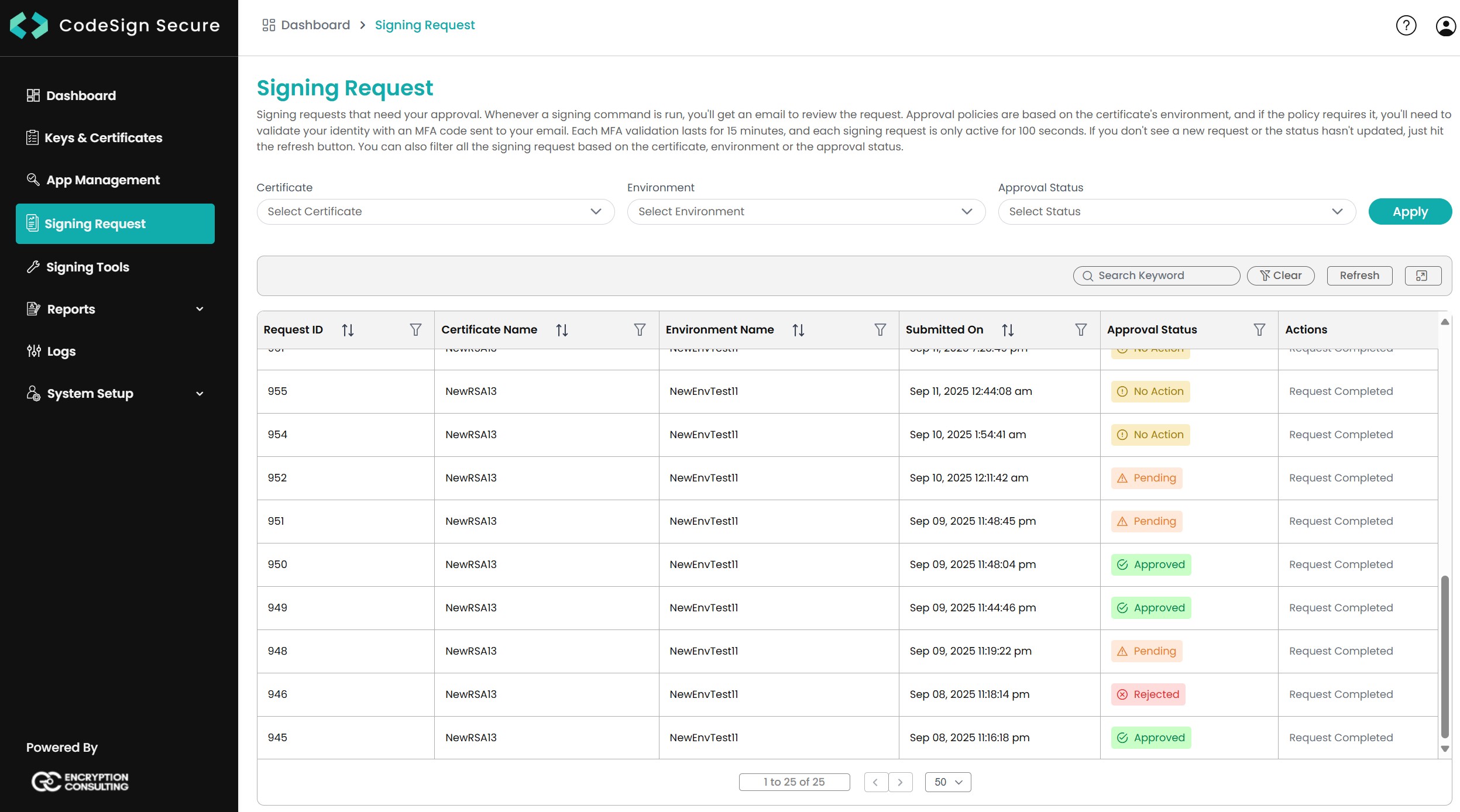
Each signing request stays active for 100 seconds after it is submitted. If nobody approves it in that time, it times out and the signing job fails. An MFA validation stays valid for 15 minutes. For how these timers affect CI/CD pipelines, see Designing Signing Policies.
In this section:
- Approval Workflow
