-
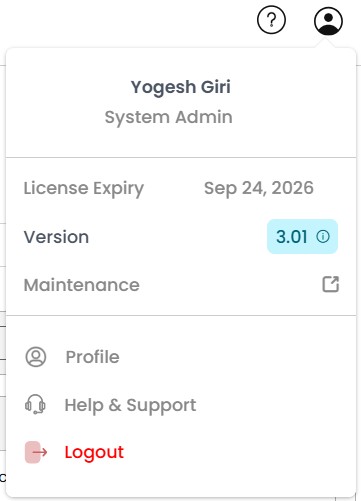
Logged-in User: This section displays the name and role of the currently
logged-in user. It helps users identify their own account within the system.
-
Version Information:
Upon hovering over this section, the version of CodeSign Secure currently being used can
be seen.
-
License Expiry:
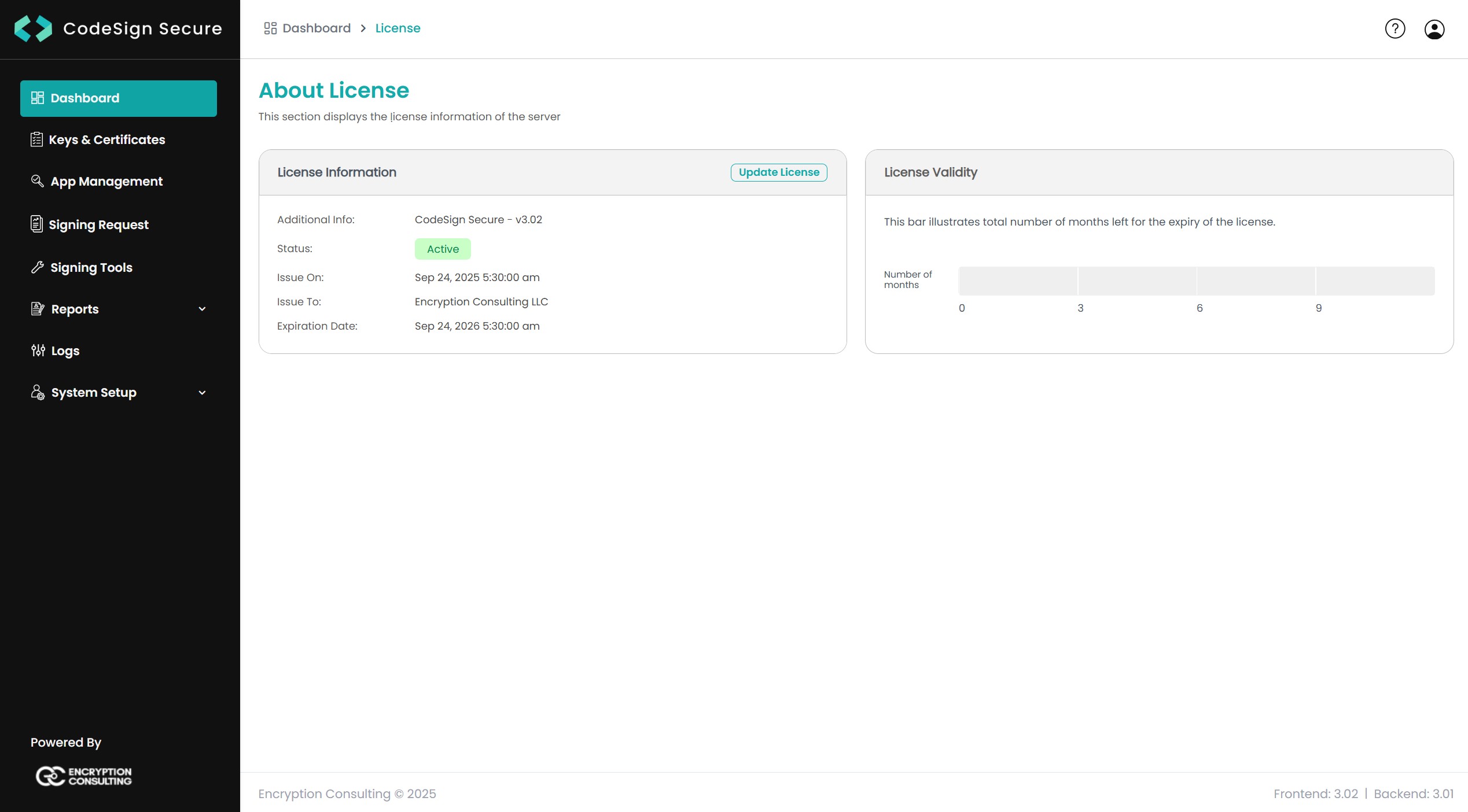
Upon clicking on the license section pop-up, we get the license page. It
provides
information regarding the licensing and its validity period for the CodeSign Secure
platform.
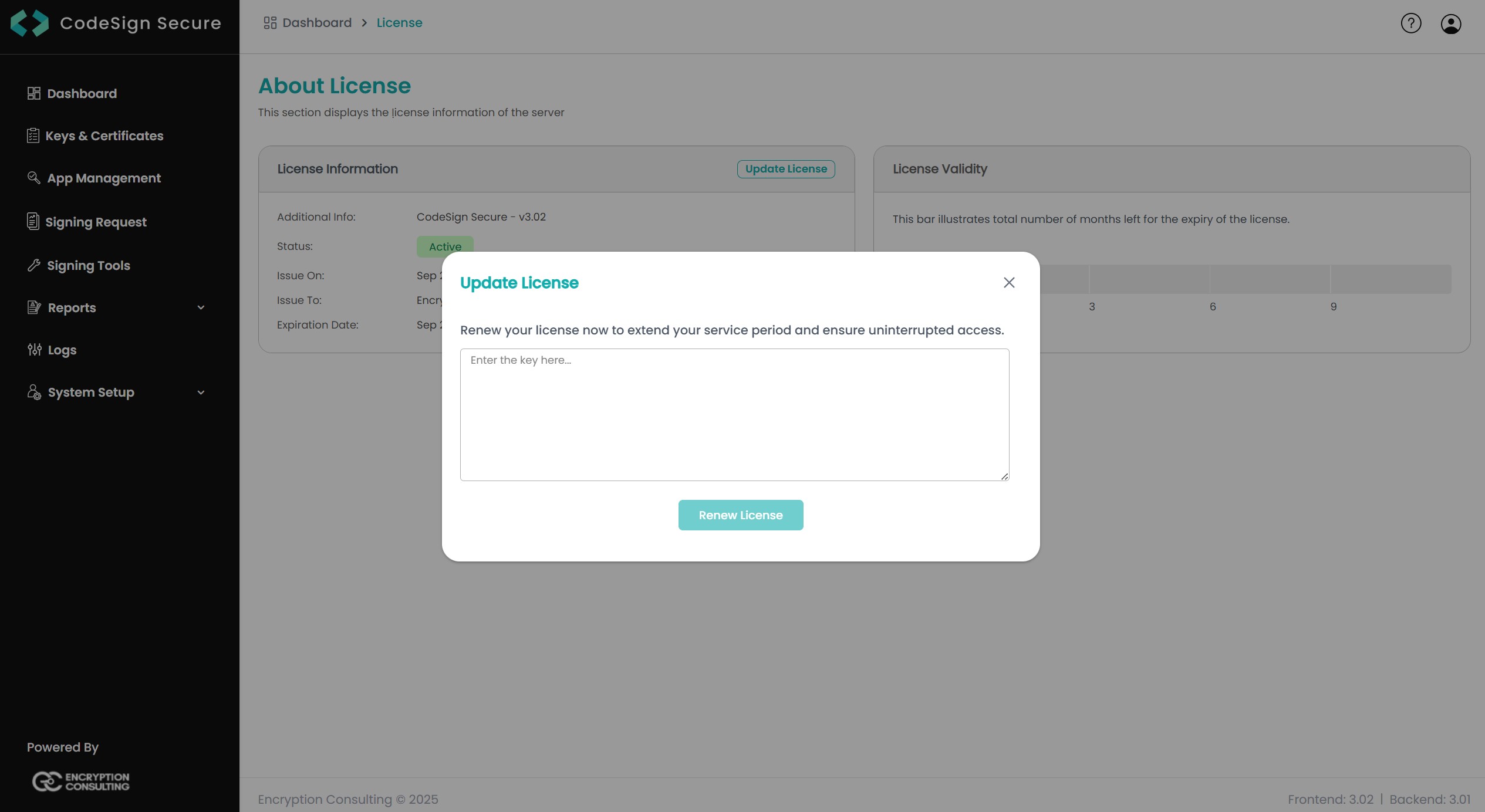
CodeSign Secure offers the option to renew the license, which you can do using the
Update License button. It will ask you to enter the new license key which you can
request one from Encryption Consulting.
-
Maintenance:
This section allows System Admins to control the operational status
(shutdown/reboot) and manage Support Packages, which are critical for
troubleshooting and detailed diagnostic analysis.
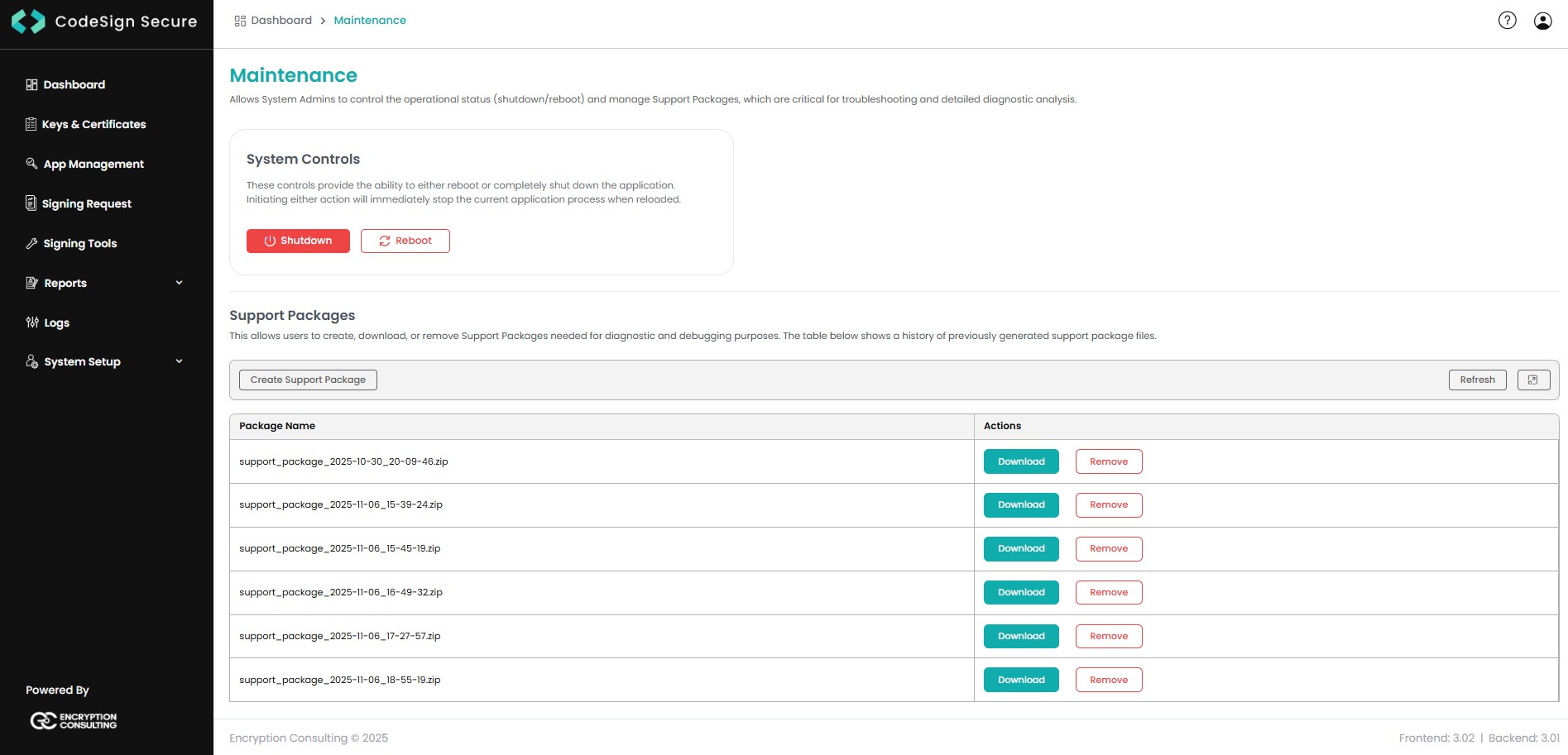
Maintenance page consists of:
-
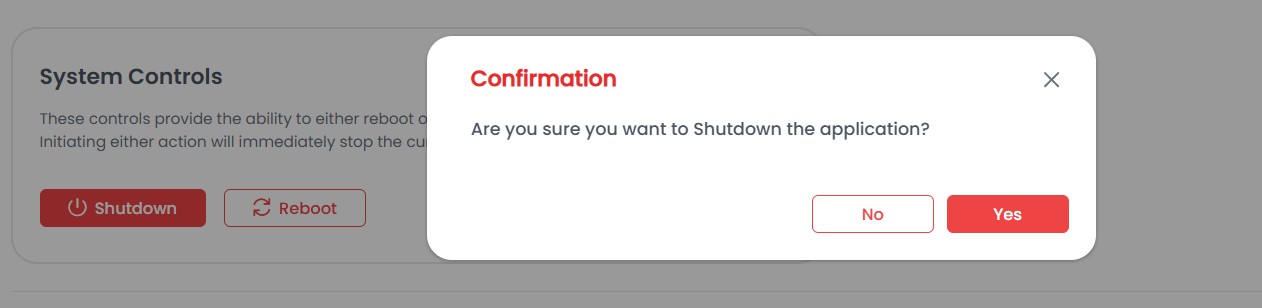
System Controls:
These controls provide the ability to either reboot or completely shut down the application. Initiating either action will immediately stop the current application process when reloaded.
-
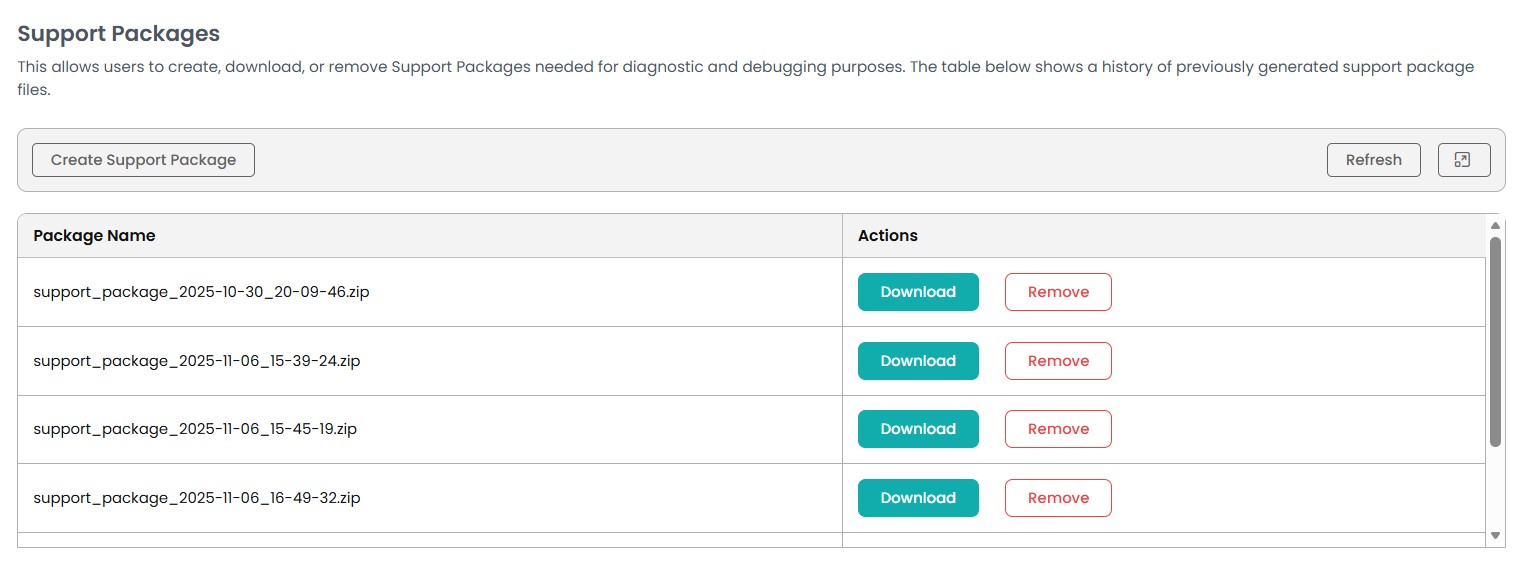
Support Packages:
This allows users to create, download, or remove Support Packages needed for diagnostic and debugging purposes. The table below shows a history of previously generated support package files.
-
Profile:
This section allows users to view their profile settings
within CodeSign Secure.
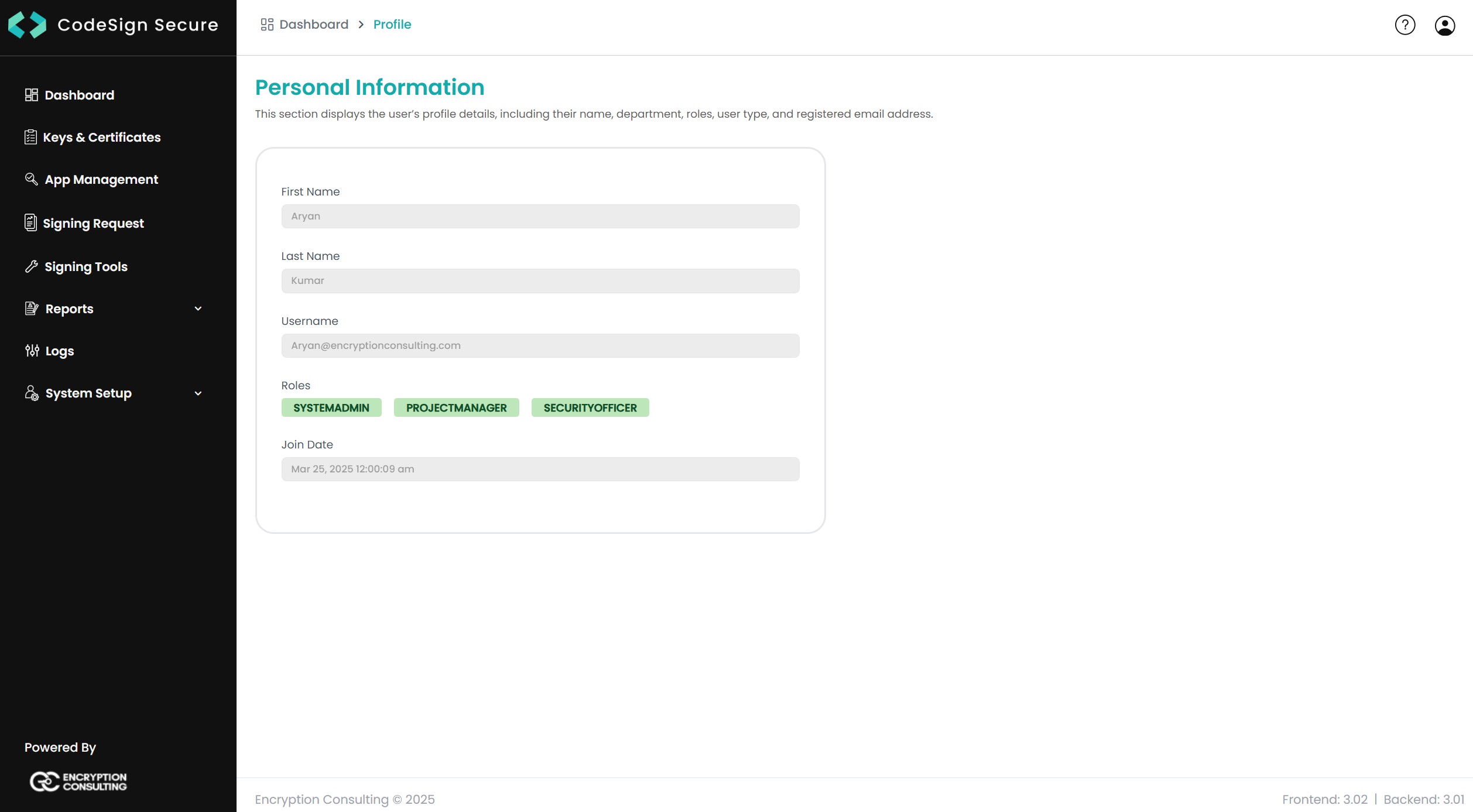
Upon clicking on Profile, we get the profile page. Here, all the information about
the user is available, such as their name, username, roles, and joining date.
-
Help & Support:
This section contains all the contact details for technical
assistance.
-
Logout:
This section logs out the user from CodeSign Secure.