Hash Validation
The CodeSignSecure server will receive the incoming hash. If the
validation is successful, it will proceed with the code signing.
For hash validation, the incoming hash from the client is matched
with the hash generated from the Jenkins pipeline. Automated
validation depends on the key usage, i.e., Pre-sign or Post-sign.
-
If the hashes match, a success notification is sent to the
email mentioned when creating the signing project on the
CodeSign application. Now, the code is considered authentic
and proceeds to the code signing stage.
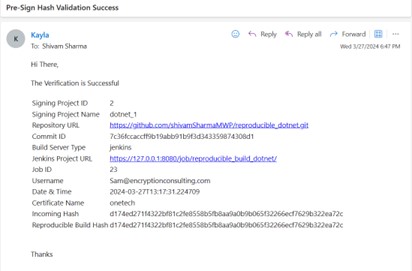
-
If the hashes differ, a failure/error notification is sent to
the user on the email.
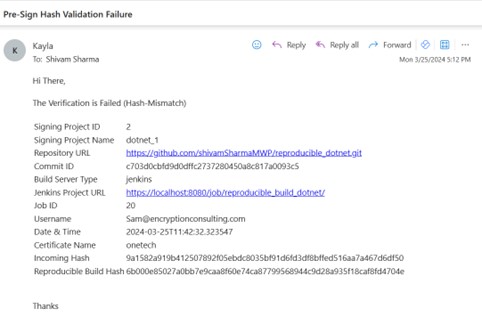
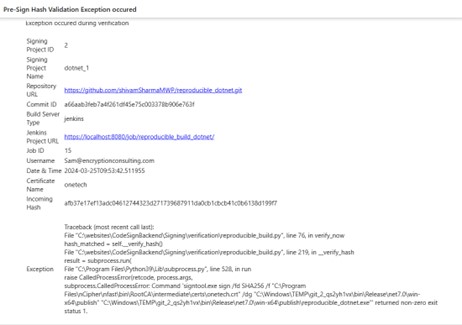
When the hashes match, CodeSign Secure signs the build with the key and certificate configured for the signing project. When they don’t match, the build isn’t signed and a failure email is sent.
