
System Configuration
System Configuration is where the platform's server-wide settings are managed — the configuration that all CBOM services run on, including server endpoints, TLS certificates, logging, identity provider, database connection, and UI defaults. Because these settings affect the entire platform, this is an administrative area. Configurations are versioned: every save creates a new version, and any previous version can be restored.
Accessing System Configuration
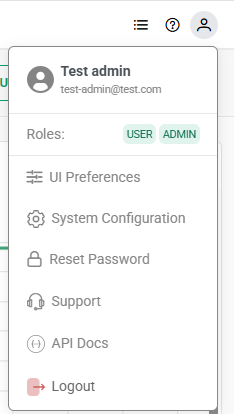
System Configuration is opened from the user menu — click the profile icon in the top-right corner of the portal and select System Configuration. The entry appears only for accounts whose roles carry the config:read permission, which as shipped are admin and manager. The same menu also provides UI Preferences, Reset Password, Support, API Docs and Logout.
Active Configuration and Version History
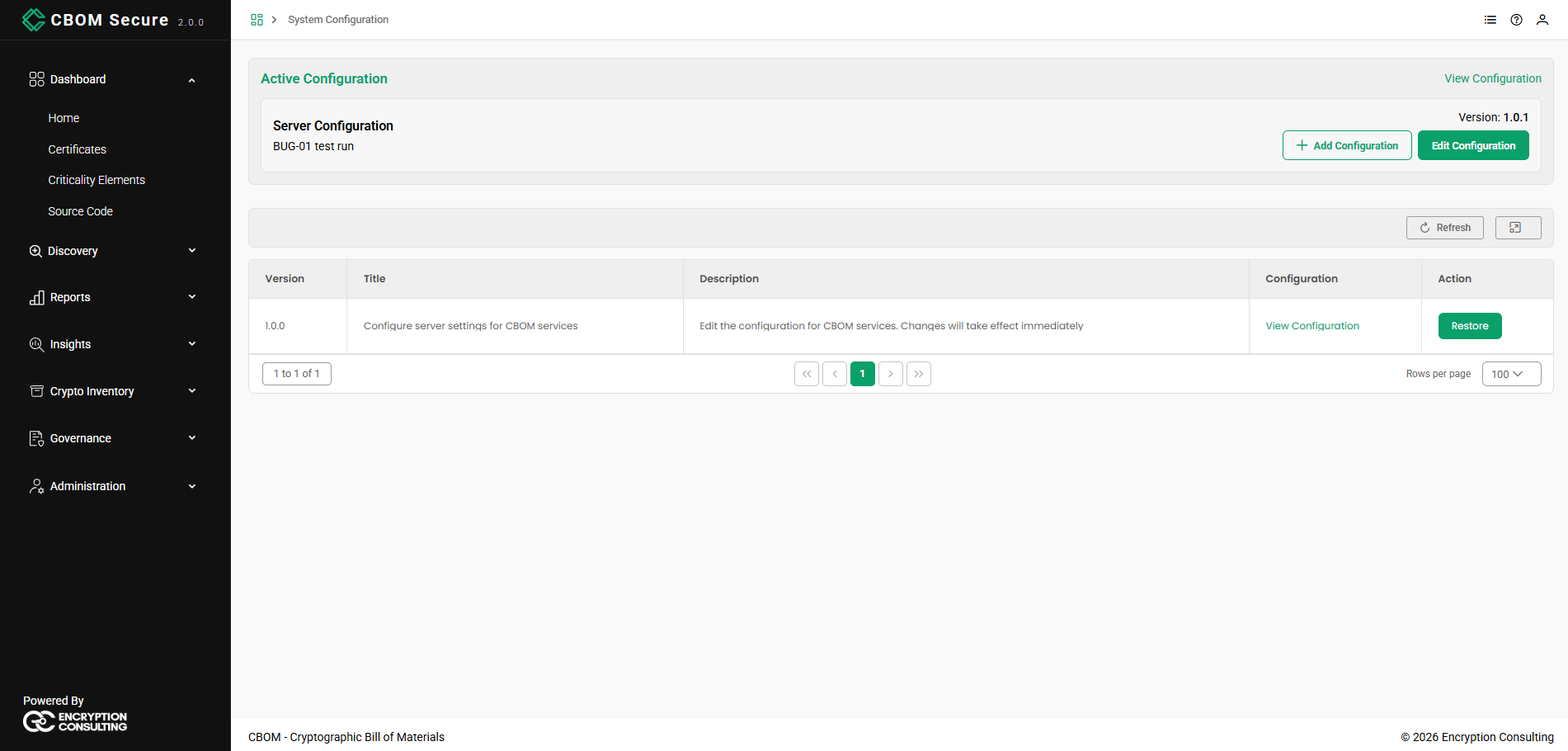
The page opens with the Active Configuration card, showing the title, description, and version number of the configuration currently in effect, along with Edit Configuration and View Configuration actions. Below it, a table lists the full version history:
-
Version / Title / Description: Identify each saved configuration version.
-
Configuration: A View Configuration link to inspect that version.
-
Action: A Restore button to make that version the active configuration.
Viewing a Configuration
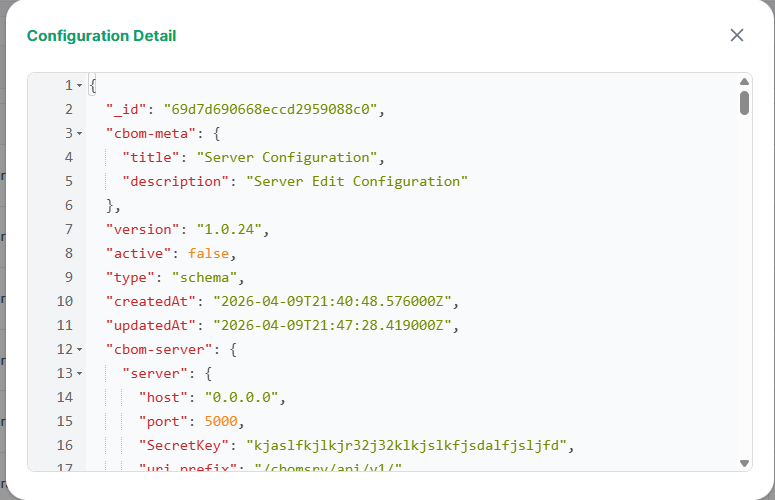
Selecting View Configuration opens the Configuration Detail dialog, which displays the complete configuration as formatted JSON — including metadata such as version, active status, and createdAt/updatedAt timestamps, followed by each configuration section. This is a read-only view for inspecting exactly what a version contains.
Editing the Configuration
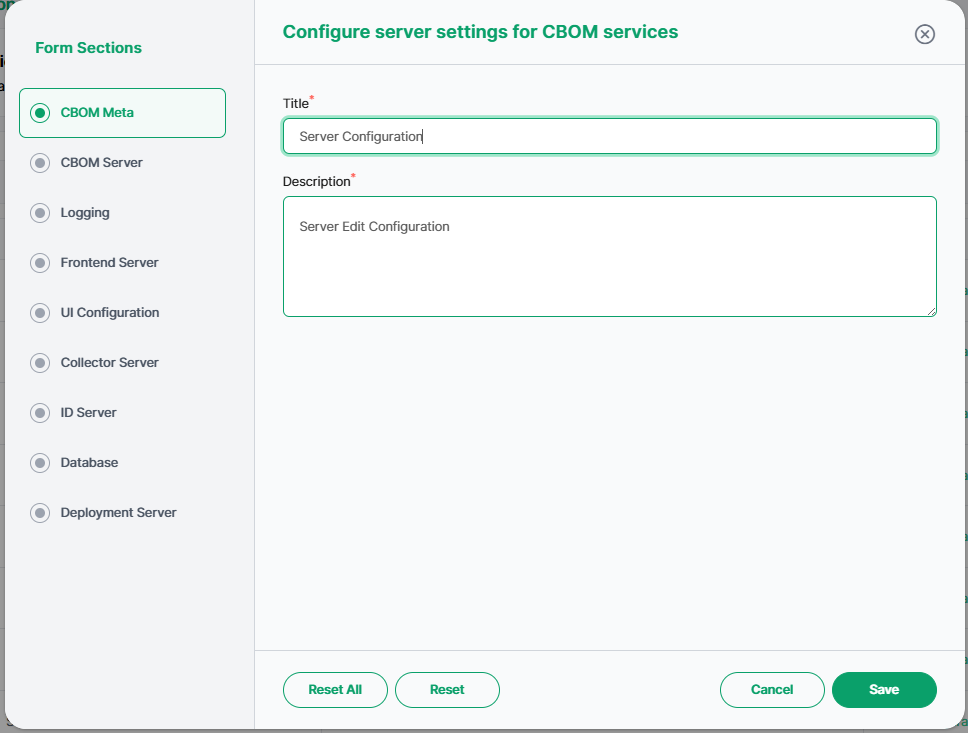
Click Edit Configuration to open the Configure server settings for CBOM services editor. A Form Sections list on the left lets you switch between the ten configuration areas — CBOM Meta, CBOM Server, Logging, Frontend Server, UI Configuration, Collector Server, ID Server, Database, Deployment Server and Loki Logging. At the bottom, Reset reverts the current section, Reset All reverts every section, Cancel closes without saving, and Save writes the changes as a new configuration version. The sections below describe each area and its fields.
CBOM Meta
Descriptive metadata for the configuration version:
-
Title: A name for the configuration.
-
Description: A short description of the configuration or the change being made.
CBOM Server
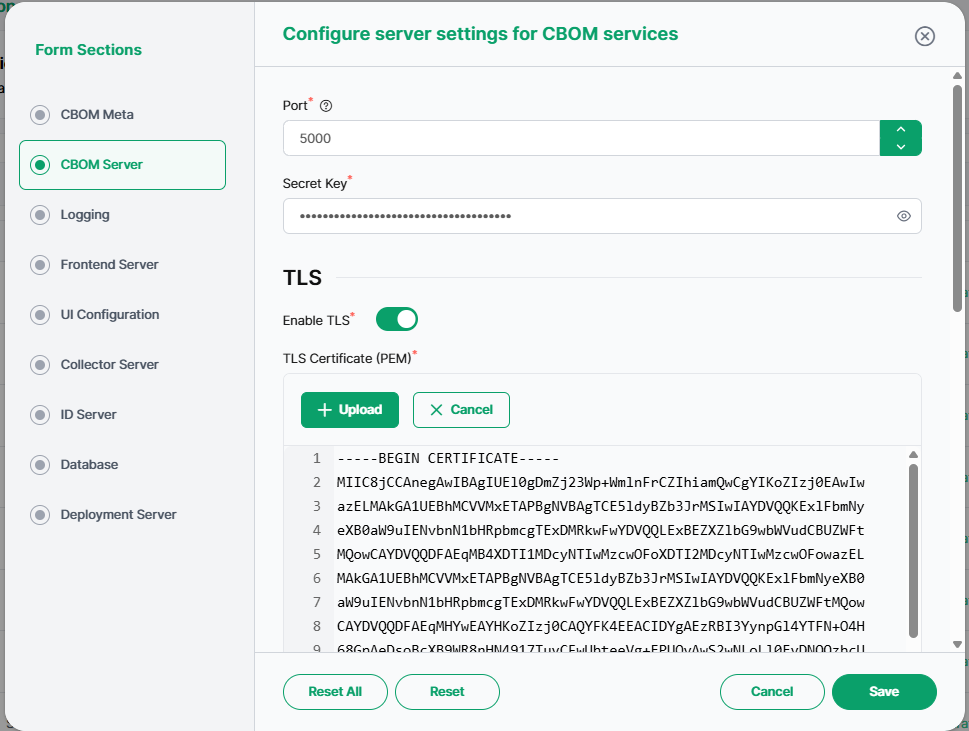
Core settings for the CBOM-Server (the main backend):
-
Host / Port: The address and port the server binds to (for example, 0.0.0.0 on port 5000).
-
Secret Key: The key used to sign sessions and tokens. It is sensitive and shown masked; use the eye icon to reveal it.
-
URI Prefix: The base path for the API (for example, /cbomsrv/api/v1/).
-
Debug: Whether the server runs in debug mode.
-
Server URL / Default Frontend URL: The externally reachable URLs of the backend and the frontend.
-
Helpdoc Path: The location from which this documentation is served (helpdocs).
-
TLS: Enable TLS and provide the TLS Certificate (PEM) and private key used to secure the server. Certificates can be uploaded.
-
Session: Session timeouts — the default session expiry, the cleanup interval, and the TOTP session timeout (in seconds).
-
CORS Origins: The list of origins permitted to call the API.
Logging
Controls how the platform emits logs, traces, and metrics:
-
Service Name: The name the backend reports itself as in telemetry (for example, CBOM_Backend).
-
Enable Signals: Toggles for which telemetry signals are emitted — logging, tracing, and metrics.
-
Log Handlers: One or more file-log definitions, each specifying the logger name, file path, level (e.g. DEBUG), format string, maximum file size, backup count, and handler type (e.g. RotatingFileHandler).
Frontend Server
Settings for the web frontend:
-
App URLs: The frontend URL, backend API URL, help-docs URL, API docs URL, and the contact-us link used by the application.
-
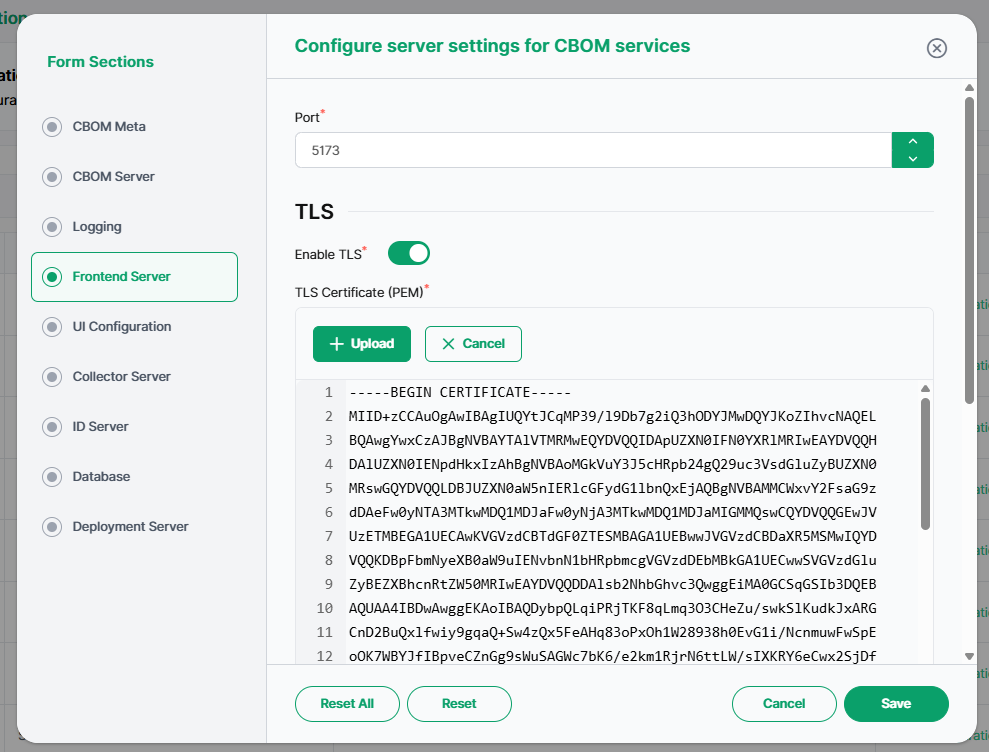
Server: The host and port the frontend binds to (for example, port 5173), and its TLS certificate and key.
UI Configuration
Default appearance and behavior of the portal:
-
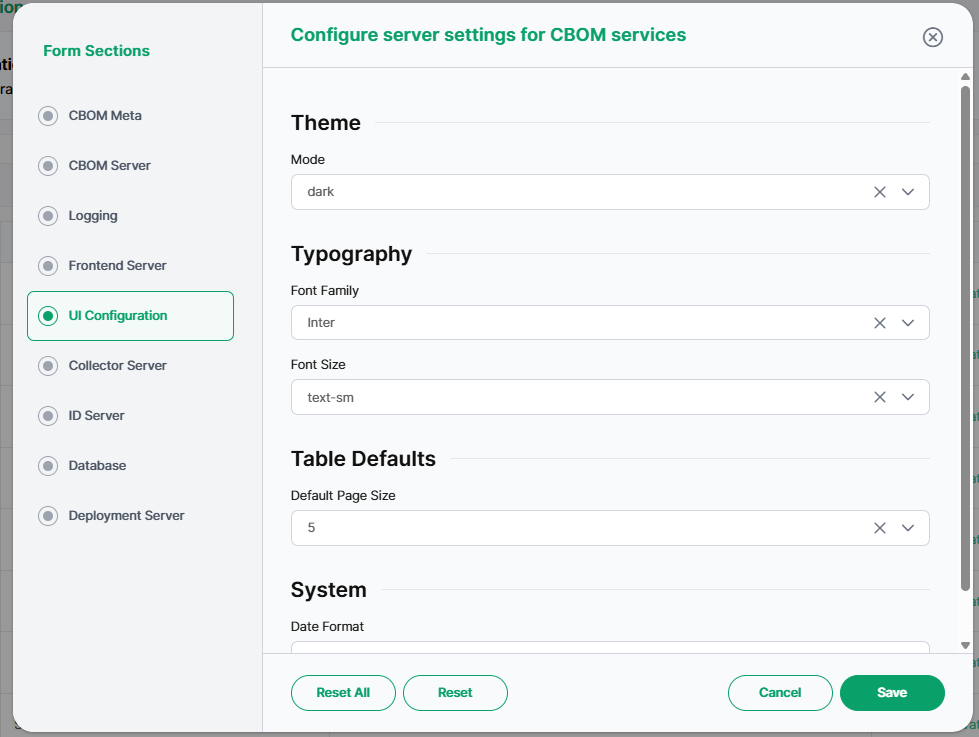
Theme Mode: The interface theme (for example, dark).
-
Typography: The default Font Family (for example, Inter) and Font Size (for example, text-sm).
-
Table Defaults: The Default Page Size every table in the portal opens at. The dropdown offers 5, 10, 20, 50 and 100.
Note that the table paginator itself offers only 10, 20, 50 and 100 rows per page. Selecting 5 here is therefore not honoured: tables fall back to 20 rows. Choose one of the four supported sizes for this setting to take effect.
-
System: The default date format (for example, DD-MM-YYYY).
Collector Server
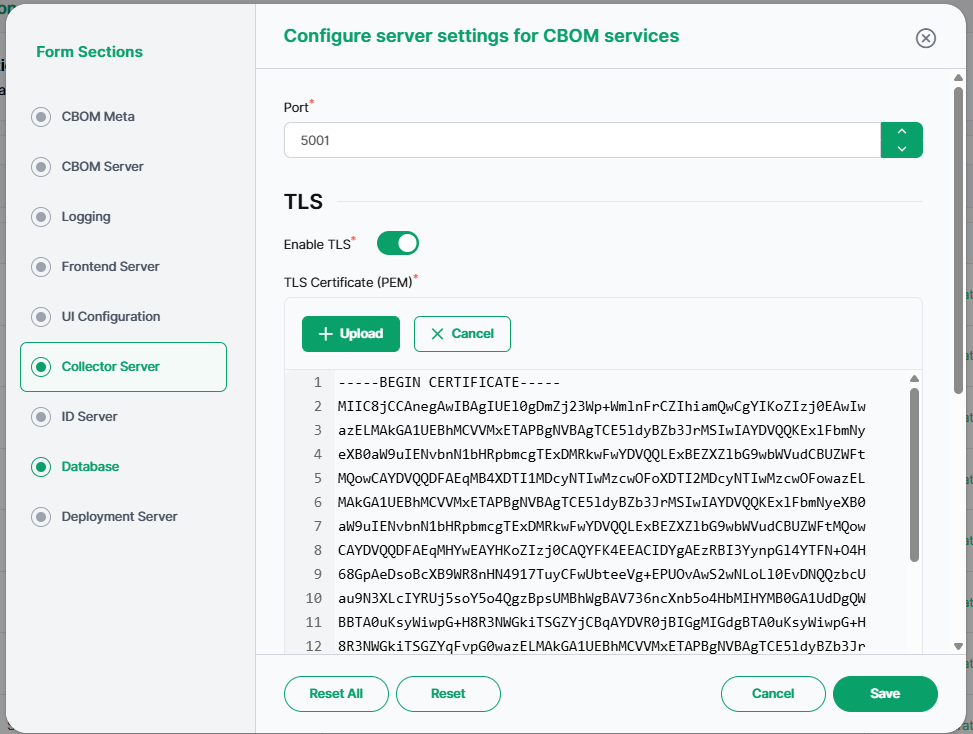
Settings for the Collector service, which receives sensor data:
-
Host / Port: The address and port the collector binds to (for example, port 5001).
-
TLS: Enable TLS and provide the collector's certificate and private key.
ID Server
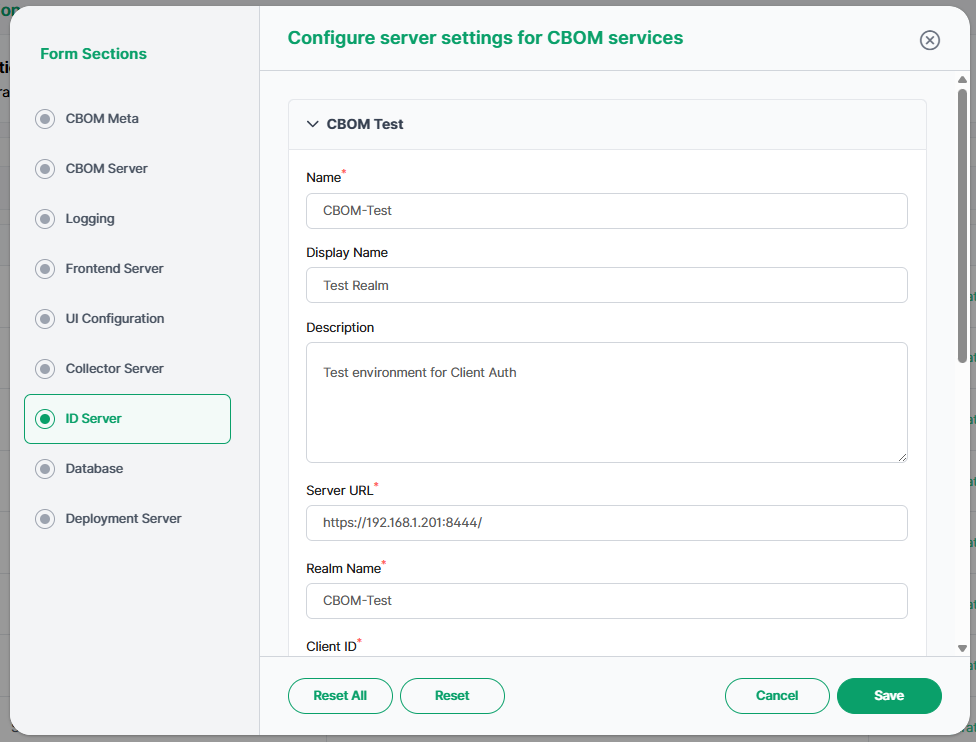
The identity provider (Keycloak realm) used for authentication. Each realm entry includes:
-
Name / Display Name / Description: Identify the realm configuration.
-
Server URL / Realm Name: The identity server's address and the realm to authenticate against.
-
Client ID / Client Secret: The OAuth client credentials used by the platform (the secret is sensitive).
-
Verify SSL / SSL Cert / SSL Key: Whether to verify the identity server's TLS and the certificate material to use.
-
Service Account Username / Password: The service-account credentials used for administrative calls to the identity server.
Database
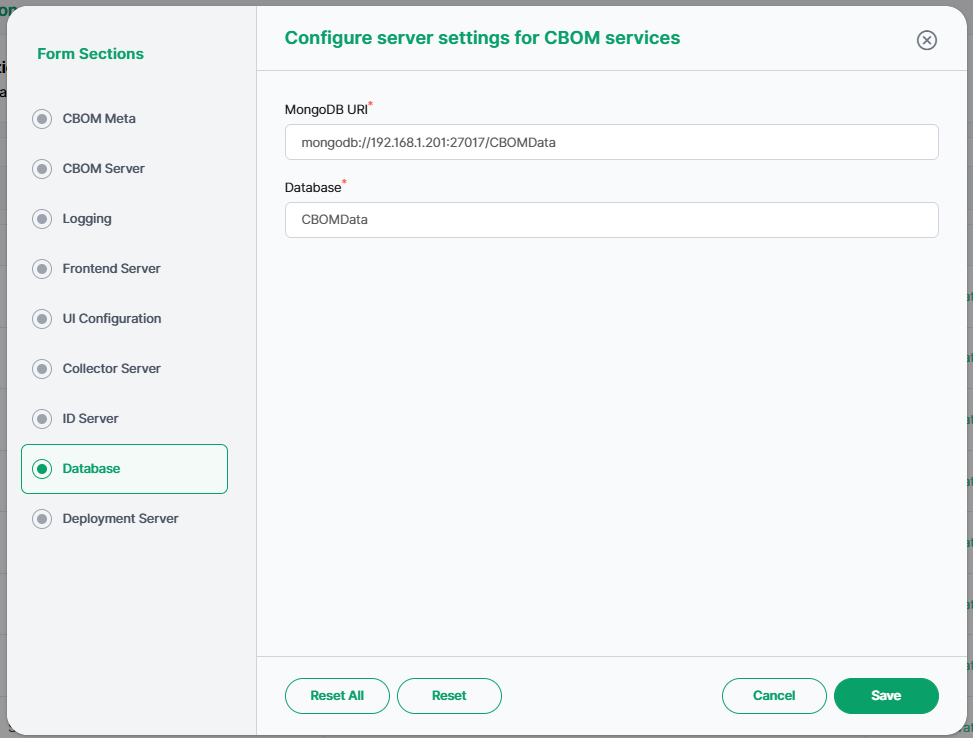
The MongoDB connection used to store all platform data:
-
MongoDB URI: The connection string for the database (for example, mongodb://192.168.1.201:27017/CBOMData).
-
Database: The database name (for example, CBOMData). Credentials (user/password) are part of this section and are stored securely.
Deployment Server
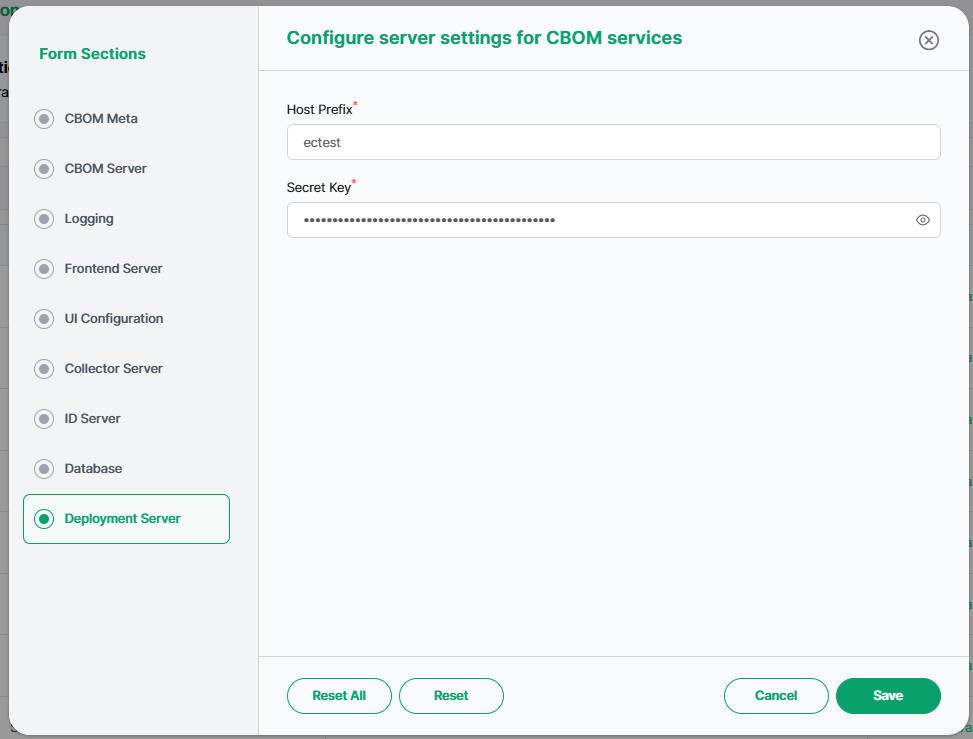
Settings for the deployment service that pushes discovery to target hosts:
-
Host Prefix: The prefix applied to managed host identifiers (for example, ectest).
-
Secret Key: The key used by the deployment server (sensitive and masked).
-
System User: The system account used for deployment operations (for example, cbom-deploy).
Loki Logging
The endpoint the platform ships logs and telemetry to:
-
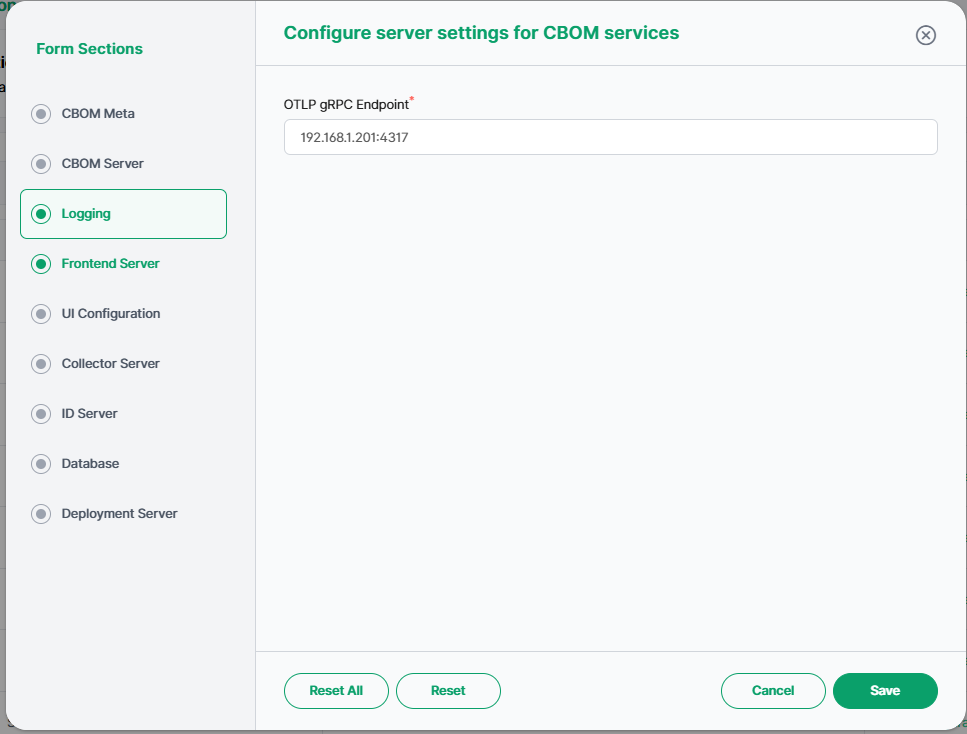
OTLP gRPC Endpoint: The OpenTelemetry collector that receives the signals enabled under Logging (for example, 192.168.1.201:4317). The collector forwards them on to Loki and Grafana. Leave it empty to keep logs local to the file handlers only.
Restoring a Previous Version
To revert to an earlier configuration, find the version in the history table and click Restore in its Action column. That version becomes the active configuration. Because configuration changes affect every CBOM service, restore a version only when you are certain it is the correct one.