
CBOM Documentation

CBOM Secure

  • Product Overview
    • Overview
    • Dashboard Interface
    • Dashboard Operations
    • Data Visualization
    • Overview
    • Host
    • Template
      • Networked Deployments
      • Cloud Deployments
      • Off-Grid Deployments
    • Discovery History
      • Tags
      • Tag Scope
      • Integrations
      • Cloud Servers
      • CycloneDX Export
    • Sensors Reference
    • Overview
    • Summary Report
    • PQC Report
    • AI Services
    • Source Code Visualizer
    • Key
    • Certificate
    • CipherSuites
    • Analysis
    • Policy Management
    • User Policy
    • Standard Policy
    • Overview
    • Cases
    • Criteria
    • Notification Format
    • Rules
      • Connections
      • Health
    • User Management
    • Roles & Permissions
    • Audit Trail
    • System Logs
    • Top Bar and User Menu
    • System Configuration
  • Login and Authentication
    • Introduction
      • Components
      • Data Flows
      • Execution Models
      • Incremental Scanning
      • Security Model
      • Topologies
      • Sizing Guide
      • HA and Scaling
      • Ports and Firewall
      • Prerequisites
      • Docker Compose
      • Native on Linux
      • Deployment Server
      • Install Troubleshooting
      • Validation Checklist
      • Managing Services
      • Logging
      • Certificates
      • Configuration
      • Backup and Recovery
      • Ops Troubleshooting
      • Methods
      • SAML 2.0 SSO
      • OIDC and Entra ID
      • Token Authentication
      • Password Policy
      • Sensor vs Connector
      • Sensor Guide Structure
      • Capability Matrix
      • GitHub Sensor
        • AWS
        • Azure
        • Google Cloud
        • Active Directory
        • LDAP Directories
        • AD CS
        • Thales Luna HSM
        • Entrust nShield HSM
        • HashiCorp Vault KMIP
        • Windows Cert Store
        • Linux Trust Store
        • MSSQL TDE
      • Roadmap
      • Integration Model
      • CrowdStrike
      • ServiceNow
      • ServiceNow and Jira Setup
      • Notification Engine
  • Administrative Guide
    • Glossary
    • Configuration Reference
    • Data Model Reference
    • API Reference
    • API Authentication
    • CycloneDX Export Specification
    • Risk and PQC Scoring
    • Built-in Standards
    • Widget Catalogue
    • AI Services Data Handling

Integrations

Integrations connect CBOM Secure to an external inventory so that hosts arrive automatically instead of being added by hand. Where an integration is configured, its devices appear on the Host page with a Source naming the integration that supplied them.

The page is reached from Discovery > Settings > Integrations in the left navigation menu, and needs the integration:read permission. CrowdStrike Falcon is the integration type available today.

Viewing Integrations

Add Integration sits on the toolbar; each configured integration is one row.
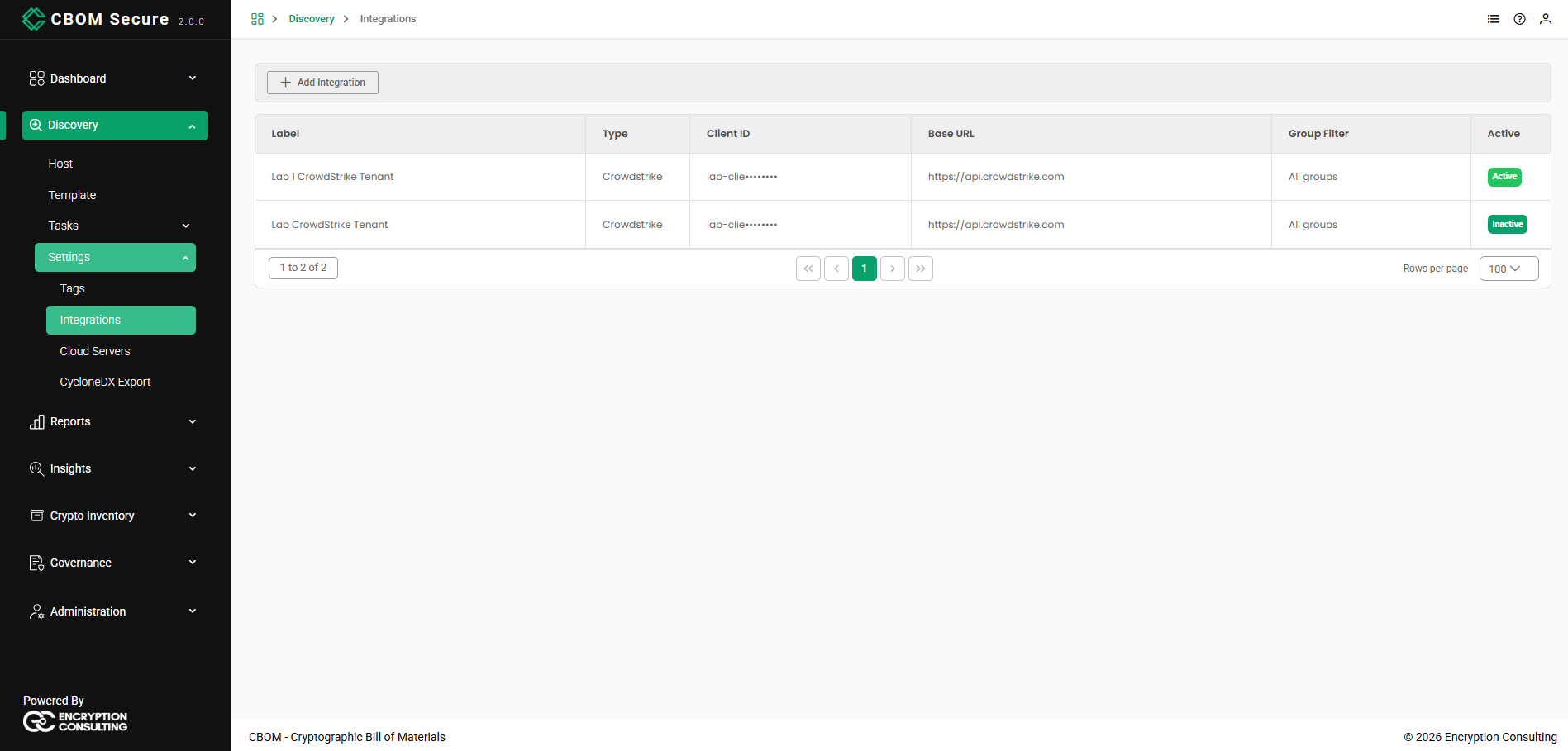
CBOM Secure Discovery — Integrations
  • Label: Your own name for this connection. Useful when you have more than one tenant.

  • Type: The integration type.

  • Client ID: The API client, shown truncated. The client secret is never displayed.

  • Base URL: The API endpoint used.

  • Group Filter: Which groups to pull devices from, or All groups when unfiltered.

  • Active: Active or Inactive. Only an active integration is used, and only an active one puts the Sync CS button and the CrowdStrike source chip on the Host page.

The footer carries the same controls as every other table in the portal: the record range on the left, the page links in the centre, and a Rows per page selector on the right.

Adding an Integration

Click Add Integration and supply the API credentials:
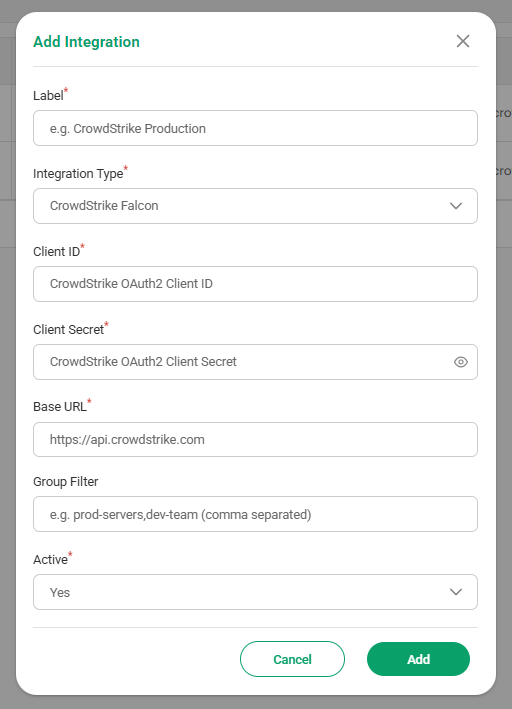
CBOM Secure Discovery — Add Integration
  • Label: Your name for the connection (required).

  • Integration Type: The provider (required). CrowdStrike Falcon today.

  • Client ID / Client Secret: The OAuth2 credentials (both required). The secret is stored encrypted and never shown again; use the eye icon to check it as you type.

  • Base URL: The API endpoint (required).

  • Group Filter: Optional comma-separated list of groups. Leave it empty to take devices from all groups.

  • Active: Whether to use the integration (required). Set it to No to keep the credentials on file without pulling anything.

Click Add to save, or Cancel to discard.

Editing and Deleting an Integration

Right-click any row for Edit Integration and Delete.
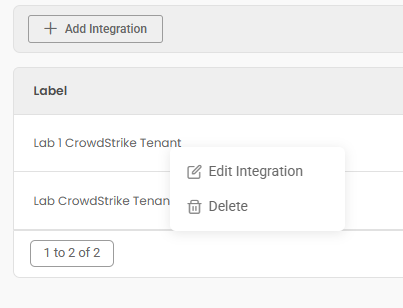
CBOM Secure Discovery — integration actions

In Edit Integration, Integration Type is fixed — it identifies what the stored credentials are for, so it cannot be switched on an existing record. Client Secret is labelled leave blank to keep current: submitting the form with the field empty keeps the stored secret rather than clearing it, so you only retype it when it has actually changed.
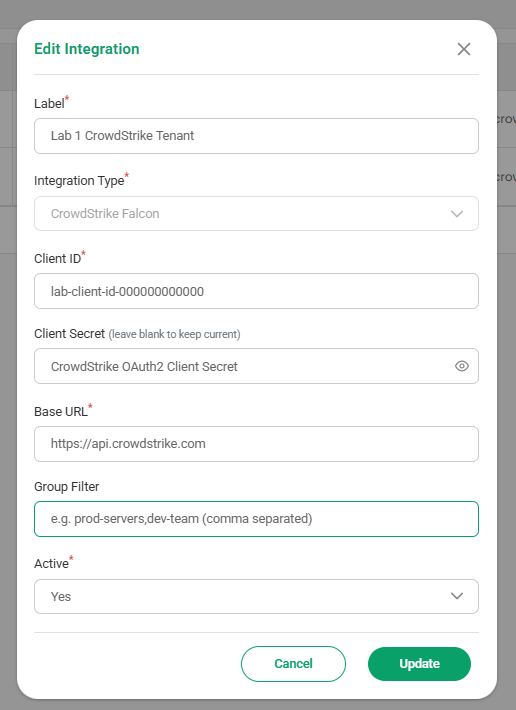
CBOM Secure Discovery — Edit Integration

Delete asks to confirm, warning that hosts linked via it will lose their connection. The host records themselves remain, but they will no longer be refreshed from the source, so consider setting the integration to Inactive instead if you may want it back.
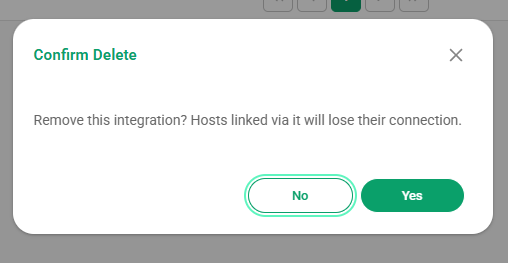
CBOM Secure Discovery — delete integration confirmation
On this Page:
Support Privacy Policy Terms of Service

Copyright 2026 Encryption Consulting LLC. All rights reserved.