
Tag Scope
A Tag Scope is a named, reusable tag filter. It
is written once as an expression over
tags — for example
"Production" $and $not "Test" — and then chosen by
name wherever a slice of the estate is needed: on dashboard
widgets and on notification
rules. Changing a
scope changes every widget and rule that uses it. For how to apply
a scope to a widget, see
Focusing a Widget with a Tag Scope.
A material carries the tags of the hosts and tasks it was discovered through. A scope therefore selects materials by where they are deployed.
The page is reached from Discovery > Settings > Tag Scope in the left navigation menu.
Viewing Tag Scopes
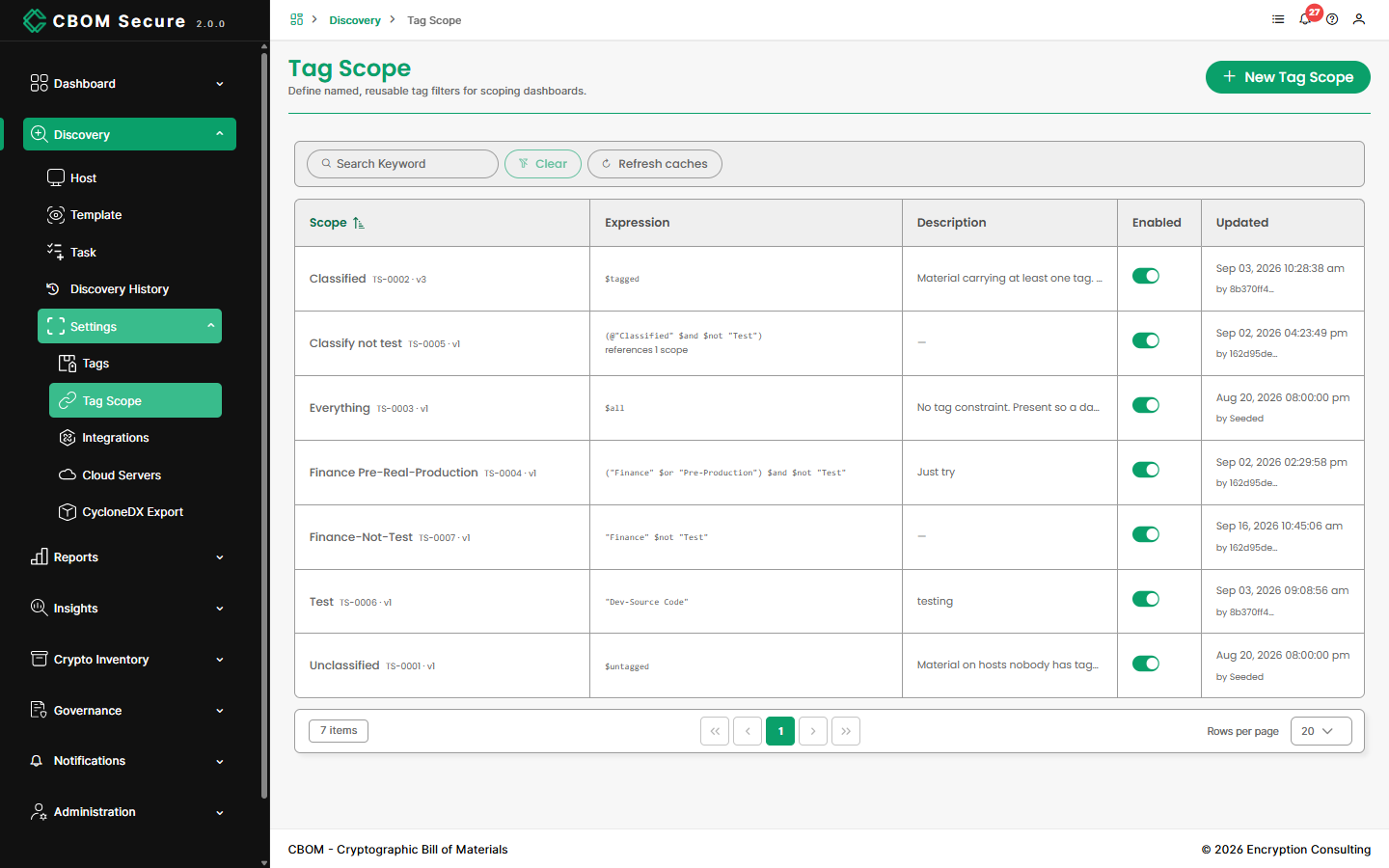
-
Scope: The scope's name, with its identifier (
TS-followed by a number) and version beneath. Expression: The tag expression the scope stands for.
Description: What the scope is for.
Enabled: Whether widgets and rules may use it.
Updated: When it was last changed.
Search Keyword filters the list and Clear resets it. Refresh caches makes the server re-read scopes and tags at once. It does this on its own every minute, so you only need the button straight after a change you want to see immediately.
Creating a Tag Scope
Click New Tag Scope:
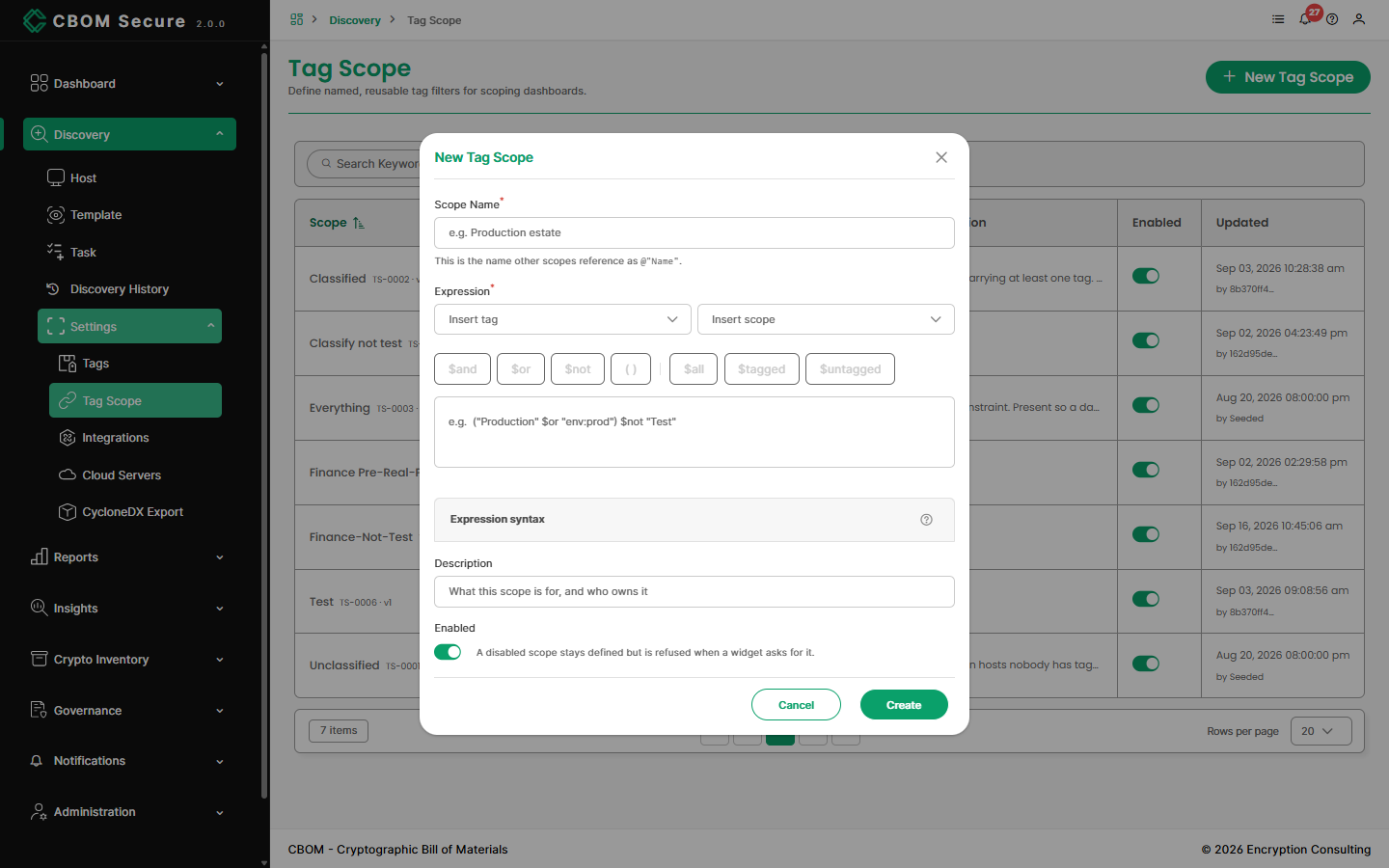
-
Scope Name: Required and unique. Other scopes refer to this one as
@"Name". -
Expression: Required. Type it, or build it with Insert tag, Insert scope and the operator buttons beneath the box.
Description: Optional.
-
Enabled: A disabled scope stays defined, but a widget that asks for it is refused, and other scopes cannot reference it.
Click Create to save, or Cancel to discard.
Expression Syntax
-
Tag names are always quoted — with
"or'. An unquoted word is an error, as is a tag that does not exist. -
Operators:
$and,$orand$not, with parentheses to group.$notbinds tightest, then$and, then$or. The plain wordsand/or/notalso work. -
Everything and nothing:
$allselects every material,$taggedevery material with at least one tag, and$untaggedevery material with none. -
Lists:
$anyOf("A", "B")and$allOf("A", "B")are shorthand for a chain of$oror$and. -
Wildcards:
*and?inside the quotes match several tags —"prod-*"means every tag starting prod-. -
Other scopes:
@"Name"includes another scope's expression. A scope cannot include itself, directly or through others, and nesting stops at ten levels.
One point catches people out. $not "Test" includes
materials with no tags at all, because they do not carry
"Test". For "tagged, but not Test", write
$tagged $not "Test".
Editing, Duplicating and Deleting
Right-click any row for its actions:
-
Edit: Reopens the dialog on the saved values. Renaming a scope updates the other scopes that refer to it by name.
Duplicate: Starts a new scope from a copy of this one.
Usage: Shows which scopes and widgets use this one.
Delete: Removes the scope, after a confirmation.
A scope that another scope or a dashboard widget still uses cannot be deleted. The refusal names what uses it, so you can remove those references first.