
Health
Health shows how the notification engine is doing: when each background job runs next, what is waiting to be delivered, which rules are failing, and how many cases are in each state. It is the first place to look when a notification did not arrive.
The page is reached from Notifications > Settings in the left navigation menu, on the Health tab.
Reading the Page
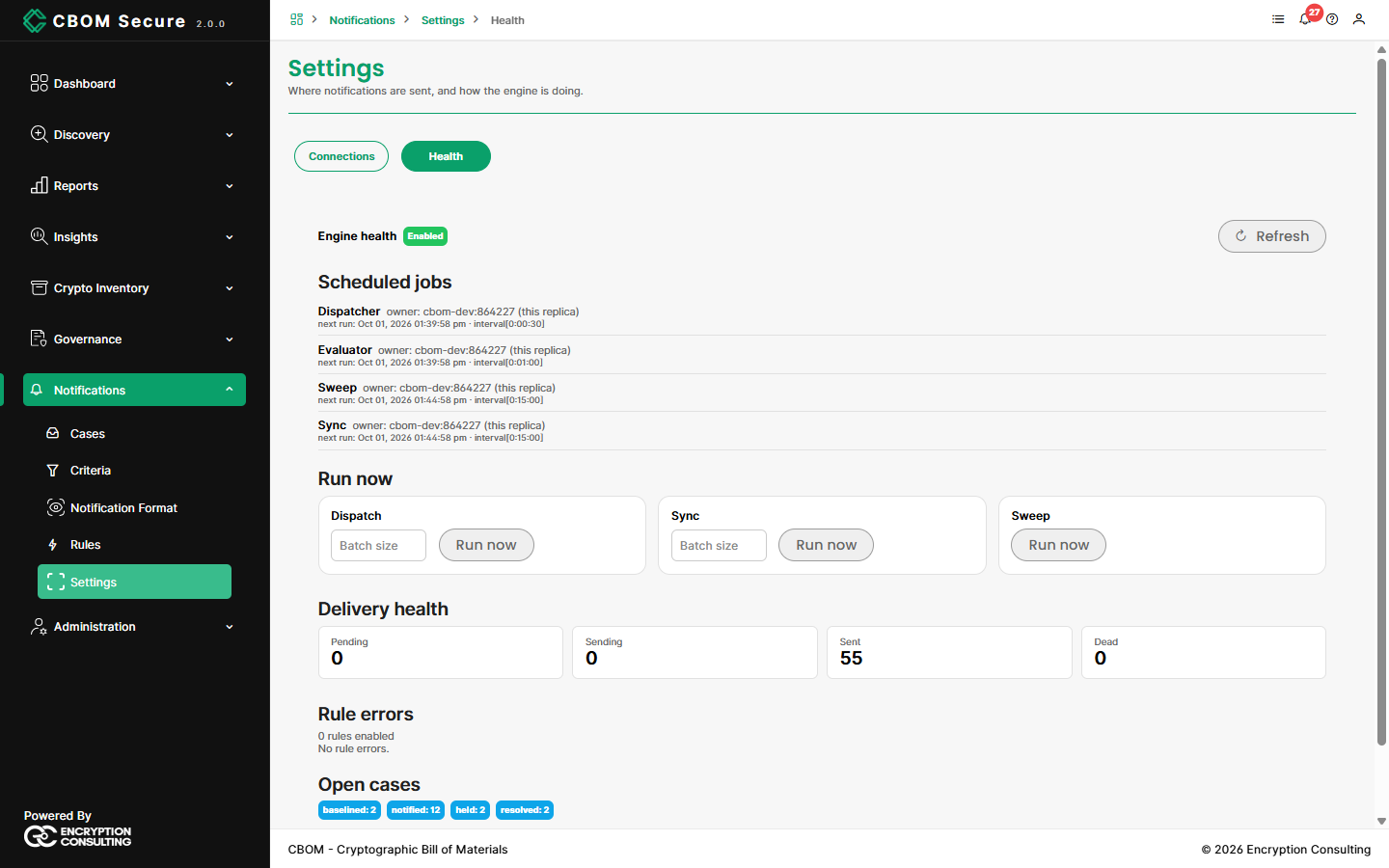
Engine health shows whether the engine is enabled. Refresh reloads every panel.
Scheduled jobs
Four jobs run in the background, each listed with the server running it and its next run:
Dispatcher (every 30 seconds): sends queued deliveries, retrying a failed one up to five times.
Evaluator (every minute): handles new events and runs the enabled rules that listen for them.
-
Sweep (every 15 minutes): wakes snoozed cases and lapsed waivers, expires and archives cases, and counts long-held ones.
Sync (every 15 minutes): checks open Jira and ServiceNow tickets for closure.
Run now
Runs Dispatch, Sync or Sweep immediately instead of waiting for the schedule. Dispatch and Sync take an optional Batch size; leave it blank for the configured default. Running a job needs the health-run permission, held by administrators.
Delivery health
Pending: Queued, not yet attempted.
Sending: Being delivered right now.
Sent: Delivered.
-
Dead: Gave up after every retry. Open the case to see the last error and Retry once the cause is fixed.
A value of unknown means the count itself could not be read.
Rule errors and open cases
Rule errors states how many rules are enabled, and lists each rule whose last run failed, linked to the rule. Open cases shows a count for each case state.