
Off-Grid Deployments
Off-Grid Deployments covers discovery on hosts CBOM Secure cannot reach over the network. Instead of connecting to the host, the platform builds a self-contained bundle that you carry to it, run there, and bring the results back to import.
The page is reached from Discovery > Tasks > Off-Grid Deployments in the left navigation menu. Off-grid tasks are created like any other task — choose Off-Grid as the Delivery on the Create Task dialog — and they run Networked templates, because the sensors execute locally on the target.
Viewing Off-Grid Deployments
Each row is one off-grid task, and can be expanded to show its hosts. An Import Results button at the top right takes a results bundle brought back from a target.
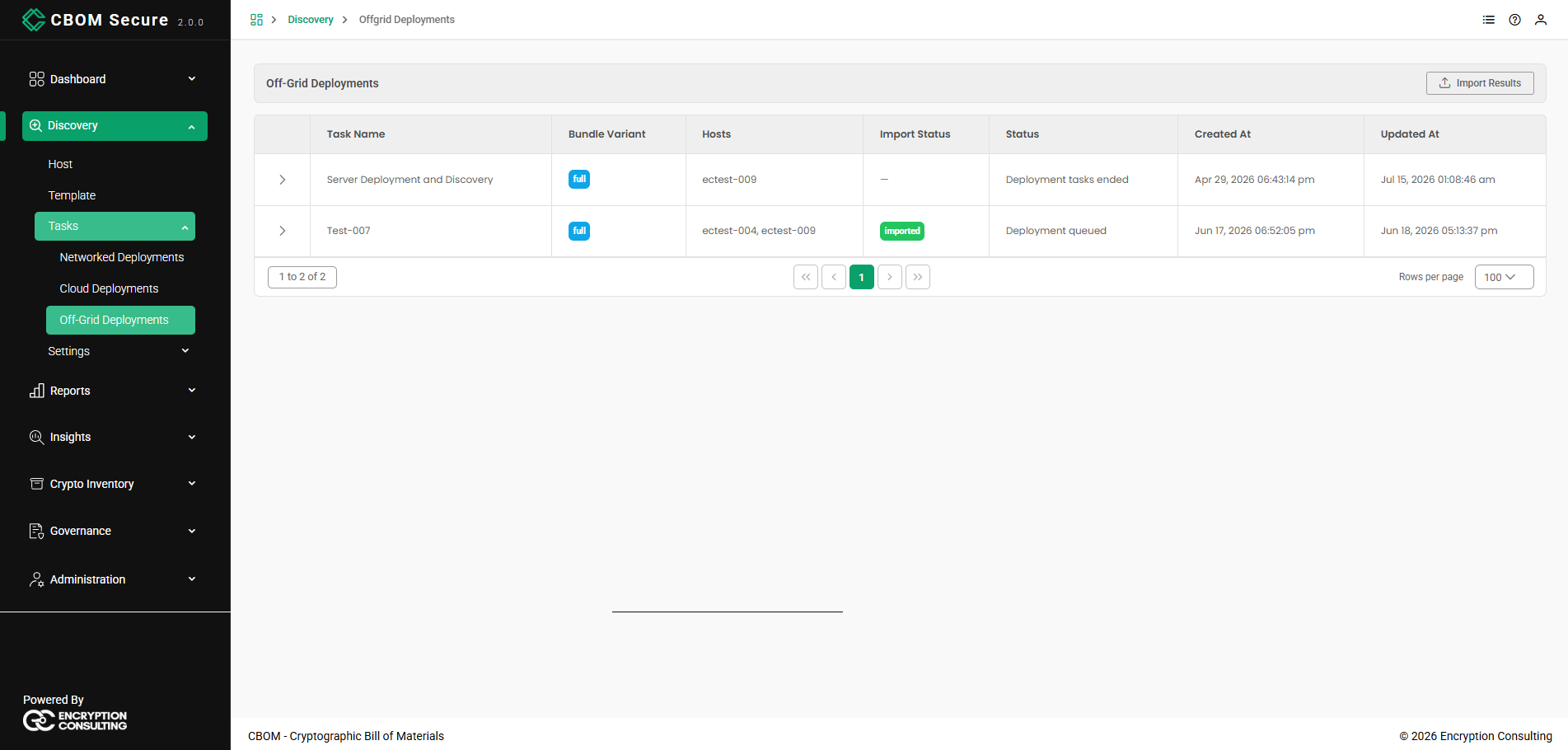
Task Name: The name of the off-grid task.
-
Bundle Variant: Which flavour of bundle was built. full is the only variant the platform builds today, so there is no choice to make.
Hosts: The hosts the task targets.
-
Import Status: imported once results have been brought back and ingested, a dash before that.
Status: The task's own progress message.
-
Created At / Updated At: When the task was created, and when it last changed — which for an off-grid task usually means the last bundle or import step.
The footer carries the same controls as every other table in the portal: the record range on the left, the page links in the centre, and a Rows per page selector on the right.
Per-Host Bundle Status
Expand a row with the chevron at its left to see the task's hosts individually. Because a bundle is built and carried per host, this is where you track how far each one has got.
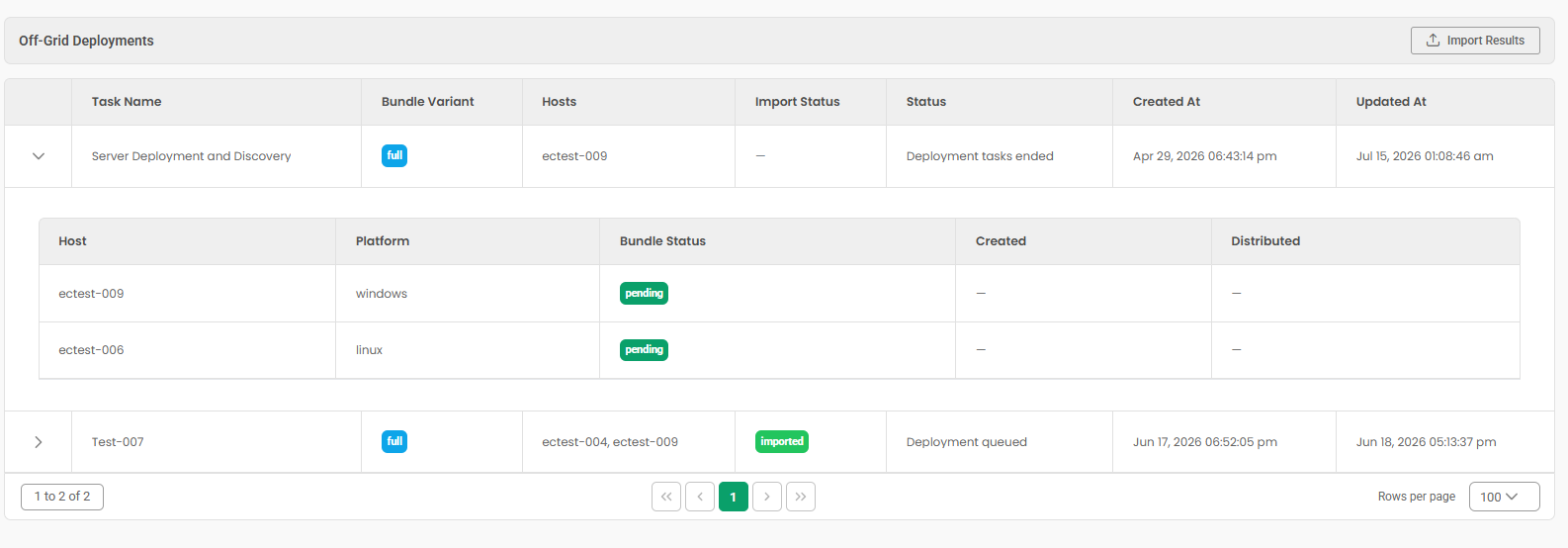
Host: The target host's identifier.
-
Platform: The operating system the bundle was built for, such as windows or linux.
-
Bundle Status: Where that host's bundle has reached — pending, building, bundle_ready, bundle_distributed, importing, imported, failed or expired.
-
Created / Distributed: When the bundle was built, and when it was recorded as delivered to the host.
Bundle Actions
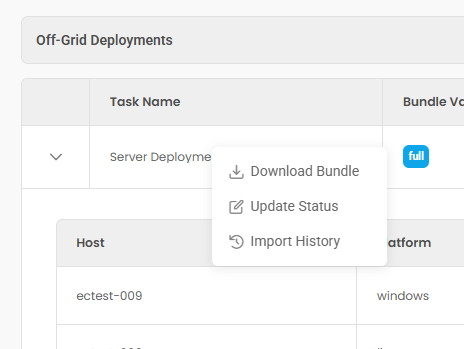
Right-click a task row for its bundle actions.
-
Build Bundle / Download Bundle: The first entry changes with the state of the task. Where no bundle exists yet it reads Build Bundle; once one has been built it reads Download Bundle and hands you the existing file. While a build is running it reads Building bundle… and is disabled.
A first build is compute-heavy and can take several minutes; later builds are cached and return quickly.
-
Update Status: Records progress that the platform cannot observe for itself — most usefully marking a bundle as distributed once you have delivered it to the host.
-
Import History: Opens Off-Grid Import History for the task, listing the imports attempted against it and how each one ended. It is disabled for a task that has no scan associated with it yet.
Importing Results
When the bundle has been run on the target, bring the results file back and use Import Results. The platform parses the file, de-duplicates the cryptographic material against what it already holds, and adds the rest to the inventory — so an off-grid host ends up in the same reports and dashboards as a networked one.
A large scan can take a few minutes to import. The task's Import Status becomes imported when it finishes, and Import History records the outcome.