
Connections
Connections holds one server or credential per channel — the mail server for email, the instance and account for ServiceNow, the site and token for Jira. A rule chooses a channel, and the channel finds its connection here. The in-app CBOM Secure inbox needs no connection.
The page is reached from Notifications > Settings in the left navigation menu, on the Connections tab. Health is the tab beside it.
Viewing Connections
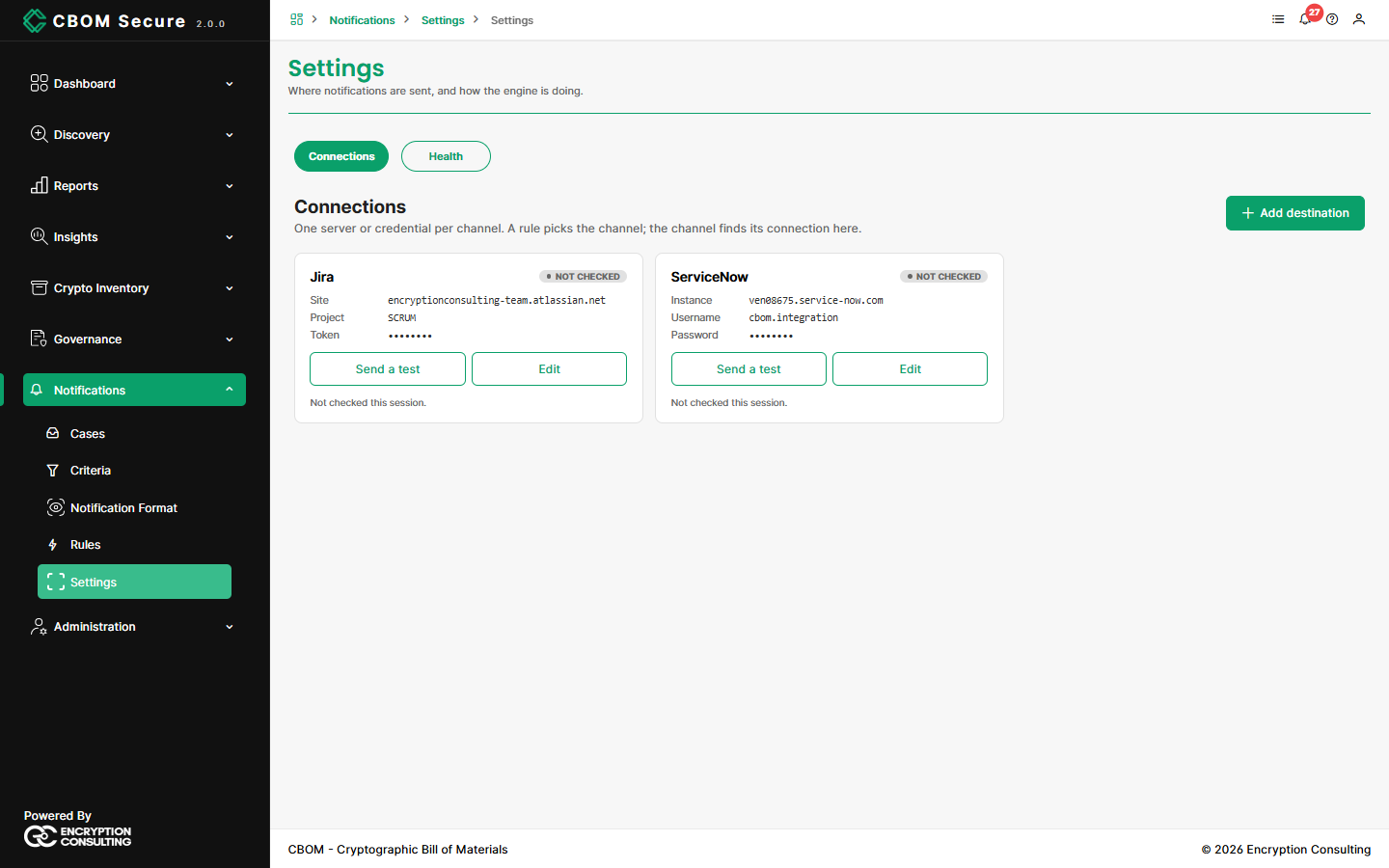
Each connection is a card showing its type, its main settings, and a status. Secrets such as passwords and tokens are always shown masked.
VERIFIED: The last test succeeded.
REFUSING: The last test was rejected by the far end.
NOT CHECKED: Not tested since you opened the page.
INACTIVE: Defined but switched off.
Send a test checks the connection now. For Microsoft Teams the test posts a real message to the channel, so it asks first. Edit reopens the card's settings.
Adding a Connection
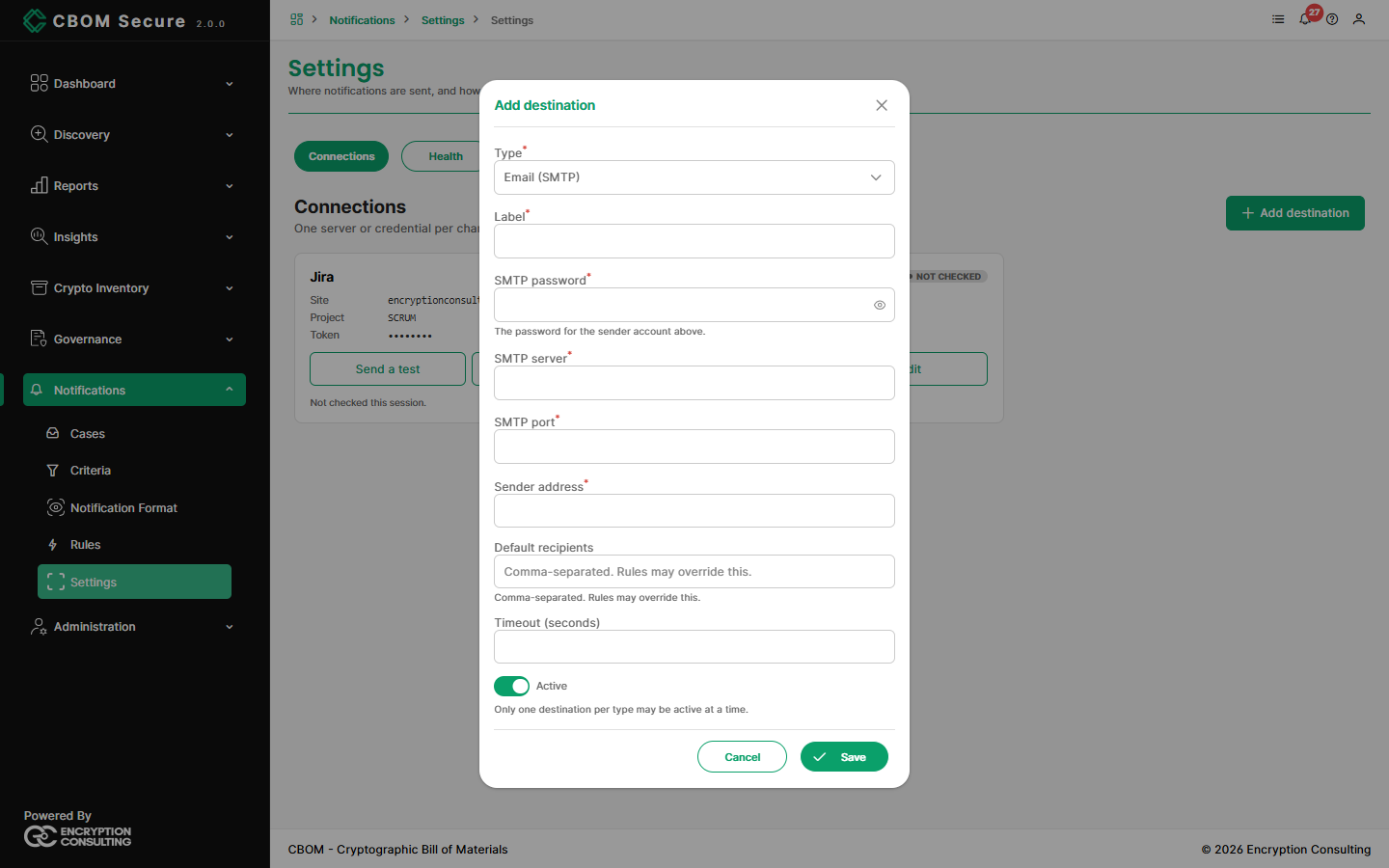
Click Add destination and choose a Type:
-
Email (SMTP): SMTP server and port, sender address and its password, default recipients (comma-separated; a rule can override them), and a timeout.
Microsoft Teams: The channel's incoming webhook URL, stored as a secret.
-
Jira: Base URL, project key, Cloud or Data Center, account email (required for Cloud), API version, issue type, labels, an optional priority map, and an API token.
-
ServiceNow: Base URL, username and password, assignment group, close code, an optional map from severity to impact and urgency, and any extra fields to set on the record.
Every type also takes a Label and an Active switch. Only one connection per type may be active at a time. To switch to a different mail server, deactivate the old one first.
For preparing the ServiceNow or Jira side — the account, its roles and the fields it needs — see ServiceNow and Jira Setup.