Summary Report
This layout can be customised. The page below describes it as shipped. To adapt it for a specific purpose, build the arrangement you want as a template in Dashboard > Home — adding, removing, arranging and configuring widgets — then choose Update > Save as Layout and pick this page. Saving replaces this page's layout for every user and the previous arrangement is not kept, so it needs the layout-update permission held by administrators. See Publishing a Template as a Layout.
The Summary Report is an enterprise inventory report: a consolidated view of the cryptographic material collected from your environment, together with an analysis of its strength against a standard policy. The page itself introduces it as showing cryptographic strength against standard policies and overviews of crypto inventory that collected.
It is reached from Reports > Summary Report in the left navigation menu, and is laid out as a single scrolling report rather than a dashboard you rearrange.
Exporting the Report
An Export PDF button sits at the top right, beside the layout's name. It renders the whole report — every KPI tile, chart and table, in the order they appear on screen — into a PDF and saves it named after the layout, for example Summary-Layout.pdf.
The button is disabled while the export runs, and a failure is reported as an Export failed notification rather than silently producing nothing. This control is not specific to this report: it appears on every layout reached from the navigation menu, so the PQC Report and the Crypto Inventory pages can be exported the same way.
Summary of Inventory
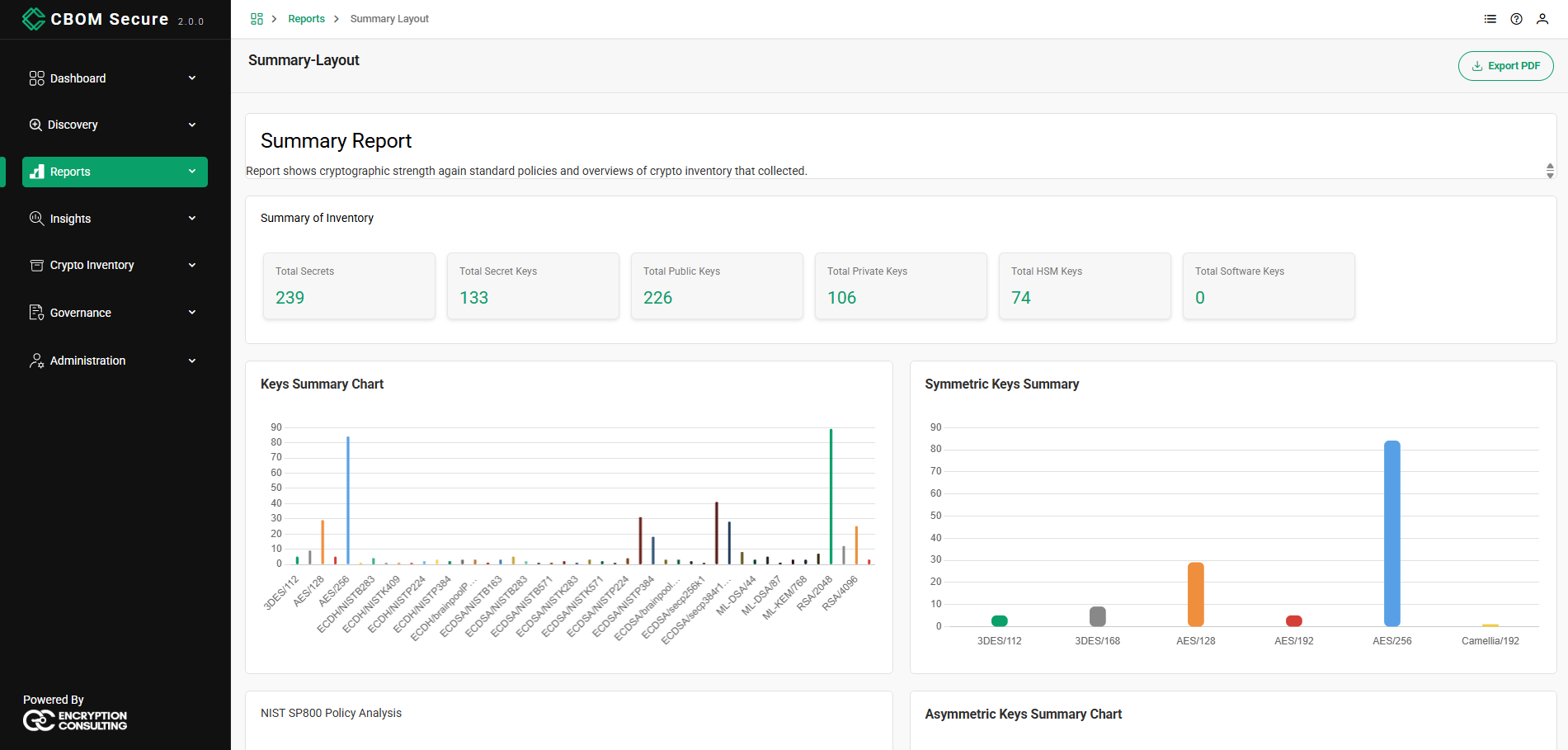
The report opens with Summary of Inventory, a row of single-value cards counting each kind of material discovered. The names are the ones printed on the cards:
Total Secrets: Secret and private keys combined.
Total Secret Keys: Symmetric secret keys only.
Total Public Keys: Public keys only.
Total Private Keys: Private keys only.
-
Total HSM Keys: Secret and private keys held in a hardware security module.
-
Total Software Keys: Secret and private keys with no hardware protection recorded.
Key Summary Charts
Three charts break the key inventory down by algorithm and size:
-
Keys Summary Chart: Every key by algorithm and strength, from 3DES and AES through the elliptic-curve families to RSA and the post-quantum ML-DSA and ML-KEM parameter sets.
-
Symmetric Keys Summary: The symmetric keys alone — for example 3DES/112, 3DES/168, AES/128, AES/192, AES/256 and Camellia/192.
-
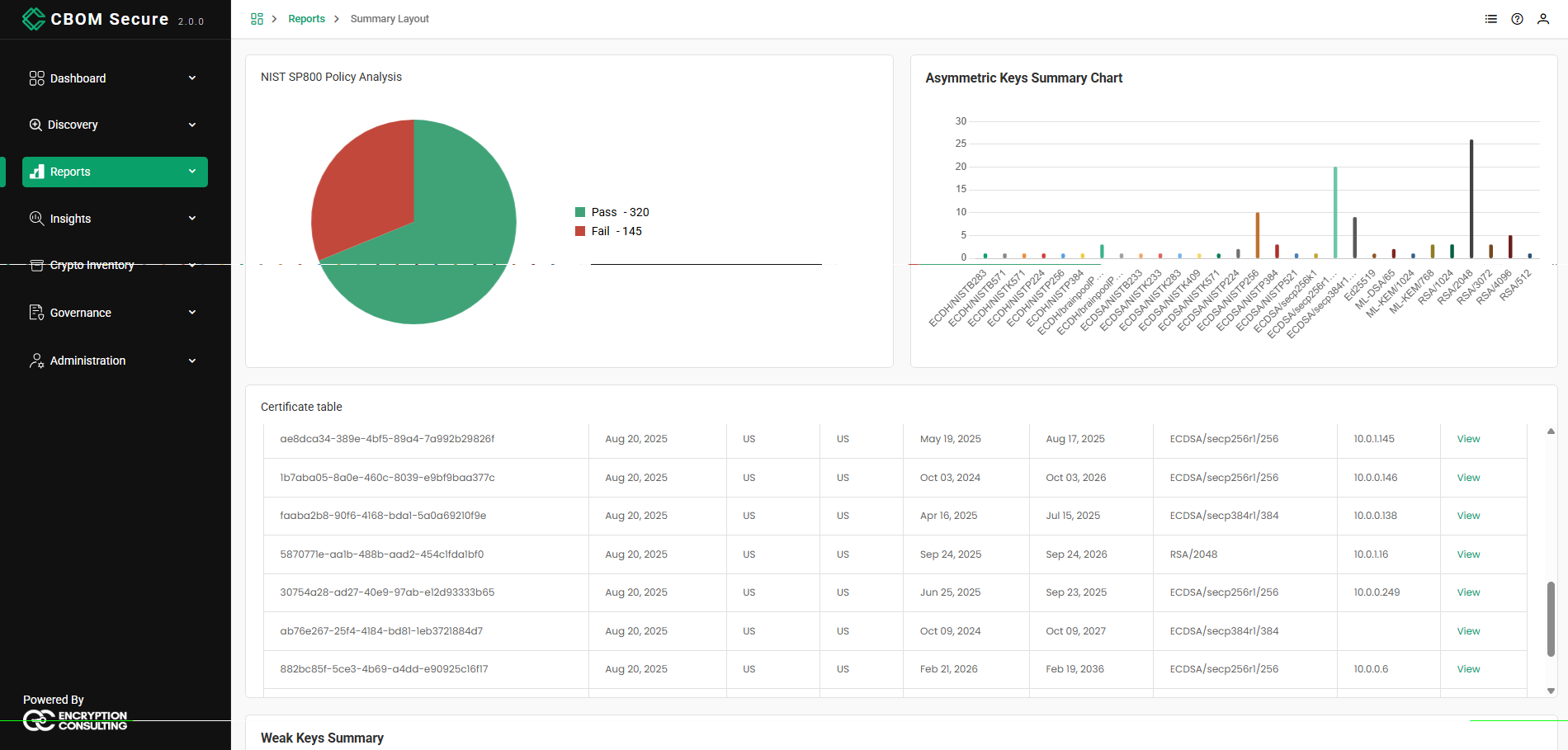
Asymmetric Keys Summary Chart: The asymmetric keys by curve or modulus size.
NIST SP800 Policy Analysis
A pie chart of the inventory measured against the NIST SP-800 policy, with the Pass and Fail counts given beside it — a single number for how much of the estate currently conforms.
Certificate Table
A table of the discovered certificates, each row giving the certificate's identifier, when it was discovered, its issuer and subject country, its validity period, its signing algorithm (for example ECDSA/secp256r1/256 or RSA/2048) and the host it was found on. The View link at the end of a row opens that certificate in full.
Weak Keys Summary
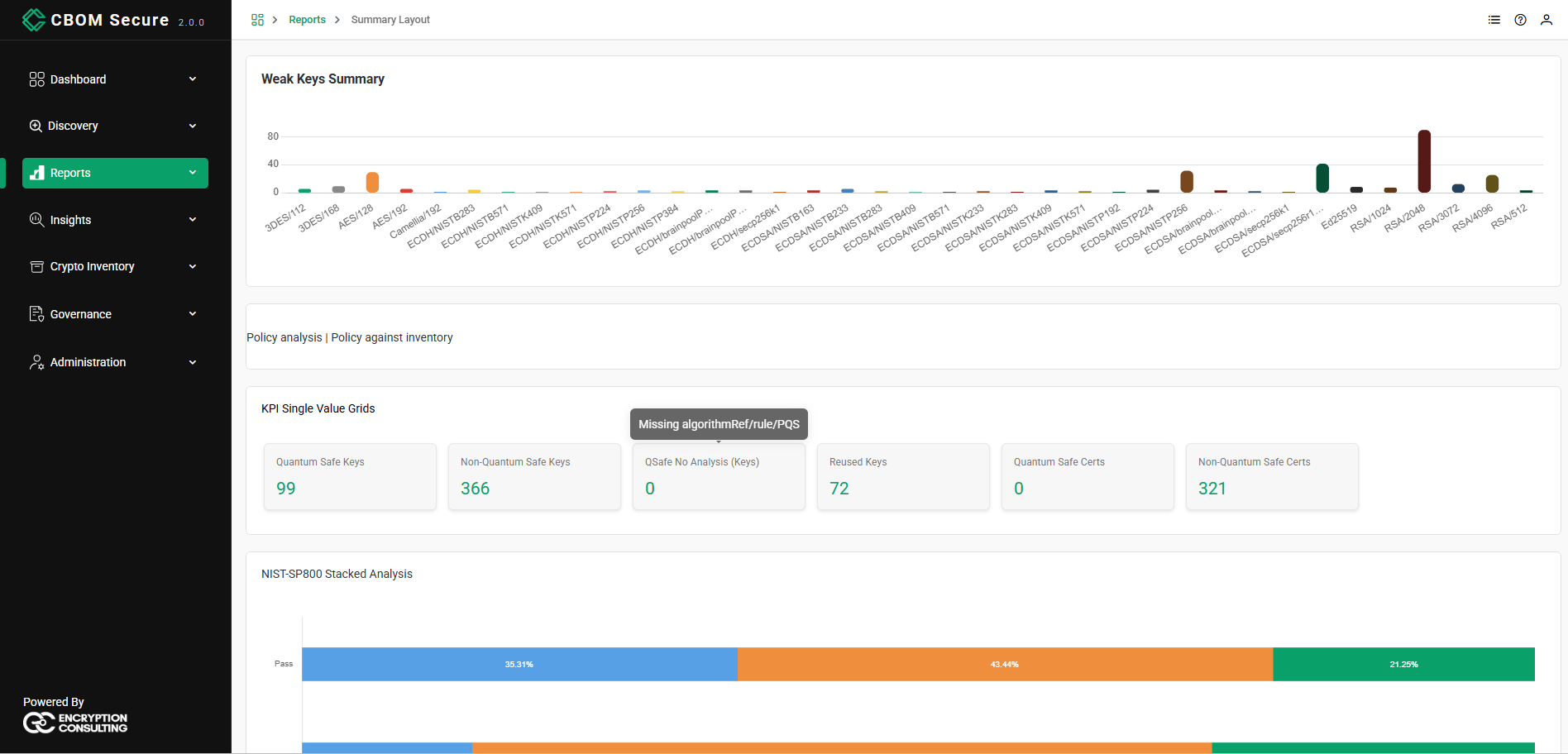
The keys judged weak, grouped by algorithm and size, so the specific parameter sets that need attention are visible rather than just a total.
Policy Analysis
The closing section, introduced by a Policy analysis | Policy against inventory heading, evaluates the policy against the collected inventory.
A KPI Single Value Grids row summarises quantum-readiness and key hygiene. As on the other pages these are the names shown on the cards, which are shorter than the names the widget's configuration panel lists them under:
Quantum Safe Keys
Non-Quantum Safe Keys
-
QSafe No Analysis (Keys): Keys that could not be judged. Hovering the card explains why — Missing algorithmRef/rule/PQS — meaning the material lacks the algorithm reference the rule needs.
-
Reused Keys: Keys whose public key appears on more than one material.
Quantum Safe Certs
Non-Quantum Safe Certs
Two charts close the report:
-
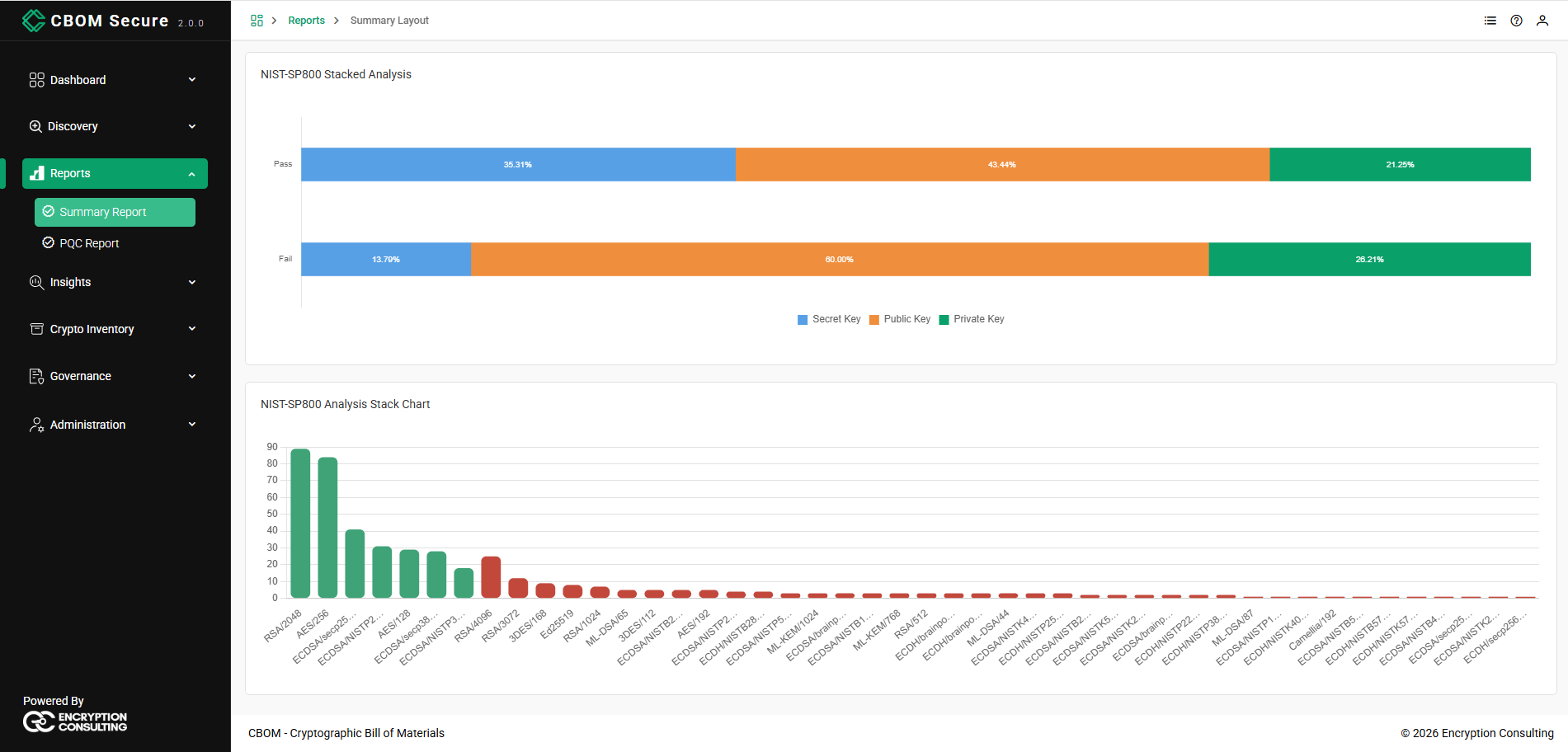
NIST-SP800 Stacked Analysis: The Pass and Fail populations as two horizontal bars, each split by key type — Secret Key, Public Key and Private Key — with each segment's share labelled. It answers which kind of key is driving the failures.
-
NIST-SP800 Analysis Stack Chart: The inventory per algorithm and key size, coloured by whether that algorithm passes the policy, so the specific entries responsible for the failing side are identifiable by name.