
CBOM Documentation

CBOM Secure

  • Product Overview
    • Overview
    • Dashboard Interface
    • Dashboard Operations
    • Data Visualization
    • Overview
    • Host
    • Template
      • Networked Deployments
      • Cloud Deployments
      • Off-Grid Deployments
    • Discovery History
      • Tags
      • Tag Scope
      • Integrations
      • Cloud Servers
      • CycloneDX Export
    • Sensors Reference
    • Overview
    • Summary Report
    • PQC Report
    • AI Services
    • Source Code Visualizer
    • Key
    • Certificate
    • CipherSuites
    • Analysis
    • Policy Management
    • User Policy
    • Standard Policy
    • Overview
    • Cases
    • Criteria
    • Notification Format
    • Rules
      • Connections
      • Health
    • User Management
    • Roles & Permissions
    • Audit Trail
    • System Logs
    • Top Bar and User Menu
    • System Configuration
  • Login and Authentication
    • Introduction
      • Components
      • Data Flows
      • Execution Models
      • Incremental Scanning
      • Security Model
      • Topologies
      • Sizing Guide
      • HA and Scaling
      • Ports and Firewall
      • Prerequisites
      • Docker Compose
      • Native on Linux
      • Deployment Server
      • Install Troubleshooting
      • Validation Checklist
      • Managing Services
      • Logging
      • Certificates
      • Configuration
      • Backup and Recovery
      • Ops Troubleshooting
      • Methods
      • SAML 2.0 SSO
      • OIDC and Entra ID
      • Token Authentication
      • Password Policy
      • Sensor vs Connector
      • Sensor Guide Structure
      • Capability Matrix
      • GitHub Sensor
        • AWS
        • Azure
        • Google Cloud
        • Active Directory
        • LDAP Directories
        • AD CS
        • Thales Luna HSM
        • Entrust nShield HSM
        • HashiCorp Vault KMIP
        • Windows Cert Store
        • Linux Trust Store
        • MSSQL TDE
      • Roadmap
      • Integration Model
      • CrowdStrike
      • ServiceNow
      • ServiceNow and Jira Setup
      • Notification Engine
  • Administrative Guide
    • Glossary
    • Configuration Reference
    • Data Model Reference
    • API Reference
    • API Authentication
    • CycloneDX Export Specification
    • Risk and PQC Scoring
    • Built-in Standards
    • Widget Catalogue
    • AI Services Data Handling

CycloneDX Export

CycloneDX Export lets you filter the cryptographic material discovered across your environment and export it as a CycloneDX CBOM file (JSON). This produces a portable, standards-based cryptographic bill of materials that can be fed into external audit, compliance, and bill-of-materials tools. The page is reached from Discovery > Settings > CycloneDX Export in the left navigation menu.

Export Filters

The Export panel lets you narrow down exactly which material is included in the export. Three filters are always required:

  • Cryptomaterial Type: The type of material to export — All, Key, Certificate, Source Code, Protocol or Binary.

  • Date From / Date To: The discovery date range to include, selected from a calendar picker. Date To must be on or after Date From; the form refuses to export an inverted range.
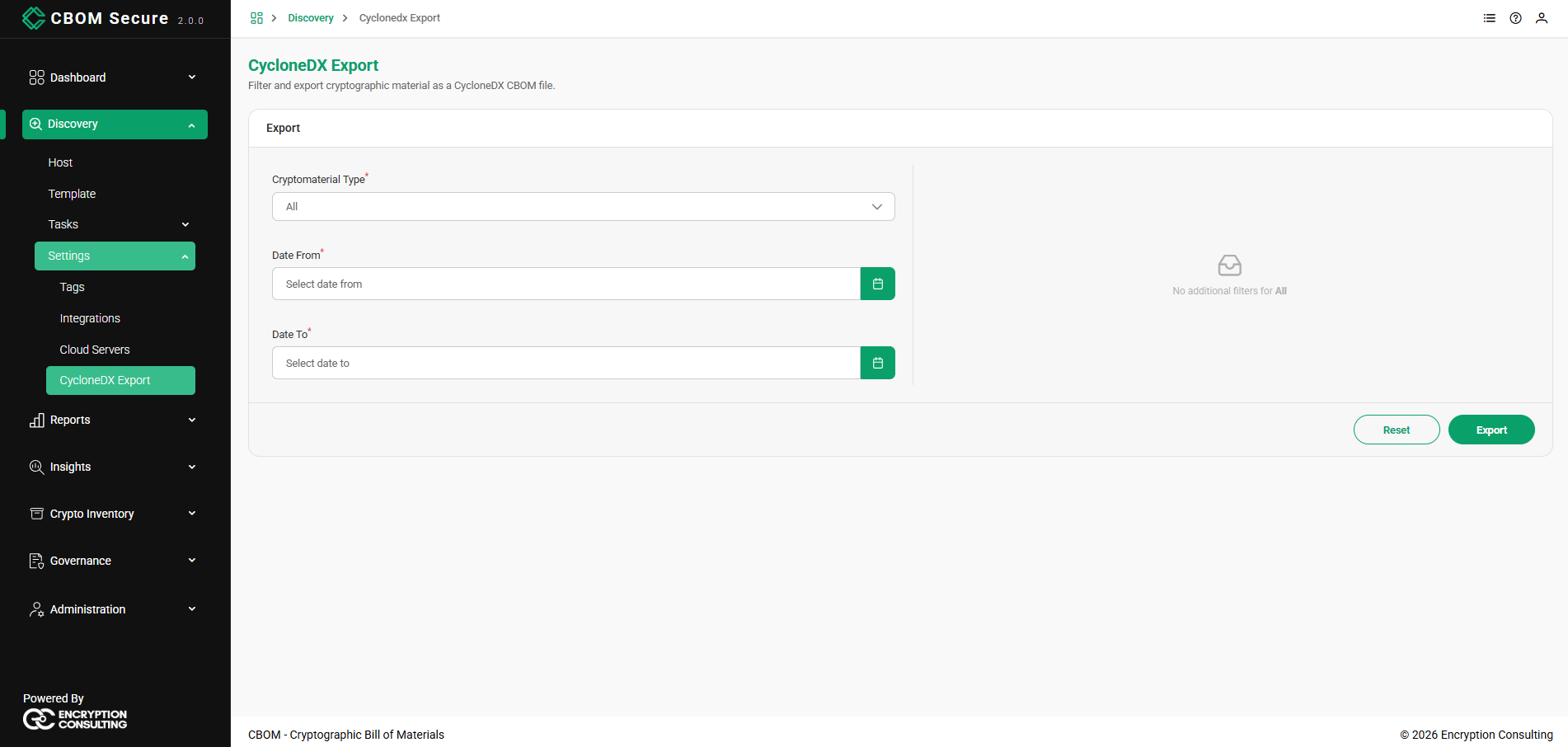
CBOM Secure CycloneDX Export — export form
Type-Specific Filters

Selecting a Cryptomaterial Type reveals additional, type-specific filters on the right. When All is selected, no additional filters apply. Every type-specific filter is optional — only the type and the two dates are required. Switching type keeps the dates and clears the type-specific fields, since they do not carry over.

  • Key: Scan Host, Key Type, Algorithm, Algorithm Ref, State (Active or Inactive), Secured By and Public Key SHA-256.

  • Certificate: Scan Host, Algorithm, Algorithm Ref and Certificate SHA-256.

  • Source Code: Scan Host, Scan ID, Category, File and Language.

  • Protocol: Scan Host, Host, Port, URL and Cipher Suite.

  • Binary: Family, Scan Host, Min Confidence, Crypto Symbol, Imported Library and Dependency.

CBOM Secure CycloneDX Export — cryptomaterial type and type-specific filters

Use the calendar picker to set the Date From and Date To bounds for the export:
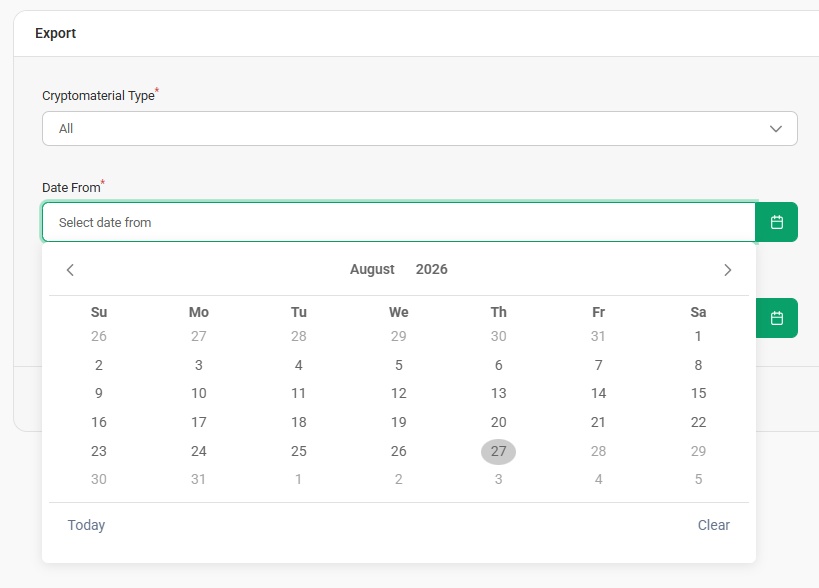
CBOM Secure CycloneDX Export — date range picker

Exporting and Downloading

Once the filters are set, click Export. A Confirm Export Filename dialog appears with a suggested File Name that reflects your selection. The suggestion is built from cbom-export, the type, the one filter most specific to that type if you filled it, and the two dates as YYYYMMDD — for example, cbom-export-key-20260501-20260601.json, or cbom-export-key-public_key-20260501-20260601.json when a Key Type was given. Adjust the file name if needed, then click Download to save the CycloneDX CBOM file, or Cancel to go back. Download stays disabled while the name is empty.
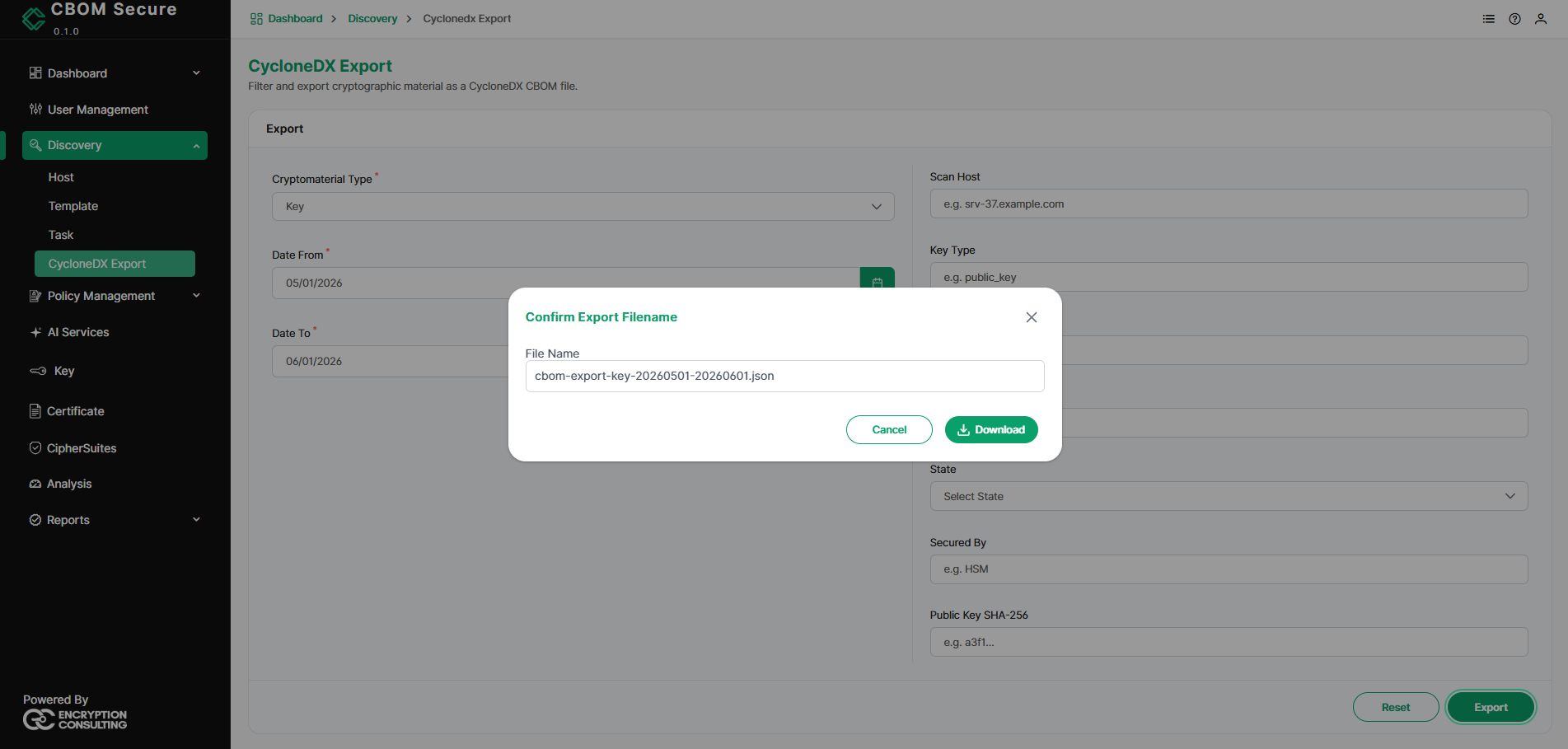
CBOM Secure CycloneDX Export — confirm export filename dialog

The Reset button clears all filters so you can start a new export selection.

On this Page:
Support Privacy Policy Terms of Service

Copyright 2026 Encryption Consulting LLC. All rights reserved.