Key
This layout can be customised. The page below describes it as shipped. To adapt it for a specific purpose, build the arrangement you want as a template in Dashboard > Home — adding, removing, arranging and configuring widgets — then choose Update > Save as Layout and pick this page. Saving replaces this page's layout for every user and the previous arrangement is not kept, so it needs the layout-update permission held by administrators. See Publishing a Template as a Layout.
The Key section is dedicated to reviewing your key-related inventory and its analysis. It brings together high-level totals, distribution charts, risk analysis, and a detailed table of individual keys, giving you a complete picture of the cryptographic keys discovered across your environment — their algorithms, strengths, where they are stored, and the sensors that found them. The section is reached from Crypto Inventory > Key in the left navigation menu, and the shipped layout is named Key-Layout. It opens with a text widget introducing the page — Key Section | This section is to review key related inventory.
An Export PDF button at the top right renders the page to a PDF named after the layout.
KPI Single Value Grids
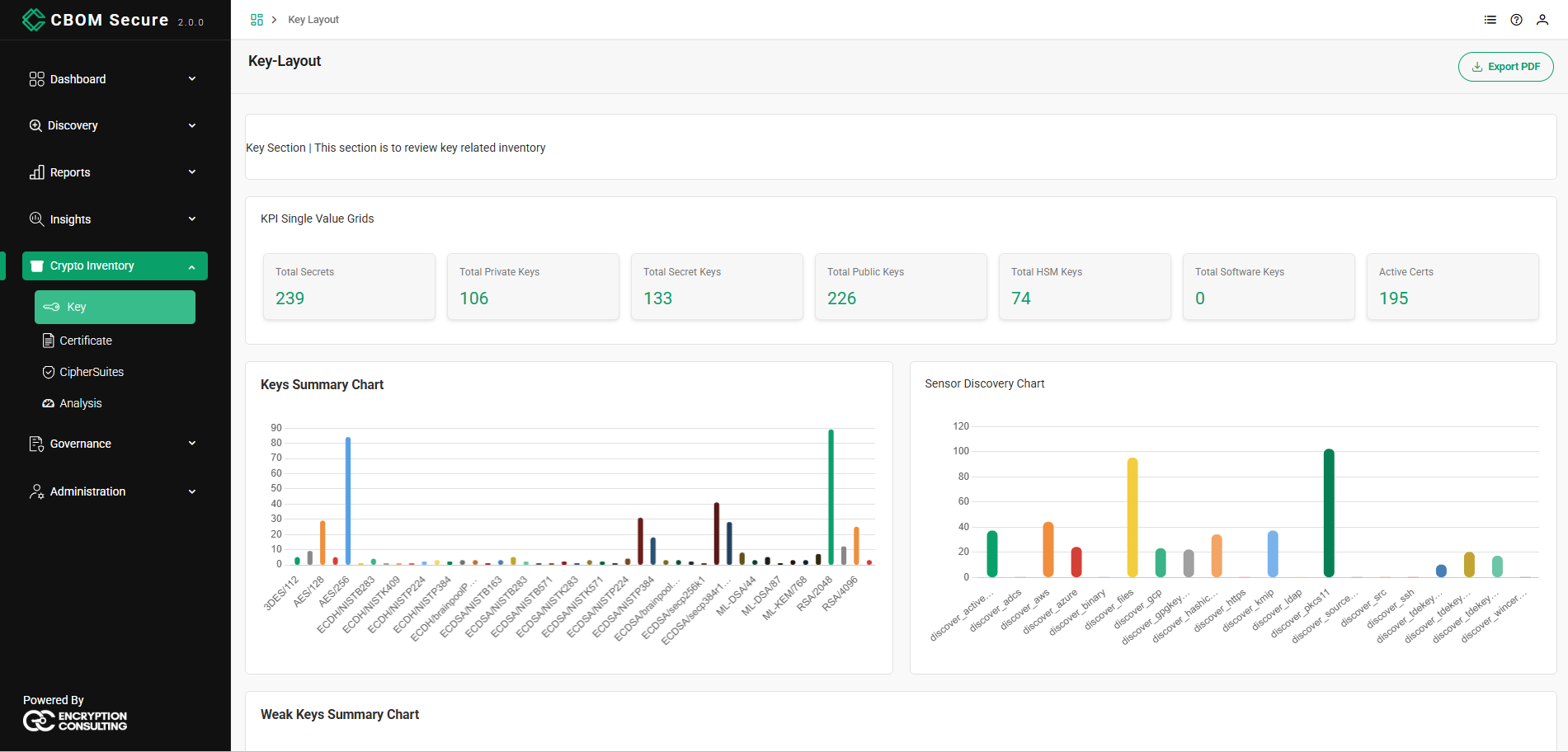
The section opens with a row of single-value cards summarizing the key inventory at a glance. Each card is one KPI chosen from the platform's catalogue, so the set on your dashboard is configurable; the shipped selection is:
The names below are the ones printed on the cards. Be aware that a KPI is listed under a longer name in the widget's own configuration panel — Active Certs appears there as Total Active Certificate, for instance — so the picker and the card do not always read the same.
-
Total Secrets: Secret and private keys combined.
Total Private Keys: Private keys only.
Total Secret Keys: Symmetric secret keys only.
Total Public Keys: Public keys only.
-
Total HSM Keys: Secret and private keys held in a hardware security module.
-
Total Software Keys: Secret and private keys with no hardware protection recorded.
-
Active Certs: Certificates already valid and not yet expired. Carried over from the certificate KPIs; drop it from the grid if you want a keys-only row.
Summary Charts
A set of bar charts visualizes how keys are distributed and where they were discovered:
-
Keys Summary Chart: One bar per algorithm and key size, so a specific parameter set is identifiable rather than just its family — 3DES/112, AES/128, AES/256, the elliptic-curve entries from ECDH/NISTB283 through ECDSA/secp384r1, the post-quantum ML-DSA/44, ML-DSA/87 and ML-KEM/768, and RSA/2048 and RSA/4096.
-
Sensor Discovery Chart: How many keys each sensor discovered, one bar per sensor: discover_activedirectory, discover_adcs, discover_aws, discover_azure, discover_binary, discover_files, discover_gcp, discover_gpgkeyrings, discover_hashicorpvault, discover_https, discover_kmip, discover_ldap, discover_pkcs11, discover_sourcecode, discover_src, discover_ssh, discover_tdekeys_mssql, discover_tdekeys_mysql, discover_tdekeys_oracle and discover_wincerts. The axis lists every sensor that has contributed material, so a sensor with an empty bar found something — just not a key. Clicking a bar drills into the keys that sensor found.
-
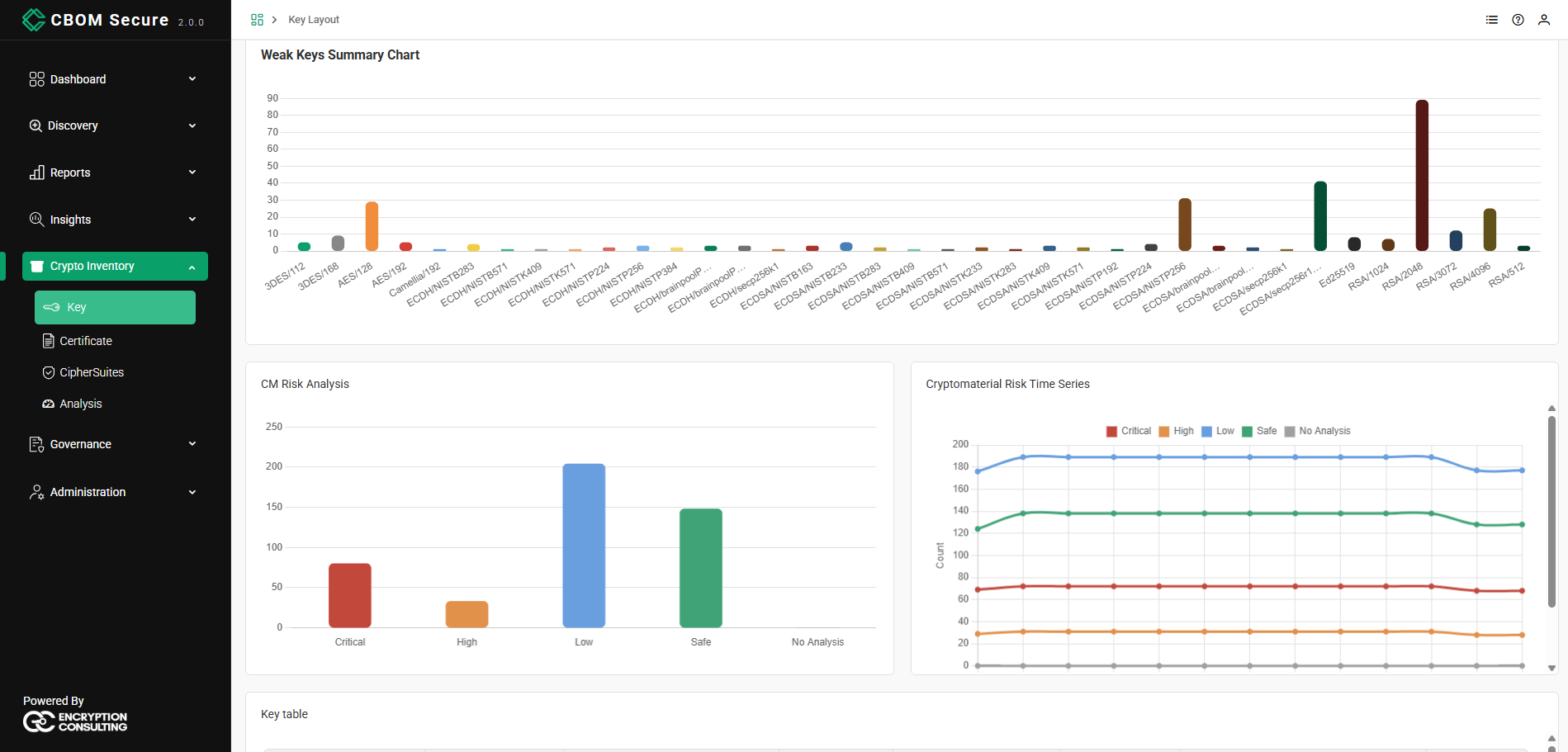
Weak Keys Summary Chart: The keys identified as weak, grouped by algorithm and key size.
Risk Analysis
Two charts assess the risk profile of the key inventory:
-
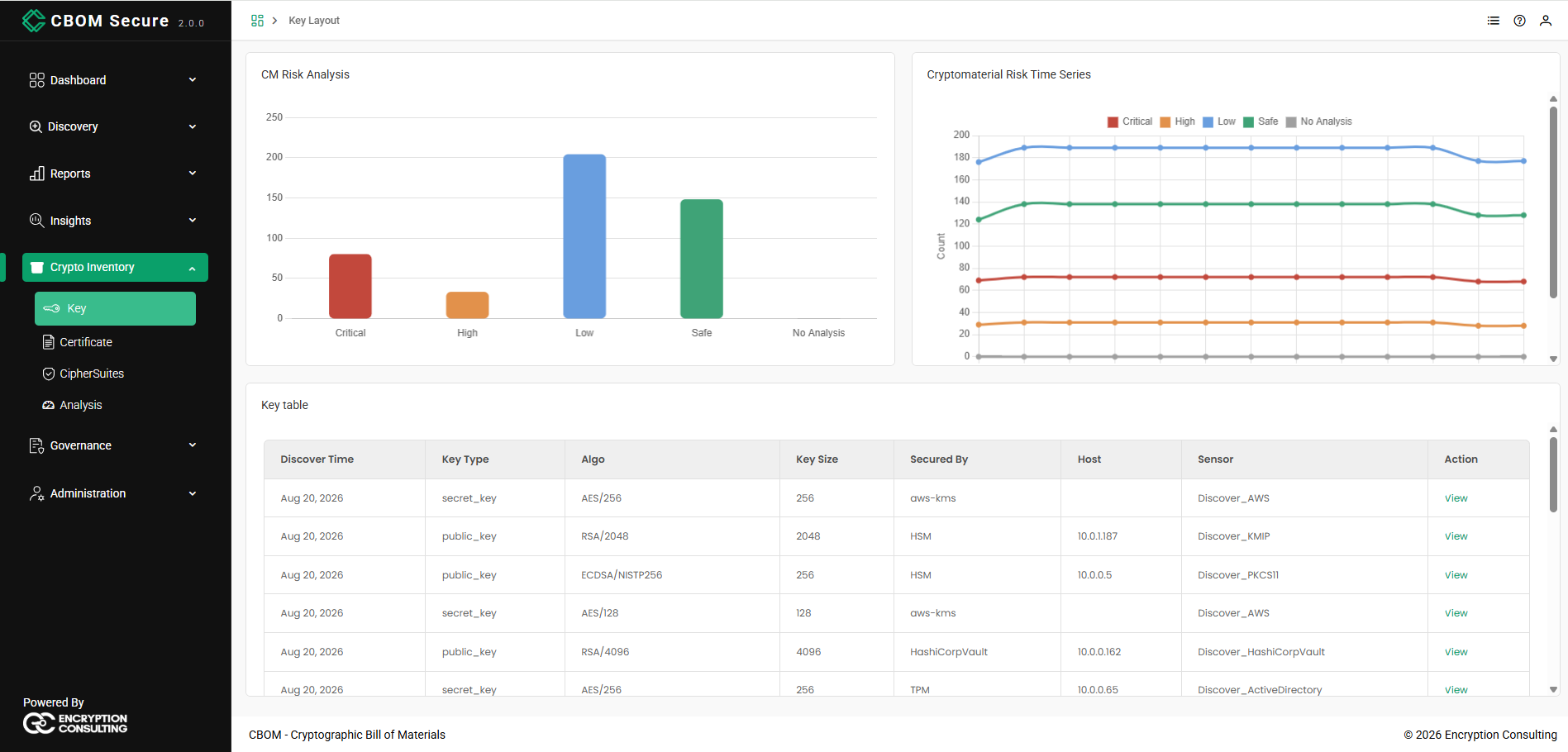
CM Risk Analysis: A breakdown of cryptographic material by risk severity — Critical, High, Low, Safe, and No Analysis.
-
Cryptomaterial Risk Time Series: A trend chart plotting how each risk severity has changed over time, making it easy to see whether the overall posture is improving or deteriorating.
Key Table
The Key table lists the individual keys in the inventory. Each row provides the details of a single key:
-
Discover Time: When the key was discovered.
-
Key Type: The type of key (for example, private, public, or secret), or N/A when not available.
-
Algo: The key's algorithm (for example, RSA/2048, RSA/3072, RSA/4096).
-
Key Size: The key length in bits.
-
Secured By: How the key is protected, or N/A when not available.
-
Host: The host on which the key was found.
-
Sensor: The discovery sensor that detected the key (for example, Discover_PKCS11).
-
Action: A View link to inspect the individual key in detail.