
Criteria
Criteria are reusable conditions over the fields of a cryptographic material — "RSA key shorter than 2048 bits", "certificate signed with SHA-1". A scope is built from criteria you already have, combined with and, or and not. Both are written once and then chosen by name in a rule, so a change to one condition reaches every rule that uses it.
Criteria and scopes share one list and one numbering,
NS- followed by a number. These notification scopes
are a different thing from the
tag scopes used by
dashboards, which select by tag rather than by material field.
The page is reached from Notifications > Criteria in the left navigation menu.
Viewing Criteria and Scopes
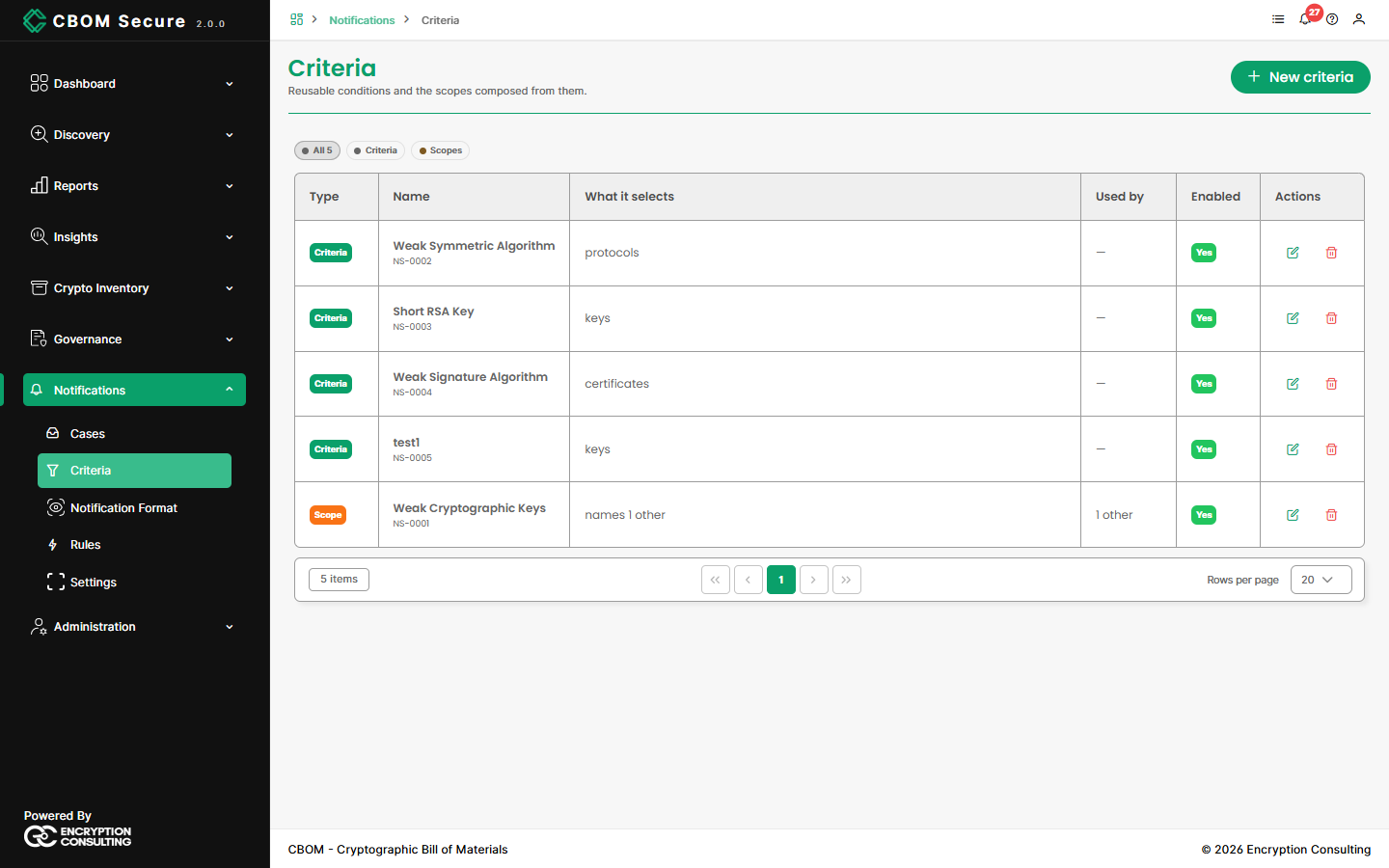
The pills above the table show All, only Criteria, or only Scopes.
Type: Criteria or Scope.
Name: The name rules and other scopes refer to, with its identifier beneath.
-
What it selects: For a criterion, the kind of material it applies to. For a scope, how many others it names.
Used by: How many rules (or, for a scope, other scopes) refer to it.
Enabled: Whether it can be used.
Actions: Edit and Delete.
Creating Criteria or a Scope
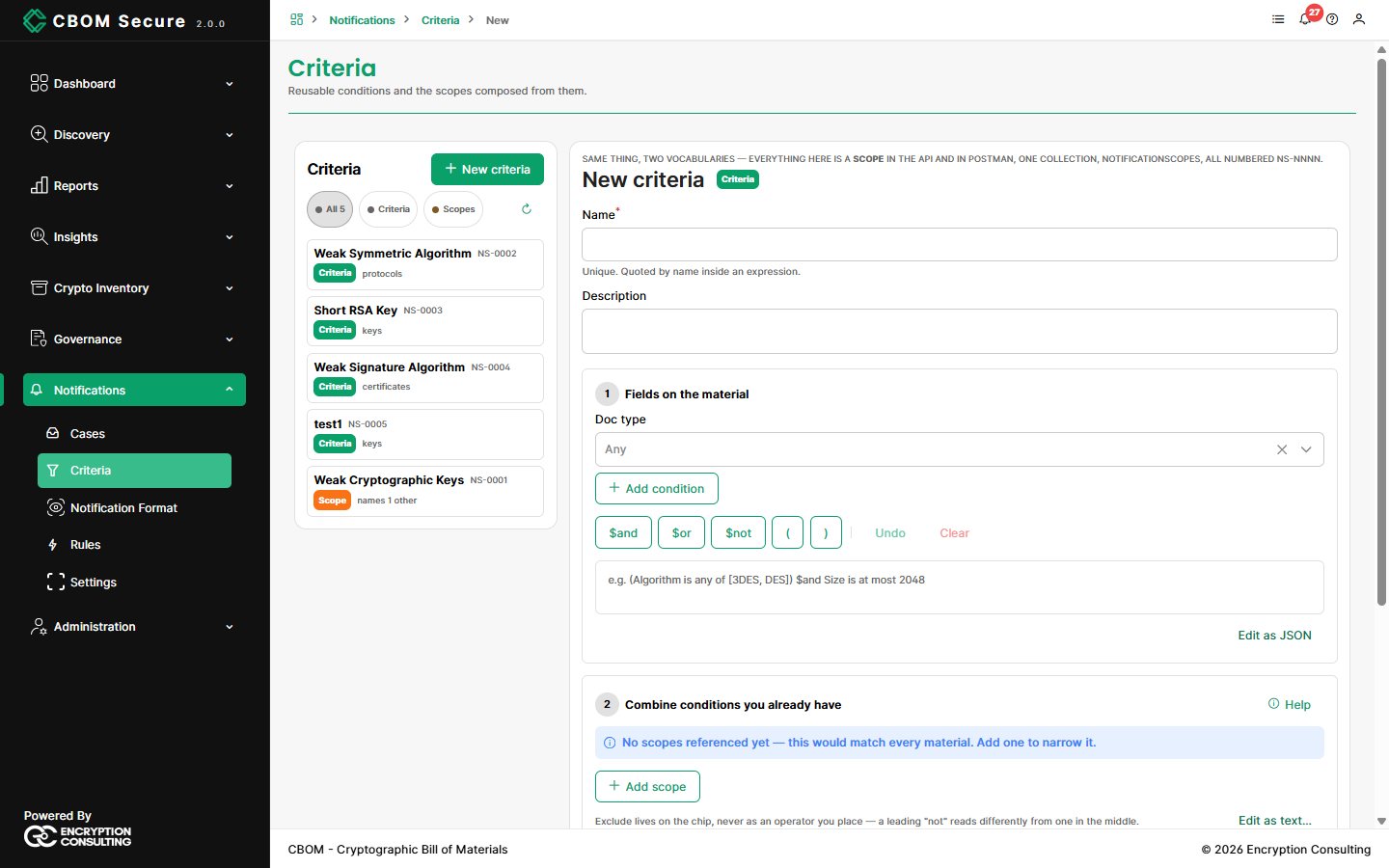
Click New criteria. One editor creates either kind, depending on which section you fill in:
-
Name: Required and unique. Scopes quote it by name, so choose one that reads well in an expression.
Description: Optional.
-
1 — Fields on the material: Choose a Doc type, then Add condition for each test. Join conditions with
$and,$orand$not, and group them with parentheses. Filling in only this section saves a Criteria. -
2 — Combine conditions you already have: Use Add scope to pick existing criteria or scopes, choose Match any of these or Match all of these, and set each one to Include or Exclude. Anything here saves a Scope.
Enabled: Whether rules may use it.
Conditions compare a field with a value using:
Equality: is, is not, is any of, is none of.
Size: is less than, is at most, is more than, is at least.
Lists: contains all of, has exactly N entries.
Other: is present, matches a pattern.
Edit as JSON shows the condition as a filter document, for anyone more comfortable writing it directly. Edit as text… does the same for a scope's expression. Save, and the editor reports how many materials the item selects today. A scope that names no conditions matches every material, and the editor warns you about it.
Editing and Deleting
Renaming a criterion updates the scopes that refer to it. An item that a rule or another scope still uses cannot be deleted. The Still in use message lists what uses it, so you can remove those references first.
Viewing this page needs the notification criteria permission; creating, editing and deleting needs the manage permission, held by administrators and managers.