
Cloud Deployments
Cloud Deployments lists the discovery tasks that run against cloud provider APIs rather than against a host you connect to directly. A cloud task pairs a Cloud Server with one or more Cloud-delivery templates, and the discovery runs from that server.
The page is reached from Discovery > Tasks > Cloud Deployments in the left navigation menu. It is the cloud counterpart of Networked Deployments, and needs the same task:read permission.
Viewing Cloud Tasks
The toolbar carries Create Cloud Task and Bulk Delete Tasks, the latter disabled until you tick at least one row.
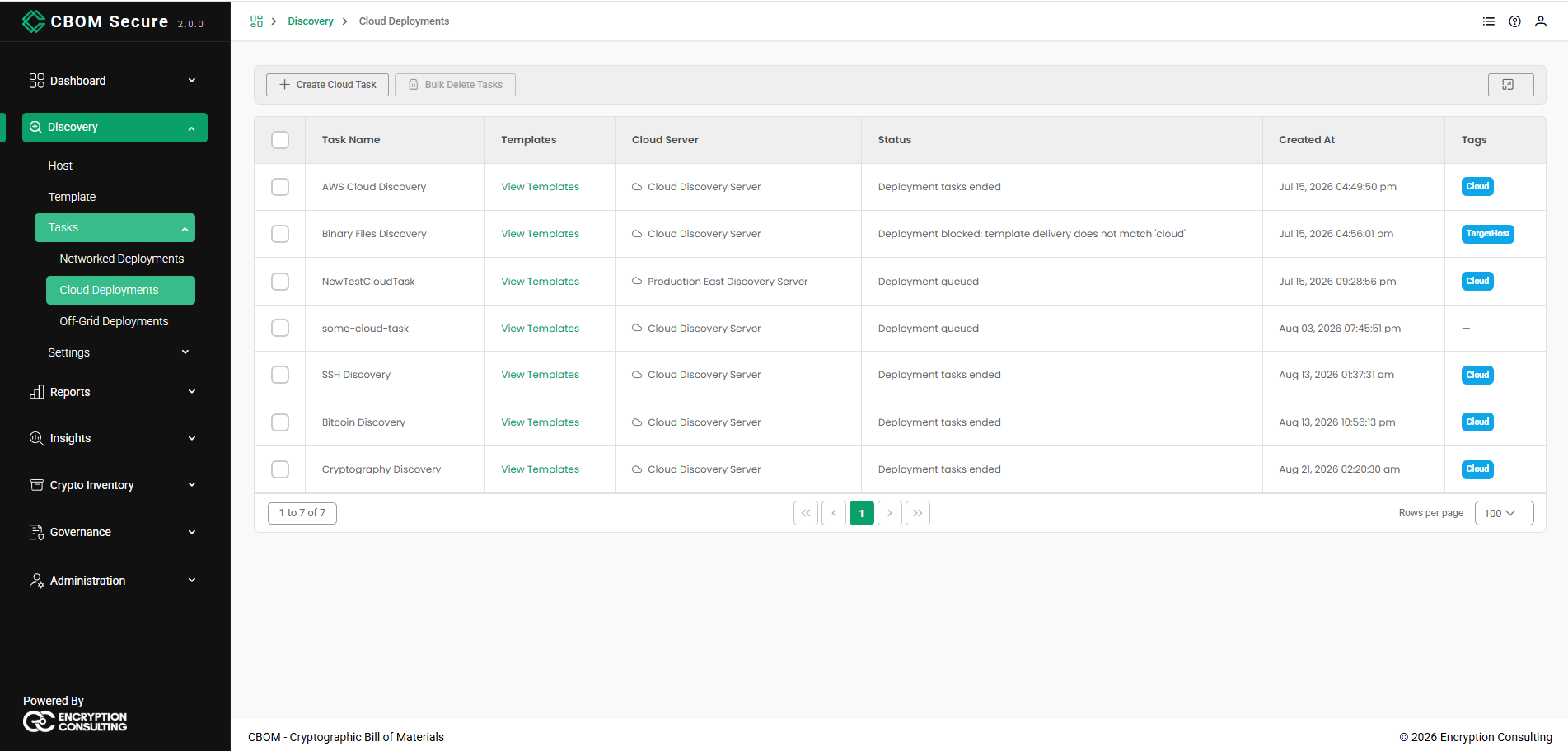
Task Name: The name of the cloud task.
-
Templates: A View Templates link opening the templates the task uses.
-
Cloud Server: The server the discovery runs from.
-
Status: The task's progress message. As well as the usual Deployment queued and Deployment tasks ended, a cloud task can report Deployment blocked: template delivery does not match 'cloud' — that means a template on the task is a Networked template, and the task cannot run until it is replaced with a Cloud one.
Created At: When the task was created.
-
Tags: The tags applied to the task, shown as chips; a task with no tags shows a dash.
The footer carries the same controls as every other table in the portal: the record range on the left, the page links in the centre, and a Rows per page selector on the right.
Creating a Cloud Task
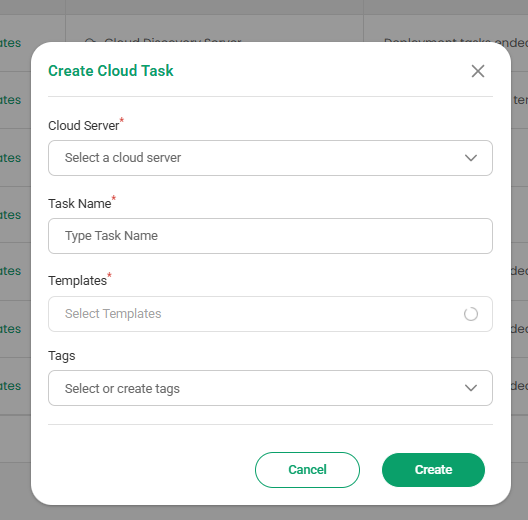
Click Create Cloud Task and complete the dialog:
-
Cloud Server: The server to run from (required). Its host ID, address and operating system are shown alongside the name so you can tell similar servers apart.
Task Name: A name for the task (required).
-
Templates: The templates to run (required). Only templates whose delivery is Cloud are offered.
-
Tags: Optional labels. Existing tags can be selected, or a new one created without leaving the dialog.
Click Create to save the task, or Cancel to discard it. The same dialog can be started from a server's own row on the Cloud Servers page, which pre-selects that server.
Cloud Task Actions
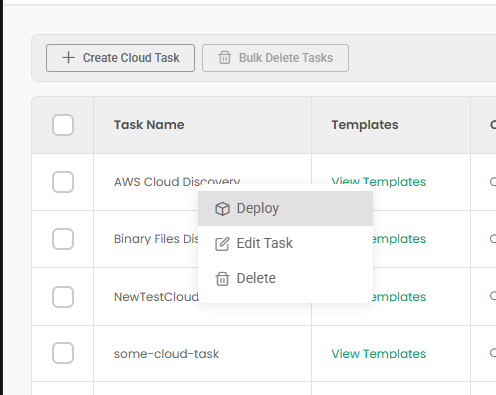
Right-click any row for Deploy, Edit Task and Delete. Entries you lack permission for are hidden.
-
Deploy: Runs the task. Results are reported the same way as a networked deployment — see Deploy on the Networked Deployments page for the Deployment Result dialog.
-
Edit Task: Reopens the dialog on the saved values.
-
Delete: Removes the task after a Are you sure you want to delete this cloud task? confirmation. Bulk Delete Tasks does the same for every ticked row at once.