CertSecure Documentation
  • Overview
    • About CertSecure Manager
    • Documentation Guide
  • Reference Guide
    • Header Bar
      • CertSecure Documentation
      • Swagger API
      • Profile Section
      • Search
    • Dashboard
      • Key Performance Indicators
      • Expiring Certificates
      • CA metrics
      • Key Strength
      • Signing Algorithm
      • Certificate Risk Report Profile
      • PKI Posture Management
      • NDES Health Information
    • AI Assistant
      • Chat
      • Configuration
      • Usage Report
    • Inventory
      • Overview
        • Overall
        • CertSecure
      • Template Management
        • Switch Templates
        • Exclusion List
        • Alert Templates
        • Certificate Templates
      • Template Categories
    • Discovery
      • Inventory
      • Scan Config
      • Cloud Config
      • Vault Config
      • Discovery Analytics
      • Scan Details
      • Discovery Ingestion
    • Reports
    • Utilities
      • ACME
      • Tasks
      • Integrations
        • Renewal Manager
        • Load Balancers
        • Discovery Agents
        • CLI Tool
        • Key Management
        • SEIM Tools
        • DevOps Tools
        • Ansible Automation Platform
      • NDES
      • Azure Key Vault
      • API Tokens
    • Enrollment
      • Certificate Request
      • Generate CSR
      • Enroll CSR
      • Generate Certificate
      • Import Certificate
      • Bulk Certificate Generation
      • Manage Policies
      • Organization Details
    • Administration
      • Users
      • Roles and permission
      • Certificate Authorities
      • Departments
    • Miscellaneous
      • Logging
      • Service Setup
        • Zoom
        • Zendesk
      • Settings
        • Configure Realms
        • Schedule Alerts
        • Metrics
        • Web Branding
        • About License
  • Setup & Architecture
    • Identity and Access Control
    • Architecture
    • Installation
      • Pre-requisites
      • Windows
      • Linux
      • Docker
    • Upgrade
      • Windows
      • Docker
  • Release Notes
    • Releases for 2026
      • v3.4.0
      • v3.3.1
      • v3.3.0
    • Releases for 2025
      • v3.2.0
      • v3.1.0
    • Releases for 2024
      • v3.0.0
  • Workflow
    • Approval Workflow
  • API Reference
    • Getting Started
    • Authorizing Requests
    • Securing API Access
    • Request and Response Conventions
    • Endpoint Reference
      • Health
      • API Token Management
      • CA Management
      • Templates
      • Certificate Enrollment
      • Inventory
      • Certificate Discovery
      • Tasks
      • Watcher Groups
      • Alerts
      • Reports
      • Logs
      • Monitoring
      • Scheduling
      • SMTP
      • ACME
      • Azure Key Vault
      • Google Cloud (GCP)
      • HashiCorp Vault
      • EJBCA
      • ServiceNow
  • Integration Guide
    • Renewal Manager
      • Workflow
      • Setup
      • Troubleshooting
      • IIS
      • Apache
      • Tomcat
      • Nginx
      • MSSQL
      • MongoDB
      • Oracle
      • Cloudflare
      • AudioCodes
      • Cisco ISE
      • Palo Alto PAN-OS
      • Cisco ACI
    • Load Balancer
      • F5
        • Workflow
        • Setup
        • Onboarding
        • UI Guide
        • Troubleshooting
      • NetScaler
        • Workflow
        • Setup
        • UI Guide
        • Troubleshooting
    • Certificate Authorities
      • ACME CAs
      • AWS
      • DigiCert Connector
      • EJBCA
      • GlobalSign
      • GoDaddy
      • HashiCorp Vault PKI
      • Microsoft AD CS
      • Sectigo
      • Sectigo-PS
    • Ansible Automation Platform
    • Azure Key Vault
  • Discovery Agent Setup Guide

Certificate Authorities

CertSecure Manager issues, collects and revokes certificates through connectors to public and private Certificate Authorities (CAs). Each connector is added as a CA under Administration > Certificate Authorities, and its certificates are then requested from Enrollment like those of any other CA.
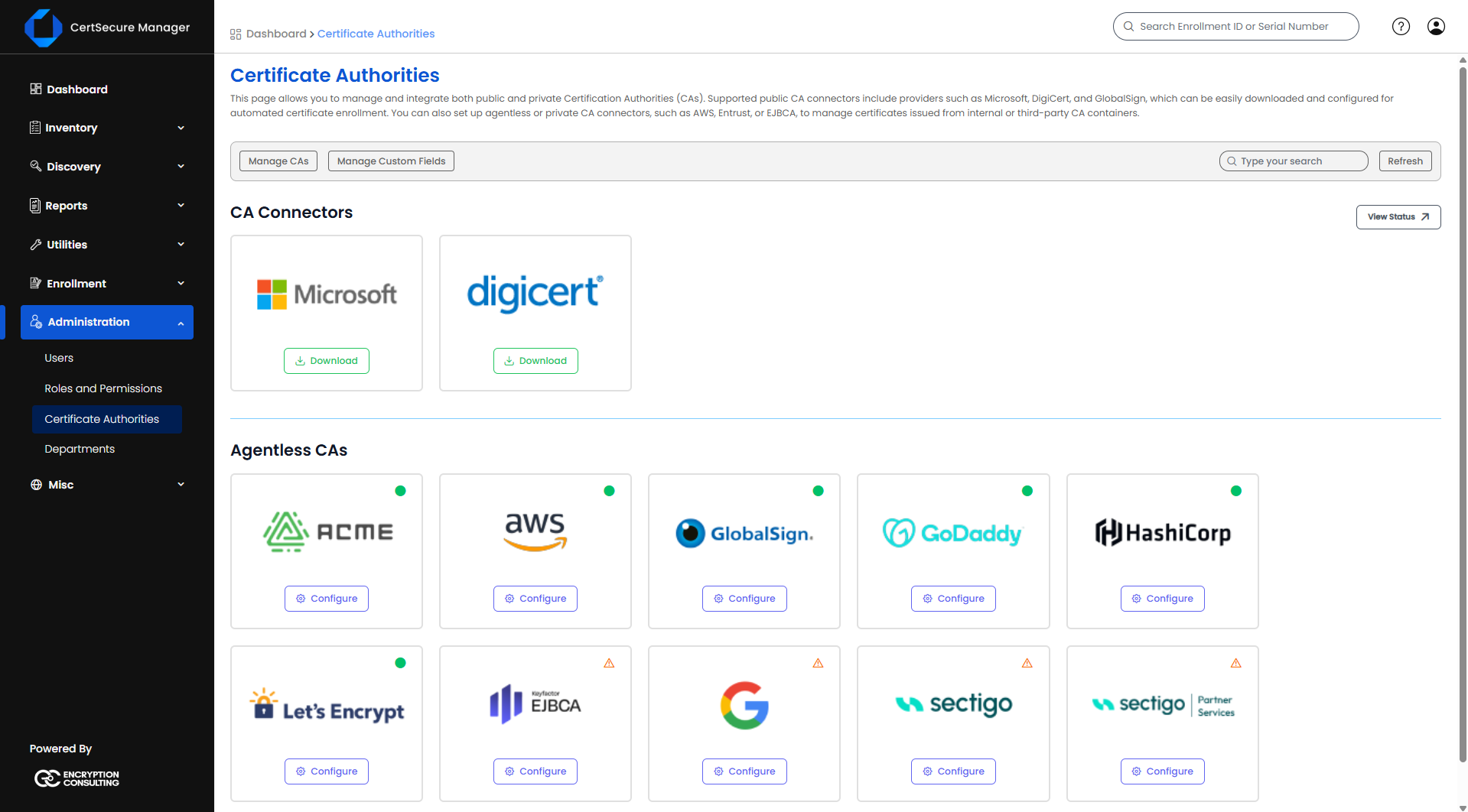
Certificate Authorities - CA Connectors and Agentless CAs

Some public CAs need preparation in the CA's own portal before the connector can be added, such as creating an API key or choosing the right product model. The guides in this section cover that preparation and the CA-specific settings and behaviour of each connector.

This section covers:

  1. ACME CAs – Let's Encrypt, Google Public CA and any other ACME directory: directories, External Account Binding and dns-01 validation.
  2. AWS – AWS Certificate Manager (AWS-ACM) and AWS Private CA (AWS-PCA): AWS credentials, domain validation for ACM, and adding a connection from the AWS tile.
  3. DigiCert Connector – generating a DigiCert CertCentral API key, the account details CertSecure Manager needs, and installing the DigiCert connector.
  4. EJBCA – configuring the EJBCA REST API connection with a client certificate.
  5. GlobalSign – creating the GlobalSign Atlas API credential and mTLS certificate, and GlobalSign templates.
  6. GoDaddy – the GoDaddy SSL (Credits) and GoDaddy Automated SSL connectors: adding a GoDaddy CA, the default certificate template, domain validation, pending orders, inventory synchronization and credential status.
  7. HashiCorp Vault PKI – the Vault PKI mount, the policy and AppRole for CertSecure Manager, and synchronizing and issuing certificates.
  8. Microsoft AD CS – installing the MSCA connector on a domain-joined machine and adding the AD CS CA.
  9. Sectigo – the Sectigo Certificate Manager connection, configs, domains and domain control validation.
  10. Sectigo-PS – the Sectigo Partner Services connection, configs, OV/EV pre-validation and DCV records.

For how ACME CAs relate to the ACME domains, profiles and automation, see the ACME page.

On this Page:
Support Privacy Policy Terms of Service

Copyright 2026 Encryption Consulting LLC. All rights reserved.