
- Overview
- Reference Guide
- Setup & Architecture
- Release Notes
- Workflow
- API Reference
- Integration Guide
- Discovery Agent Setup Guide
In this section, you can set up all integrations with external services like Microsoft Teams and SMTP, allowing for streamlined communication and notifications.
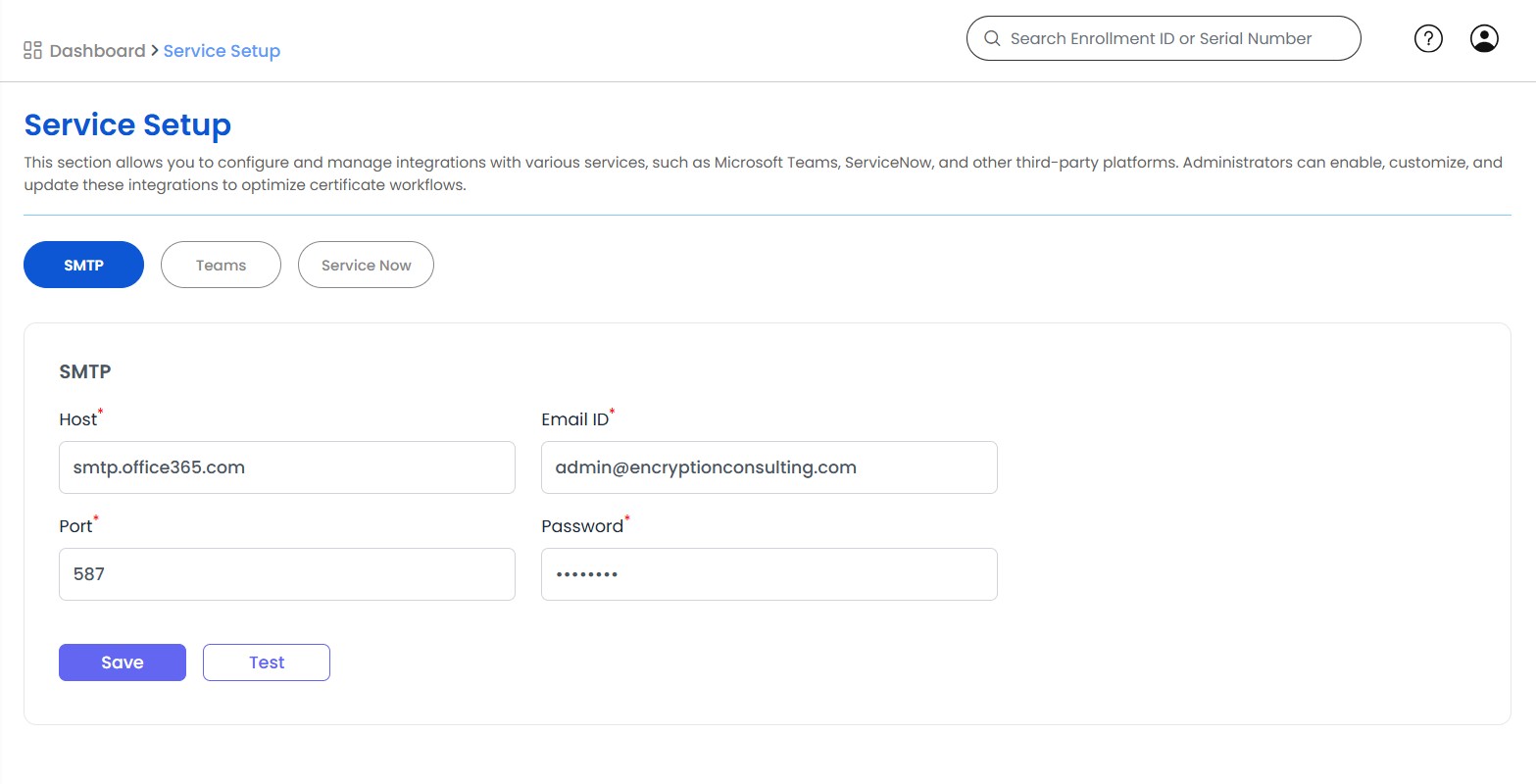
To set up SMTP, you need the host name, email ID, port number, and password.
For Teams integration, a webhook URL is required.
For Zoom and Zendesk, see the dedicated pages: Zoom sends certificate notifications to Zoom Team Chat channels, and Zendesk opens tickets for expiring certificates and keeps a Zendesk group for every department.
For ServiceNow integration, you need the instance URL along with a username and password. The services integration enable automation for reports and alerts, particularly for certificate expiration. By configuring these integrations, you can automate notifications, reminders, and updates to ensure timely renewals and prevent service disruptions. This centralized setup helps improve workflow automation, communication, and proactive certificate lifecycle management.
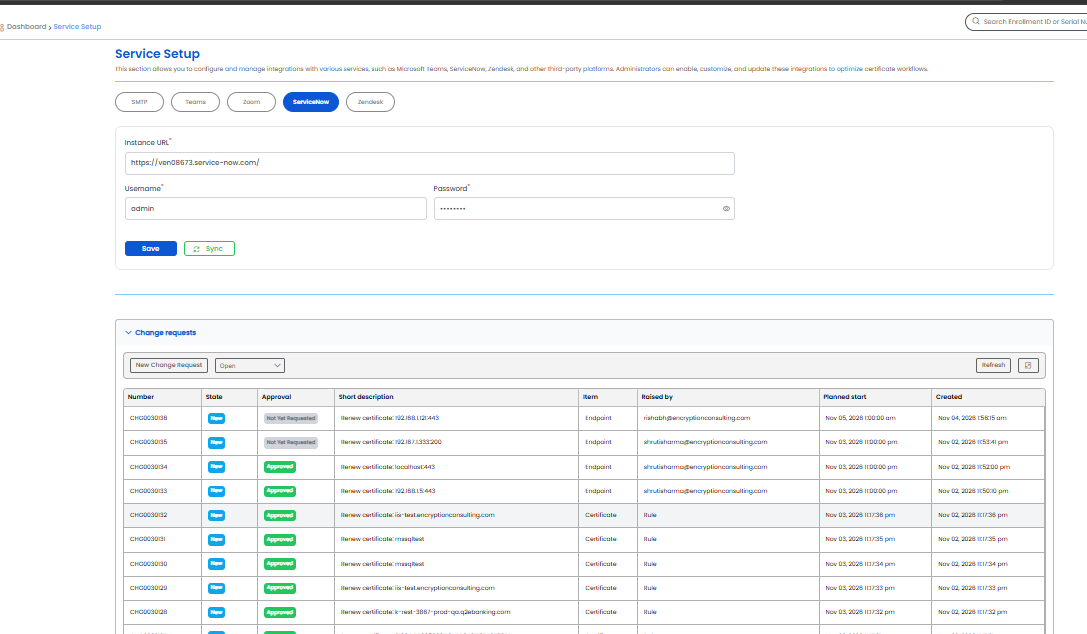
The ServiceNow settings take the Instance URL, the Username, and the Password of the integration account. Select Save to store them. Before saving, CertSecure Manager checks the credentials against the instance, and a refusal is reported as "Wrong Credentials".
Saving and syncing need the Configure CertSecure permission. Viewing the settings needs View CertSecure Configuration.
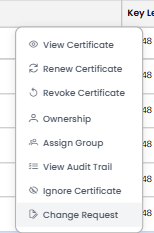
CertSecure Manager can raise a ServiceNow change request about a certificate, an enrollment record, or a Renewal Manager endpoint, or about no item at all. The change request is a linked record: nothing in CertSecure Manager waits for it to be approved, and the certificate operation runs exactly as before. The state and approval of the change are read back from ServiceNow.
Raising a change request needs View CertSecure Configuration or Configure CertSecure, and access to the item it is raised for.
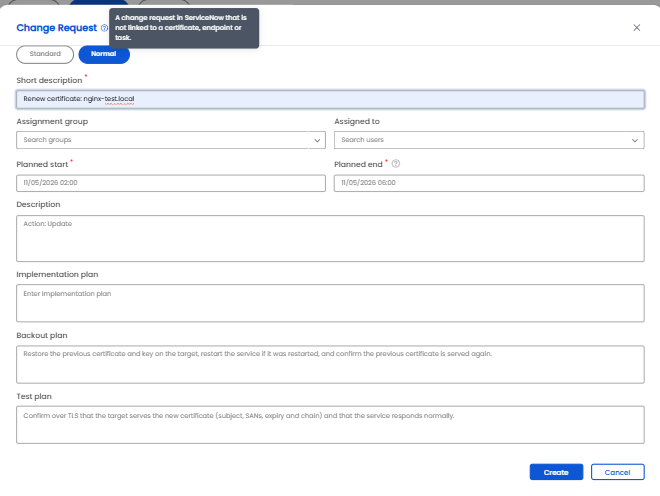
| Field | Description |
|---|---|
| Standard / Normal | The change type. A standard change is created from a ServiceNow standard change template, and its plans come from the template. A normal change is created without a template, and CertSecure Manager sends a default backout plan and test plan unless you enter your own. |
| Standard change template | Required for a standard change. ServiceNow replaces the Description of a standard change with the text of the template, so what you type is also kept as a work note on the change. |
| Short description | A summary of up to 160 characters. It is filled in from the item. |
| Assignment group | Any active ServiceNow group. The group of the department that owns the certificate is proposed when there is exactly one. A group name that does not exist is refused. |
| Assigned to | Optional. A user of the instance who must be active and, when an assignment group is chosen, a member of that group. |
| Planned start, Planned end | The change window. The end must be after the start and in the future, and the window cannot be longer than 90 days. |
| Description | Up to 4000 characters. The description ends with who raised the change, for example Requested in CertSecure by the email address of the user. |
| Implementation plan, Backout plan, Test plan | Shown for a normal change only. Up to 4000 characters each. |
Select Create to raise the change. The Number and State appear in the Change requests table as soon as ServiceNow answers.
Only one change request is open for the same item and action at a time. Asking again returns the open one, with the message "Change request <number> is already open for this item." A closed or canceled change does not prevent a new one.
The Requested by field in ServiceNow is the ServiceNow account that is mapped to the CertSecure Manager user. When the user has no mapped account, ServiceNow fills in the integration account. The change is always opened by the integration account.
The Change requests section lists the changes raised from CertSecure Manager, with the columns Number, State, Approval, Short description, Item, Raised by, Planned start and Created. A change raised by a rule shows CertSecure in Raised by. Use the state filter to narrow the list and Refresh to reload it. The row menu offers Open in ServiceNow and Refresh from ServiceNow, which reads the current state of that change.
The state names are the ones configured on the ServiceNow instance, so a customized state shows its own name. CertSecure Manager re-reads open changes in the background, and a change that is Closed or Canceled in ServiceNow, or that no longer exists, is no longer treated as open.
A global administrator sees every change. Other users see the changes they raised and the changes for certificates of the CAs in their department.
A rule raises change requests automatically. The changes are still only records, and they are raised by CertSecure with the group of the rule. The Change request rules section needs the Configure CertSecure permission. It lists the Name, Trigger, CAs, change type, and Status of each rule, with Add rule and Refresh, and Edit rule and Delete rule in the row menu. Up to 50 rules can be defined.
| Field | Description |
|---|---|
| Name | Required. |
| Status | Enabled or Disabled. |
| Create a change request when | The trigger: a renewal task is created, a revoke task is created, or a certificate is within several days of its expiry. |
| Days before expiry | For the expiry trigger only, from 1 to 365. |
| Standard / Normal and Standard change template | The change type of the changes the rule raises, as in the New Change Request dialog. |
| Assignment group | The ServiceNow group the changes are assigned to. A rule does not assign a person. |
| Certificate authorities | The names of the CAs the rule applies to, up to 100. Leave it empty to apply the rule to every CA. |
| Window starts after (hours) | How long after the change is raised the planned window starts, from 0 to 720. The default is 24. |
| Window length (hours) | The length of the planned window, from 1 to 168. The default is 4. |
A rule with a renewal or revoke trigger fires when the task is created. A rule with the expiry trigger is evaluated on each background refresh cycle.