
- Overview
- Reference Guide
- Setup & Architecture
- Release Notes
- Workflow
- API Reference
- Integration Guide
- Discovery Agent Setup Guide
Inventory’s overview is split into two sections, “Overall” and “CertSecure” as discussed below in the following subsections.
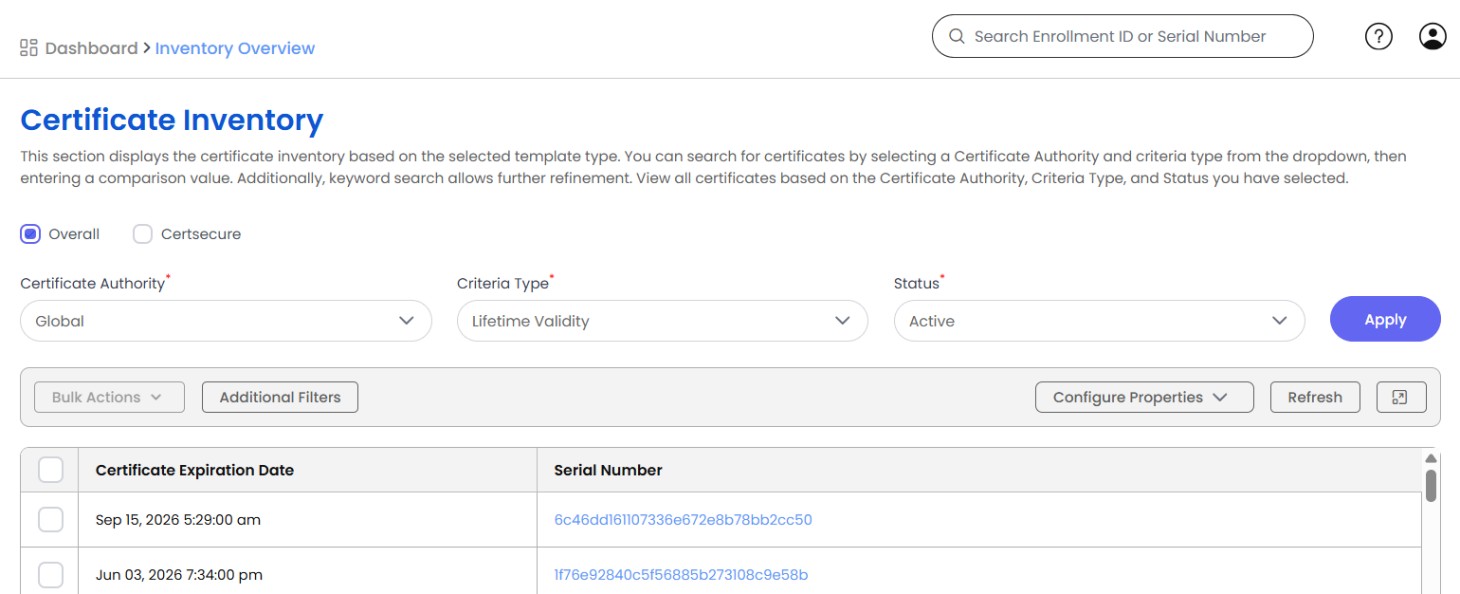
| Available Options | Usability |
|---|---|
| Certificate Authority | The option to select all the CAs available in CertSecure Manager. |
| Criteria Type | It provides you with the option to display certificates based on Lifetime Validity, Expiring in Days, Key Length, Certificate Template. |
| Status | Option to select Active, Revoked, Failed, Denied, Pending, and Expired Certificates. |
| Lifetime Validity | Filters certificates based on their total validity period from issuance to expiration. This helps in tracking long-term certificate usage and ensuring compliance with security policies. |
| Expiring in Days | Allows filtering of certificates that are approaching their expiration date within a specified timeframe. This helps in proactive renewal planning to avoid outages and security risks. |
| Key Length | Sorts certificates based on the length of their cryptographic keys. Longer key lengths generally provide stronger security, while shorter keys may be used for legacy systems or efficiency purposes. |
| Certificate Template | Groups certificates based on predefined templates that specify key usage, encryption standards, and policy settings. Using templates ensures consistency and compliance across issued certificates. |
| Status | Provides the option to select from Active, Revoked, Failed, Denied, Pending, and Expired certificates when the Criteria Type is 'Lifetime Validity'; various time frames when the Criteria Type is 'Expiring in Days'; different key lengths (in bits) for the 'Key Length' Criteria Type; and different template types for the 'Certificate Template' Criteria Type. |
Both the Certificate Overview and CertSecure pages support additional filters to help you find exactly the certificates you need. You can filter by fields such as Common Name, Organization, Owner, Certificate Template, Status, SAN Attributes, Tags, Watchers, Expiration Date range, and Key Length. The Certificate Inventory Overview page also supports filtering by Signing Algorithm, Public Key Algorithm, Key Usages, Enhanced Key Usages, and date ranges for the Effective Date, and Revocation Date.