
- Overview
- Reference Guide
- Setup & Architecture
- Release Notes
- Workflow
- API Reference
- Integration Guide
- Discovery Agent Setup Guide
CertSecure's Certificate Discovery section provides users with the ability to configure, run and analyze certificates on their network, windows and linux stores providing valuable insights into the certificates across their infrastructure. It offers an organized and seamless approach to certificate management by discovering certificates proactively, identifying risks, and generating insightful analytics. It also provides the capability to ingest and provide analytical insights from discovery data generated by third-party tools.
You can download the Discovery Agent for Windows and Linux from CertSecure Manager by navigating to Utilities > Agents, then selecting Discovery Agent and clicking on Download. This will display options to download the agent for both operating systems.
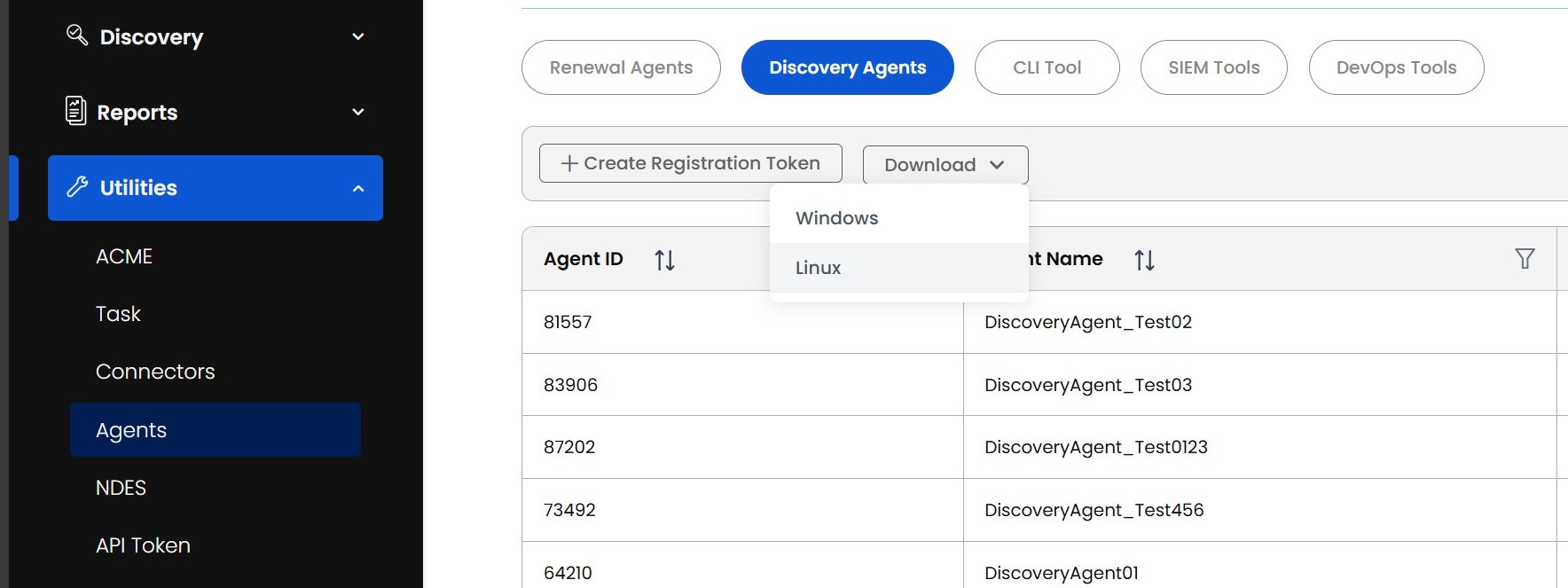
The Certificate Discovery section is divided into seven key functional areas:
Deleting a scan configuration also deletes the certificates that the scan discovered. A configuration cannot be deleted on its own, so the Discovery Inventory never keeps certificates that are attributed to a scan that no longer exists. Deleting a scan requires the Manage Discovery permission.
To delete a scan, right-click it in the Scan Configuration table, select Delete Config, and confirm the deletion. A scan can own a large number of certificates, so the deletion runs in the background:
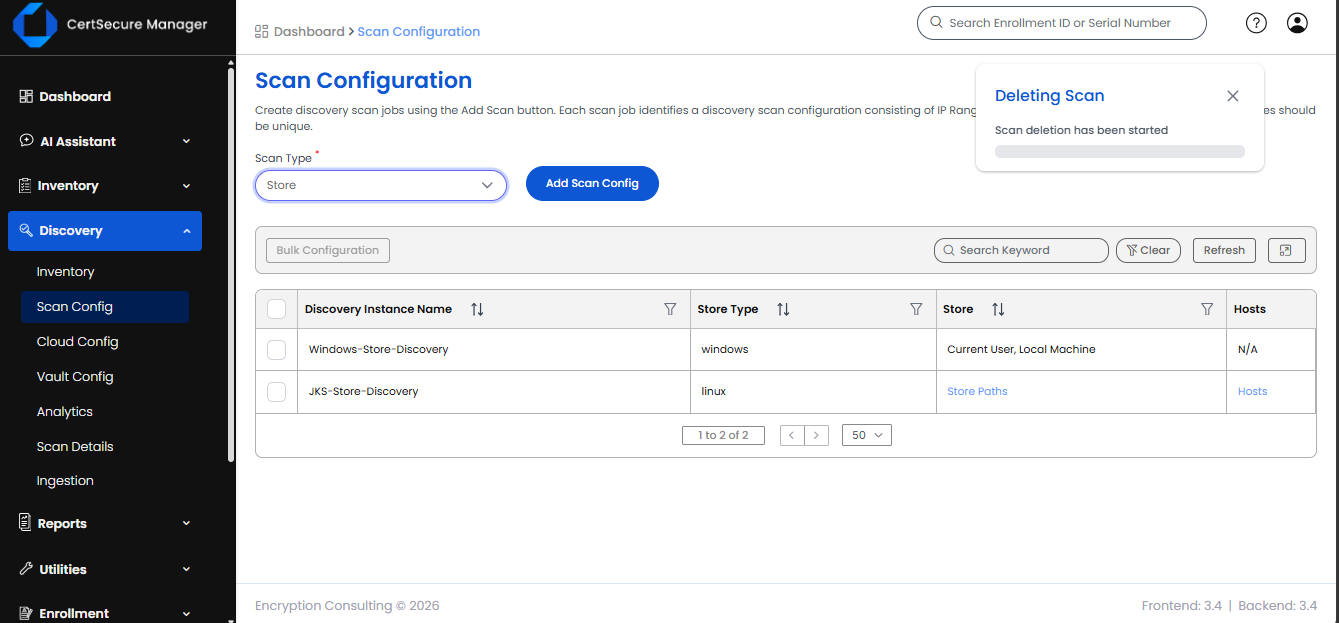
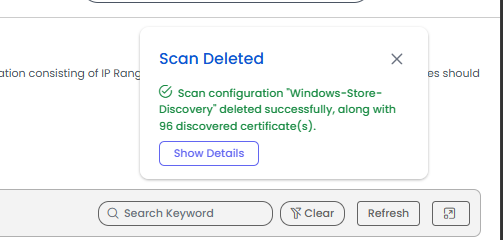
What the deletion does, in order:
Restrictions
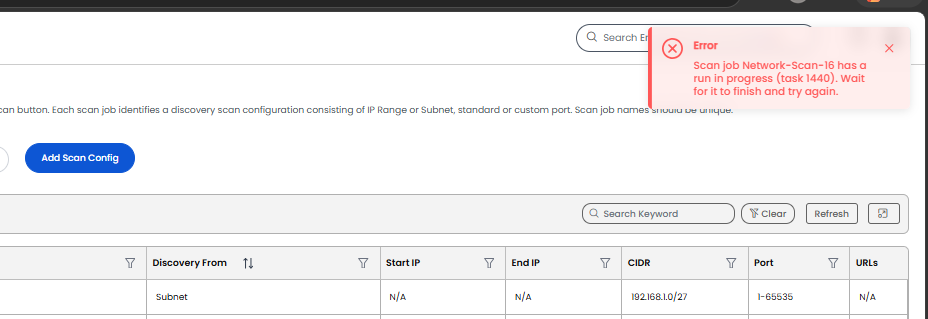
Notification emails
Each owner of a deleted certificate receives one email, with the subject Discovered Certificates Deleted followed by the scan name, listing all of their deleted certificates (Common Name, Serial Number, Issuer, Not After and Host). When a deleted certificate has no owner, the email goes to the members of its watcher groups instead. The Notified Users list in Scan Deletion Details shows the people who were emailed; an address marked (email not sent) could not be emailed.
If another scan discovers one of the deleted certificates again, the certificate returns to the Discovery Inventory as a new certificate without an owner or watcher group.