- Overview
- Reference Guide
- Setup & Architecture
- Release Notes
- Workflow
- API Reference
- Integration Guide
- Discovery Agent Setup Guide
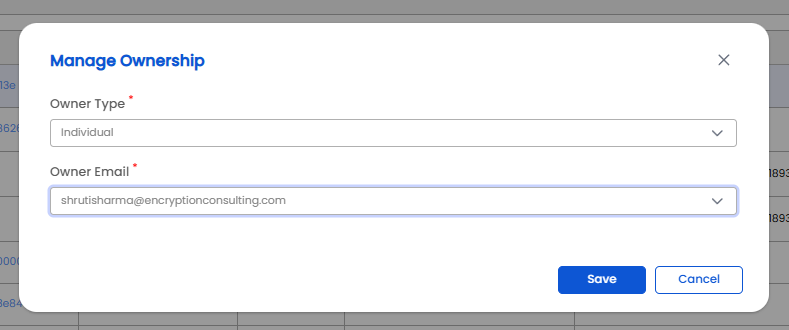
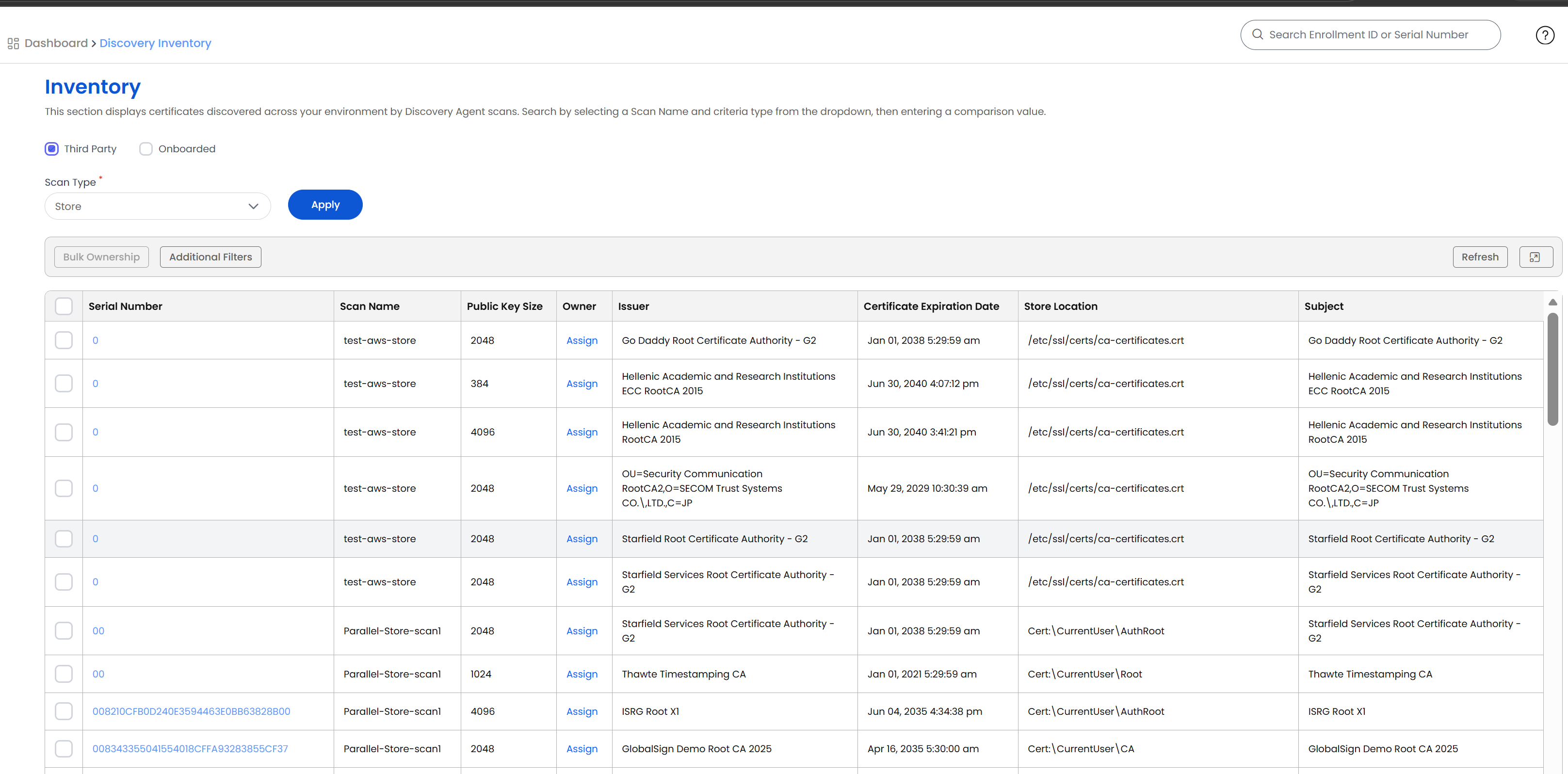
The Discovery Inventory page aggregates every certificate found by any Discovery Agent scan (network, store, container, cloud, vault, or filesystem) into a single searchable, filterable list. Reach it from the left pane via Discovery → Inventory. Users can also assign the certificate owners from a list of users or a group to track the expiry of certificates.
Certificates found by JKS scans are kept per keystore. One keystore file can hold many certificates, so the inventory lists one entry for every certificate of every keystore alias, and the same certificate found in two keystores appears twice.
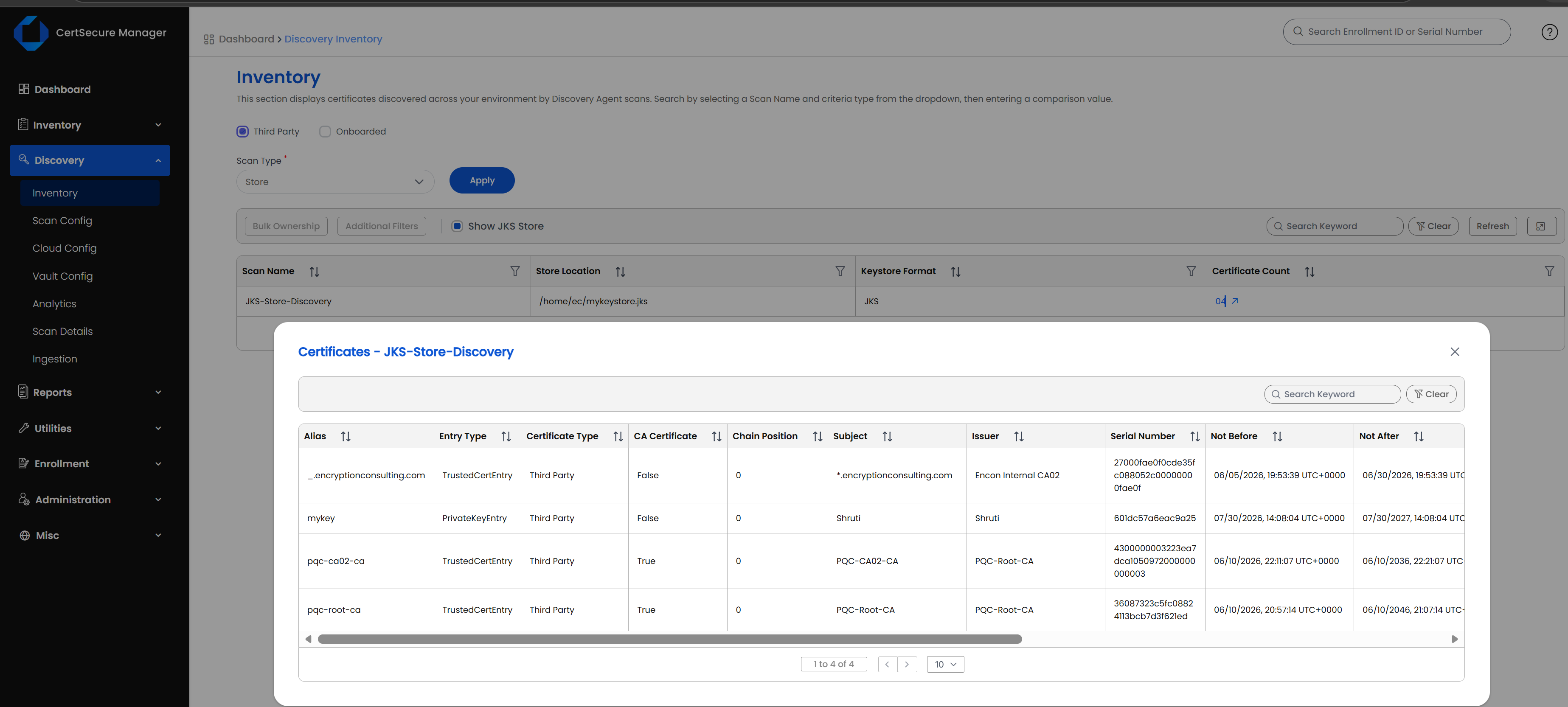
When Scan Type is set to Store, a Show JKS Store check box appears beside Additional Filters. Select it to replace the certificate list with a table that has one row for each keystore file. Clear the check box to return to the certificate list.
| Column | Description |
|---|---|
| Scan Name | The discovery scan that found the keystore. |
| Store Location | The path of the keystore file. |
| Keystore Format | The format of the keystore. |
| Certificate Count | The number of certificates in the keystore. Select a count greater than zero to open the certificates of that keystore. |
The table follows the Certificate Category tab that is selected (Onboarded PKI or Third Party). Bulk Ownership and Additional Filters are not available while the keystore table is shown.
Selecting a certificate count opens a Certificates window for that scan. The window is read-only and lists the certificates of the keystore with the following columns: Alias, Entry Type, Certificate Type, CA Certificate, Chain Position, Subject, Issuer, Serial Number, Not Before, Not After, Public Key Algorithm, Public Key Size, Signature Algorithm, Signature Hash Algorithm, and Subject Alternative Name. Search Keyword filters the list.
Alias, Keystore Format, Keystore Entry Type, and Chain Position are stored with every keystore certificate. Once a JKS scan has run they can be added to the Discovery Inventory table through the column selection, like the other certificate properties.