
CDP and AIA in Azure Blob Storage
Every certificate contains two URLs that clients use to validate it:
- CRL Distribution Point (CDP): The CRL (and Delta CRL) of the issuing CA. Used by clients to: Check that the certificate has not been revoked.
- Authority Information Access (AIA): The certificate of the issuing CA. Used by clients to: Build the chain up to the Root CA.
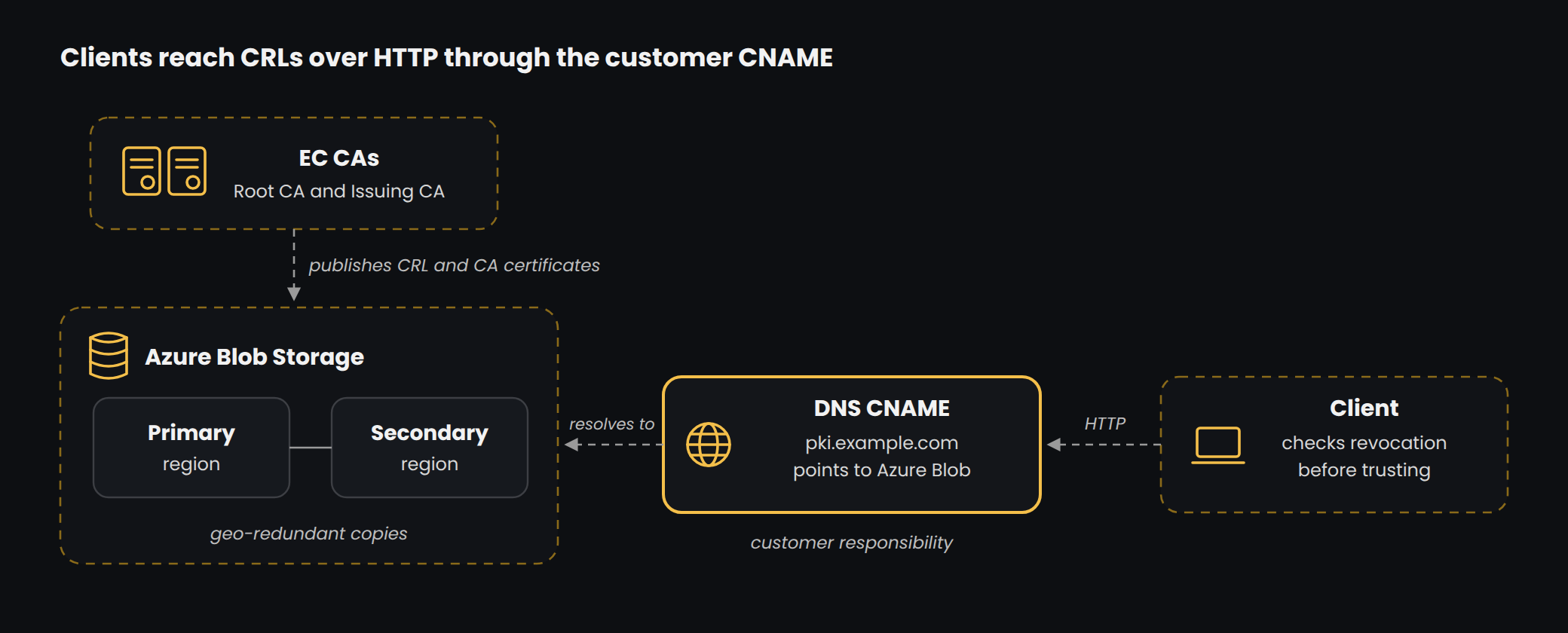
EC publishes the CRLs and CA certificates to Azure Blob Storage with geo-redundant replication. The files are copied to a secondary Azure region, so revocation data stays protected if one region fails. Clients read the files over HTTP through the customer host name.
Prepare Azure Blob Storage
EC creates and configures the storage account that hosts the CDP and AIA files.
-
Create the storage account. In the Azure portal, open Storage accounts > Create and enter the basic details. For Redundancy, select at least Zone-redundant storage (ZRS); geo-redundant storage copies the files to a secondary region as well.
-
Restrict network access. On the Networking tab, allow write access only from the approved EC networks. Clients need read access only.
-
Map the custom domain. Under Security + networking > Networking > Custom domain, enter the customer host name (for example
pki.example.com) once the customer's CNAME record exists. -
Allow HTTP. Under Settings > Configuration, set Secure transfer required to Disabled. CRL and AIA retrieval uses HTTP, and a custom domain over HTTPS is not supported for blob endpoints.
-
Create the container. Under Data storage > Containers, create the container (for example
pki) and set Public access level to Blob, so files can be read but the container cannot be listed. -
Test access. Upload a test file and open it through
http://pki.example.com/pki/<file>from a client network.
CNAME mapping (customer responsibility)
The CDP and AIA URLs use a host name owned by the customer, such as pki.example.com, instead of the raw Azure storage address. This keeps the URLs inside certificates under customer control for the life of the hierarchy. Creating the CNAME record is the customer's responsibility.
- EC provides the target storage host name (for example, \
.blob.core.windows.net ). - The customer creates a CNAME record: pki.example.com → \
.blob.core.windows.net . The record is created in public DNS and, where split-brain DNS is used, also in internal DNS. - EC completes the custom domain configuration on the storage account.
- The customer confirms the files download over HTTP, for example
http://pki.example.com/pki/<Root CA name>.crt.
Important: the host name must be decided before the CAs are built, because it is written into every certificate. Changing it later requires re-issuing certificates.
Automate CRL publication
The Issuing CA publishes a new base CRL every week and a new Delta CRL every day, so the files must reach Azure Blob Storage automatically. EC runs a PowerShell script that uses AzCopy to copy the contents of C:\Windows\System32\CertSrv\CertEnroll to the blob container, authorised with a SAS token limited to that container. The script is run by Windows Task Scheduler after each CRL publication, and EC monitors every run, so a failed upload is fixed before the published CRL expires.
- Source folder:
C:\Windows\System32\CertSrv\CertEnrollon the CA. - Destination: The blob container URL, for example
https://<storage-account>.blob.core.windows.net/pki. - SAS token: Write access to the container only, with a set expiry.
- AzCopy path: Location of
azcopy.exeon the CA server. - Schedule: After each CRL publication, and at least daily.
Troubleshooting tip: if a CDP URL in an issued certificate contains %20 or a trailing space, the registry value was entered with a space. Re-run the CRLPublicationURLs command without the space, restart the service and publish a new CRL.
Revocation checking: CRL and OCSP
CRLs published to Azure Blob Storage are the primary revocation method. Every certificate carries the HTTP CDP URL, and clients download the base CRL and, for Issuing CAs, the Delta CRL.
OCSP: available on request. When enabled, EC adds the OCSP responder URL to the AIA extension of newly issued certificates; certificates issued before that continue to use the CRL. CRL publication continues in either case.
Check revocation from a client:
certutil -url <certificate.cer>          # GUI: retrieve CRLs and AIA
certutil -verify -urlfetch <certificate.cer>
openssl crl -in issuing.crl -inform DER -noout -nextupdate
# If OCSP is offered:
openssl ocsp -issuer issuing.pem -cert server.pem -url <ocsp-url> -resp_text