
- Overview
- Reference Guide
- Setup & Architecture
- Release Notes
- Workflow
- API Reference
- Integration Guide
- Discovery Agent Setup Guide

The search functionality offers two distinct options for locating certificates:
CSR Enrollment ID: This option allows you to search for certificates based on their associated Enrollment ID. The Enrollment ID identifies all certificates that were requested through CertSecure Manager. To retrieve details for a specific certificate or group of certificates, simply input the corresponding Enrollment ID.
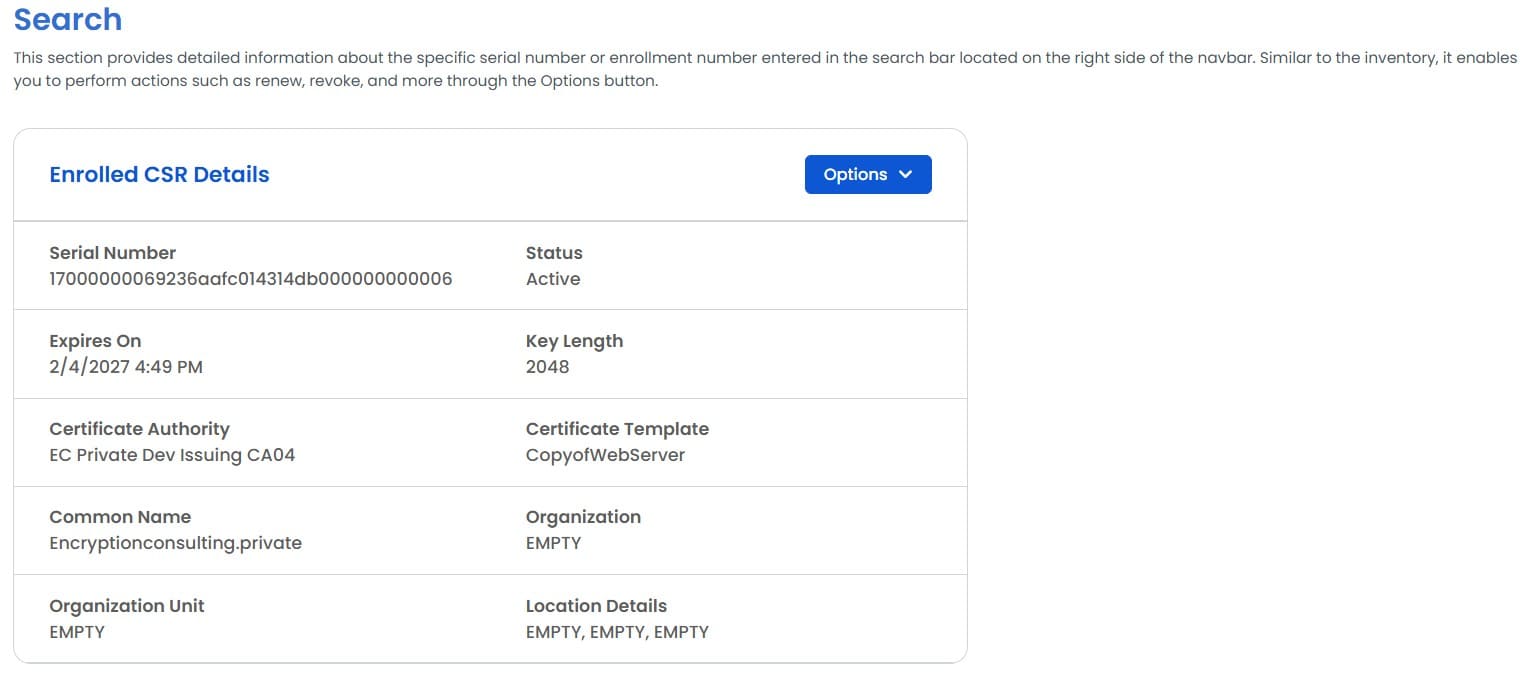
Certificate Serial Number Alternatively, you can search for certificates using the unique Serial Number associated with a particular certificate. This option enables you to quickly locate and access detailed information about a specific certificate using its serial number.

These two search methods provide flexibility and precision when seeking certificate information within the CertSecure Manager system.
Within this section, you'll also find an Options tab that empowers you with several key actions:
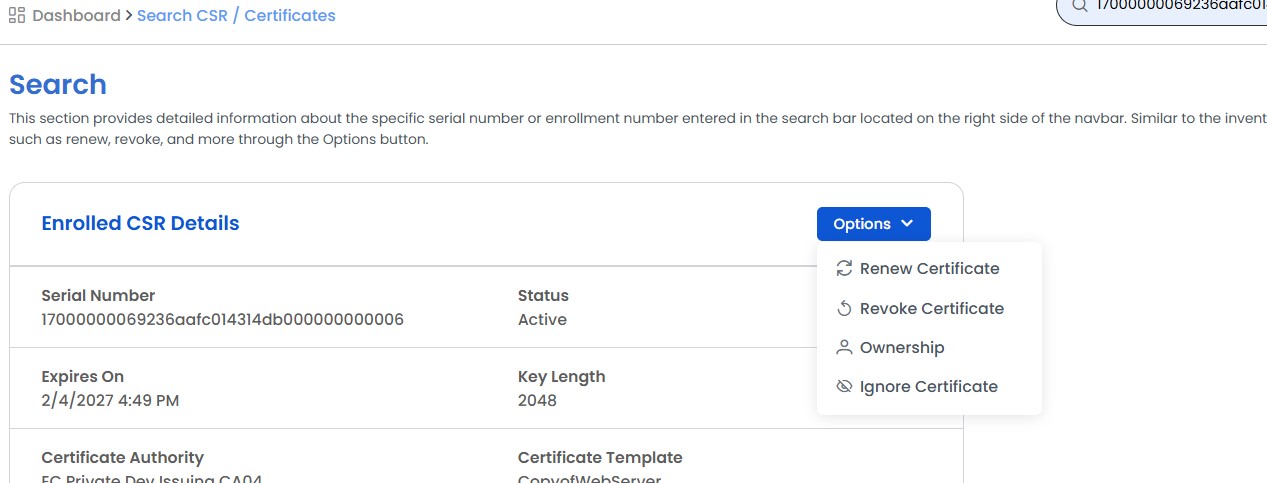
Note: The Options tab streamlines essential certificate management tasks, enhancing your ability to maintain security and compliance effectively.