- Overview
- Reference Guide
- Setup & Architecture
- Release Notes
- Workflow
- API Reference
- Integration Guide
- Discovery Agent Setup Guide
In the "Policies" section, you will find important policy configurations that serve to enhance security and control:
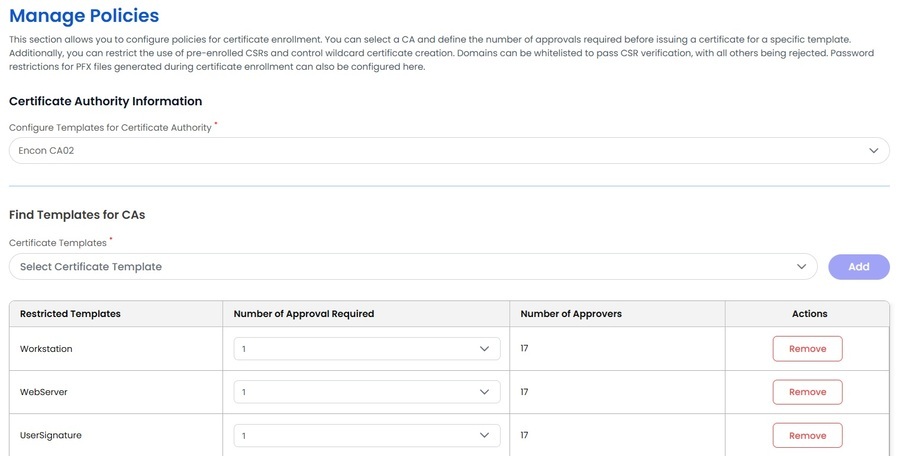
This section allows you to select a Certificate Authority (CA) and configure a quorum for specific certificate templates. By setting approval requirements at the template level, you can enforce additional security controls and ensure proper oversight in the CSR approval process.
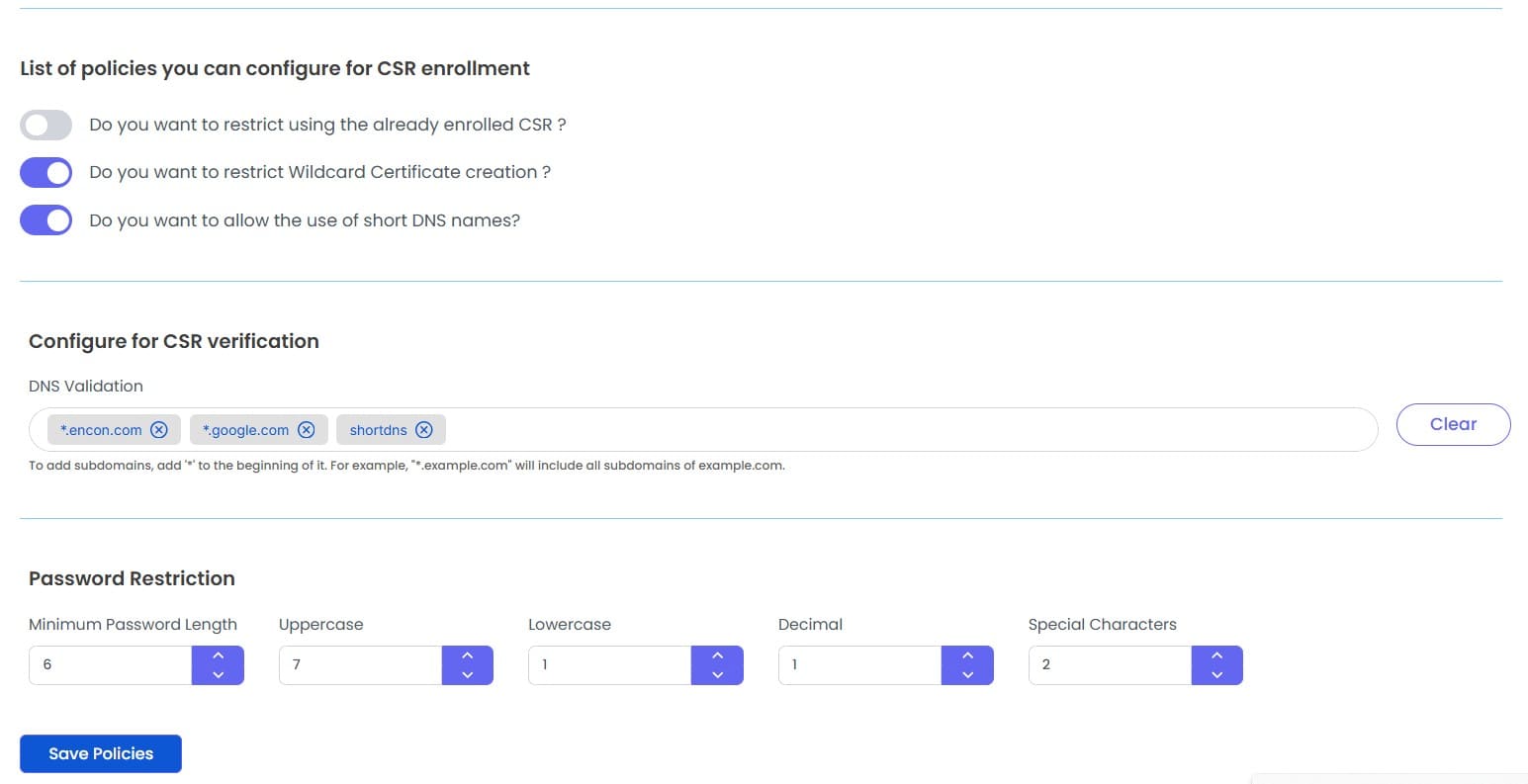
Enrollment CSR Restriction
By selecting this InputSwitch, you enforce a strict policy that limits the use of Certificate Signing Requests (CSRs) to a one-time-only provision.
This means that each CSR can be utilized for the issuance of a certificate only once, bolstering security by preventing repeated or unauthorized certificate generation.
Wildcard Certificate Prohibition
Activating this checkbox imposes a robust safeguard against the generation of wildcard certificates.
Any attempt to request a wildcard certificate under the CSR section will require manual approval, ensuring that only specific certificates can be issued. This measure adds an extra layer of control, aligning with best practices for certificate management and security.
Short DNS Names Restriction
Enabling this option permits the issuance of certificates that include short (non-fully qualified) DNS names in the Subject Alternative Name (SAN) field.
Note: These policy settings contribute to a more secure and controlled certificate issuance process, reducing potential vulnerabilities and ensuring that certificates are used as intended.
Below this, there is a section for configuring CSR verification policy. It allows admins to set DNS validation and password restrictions for private key encryption during CSR and PFX generation.