
- Overview
- Reference Guide
- Setup & Architecture
- Release Notes
- Workflow
- API Reference
- Integration Guide
- Discovery Agent Setup Guide
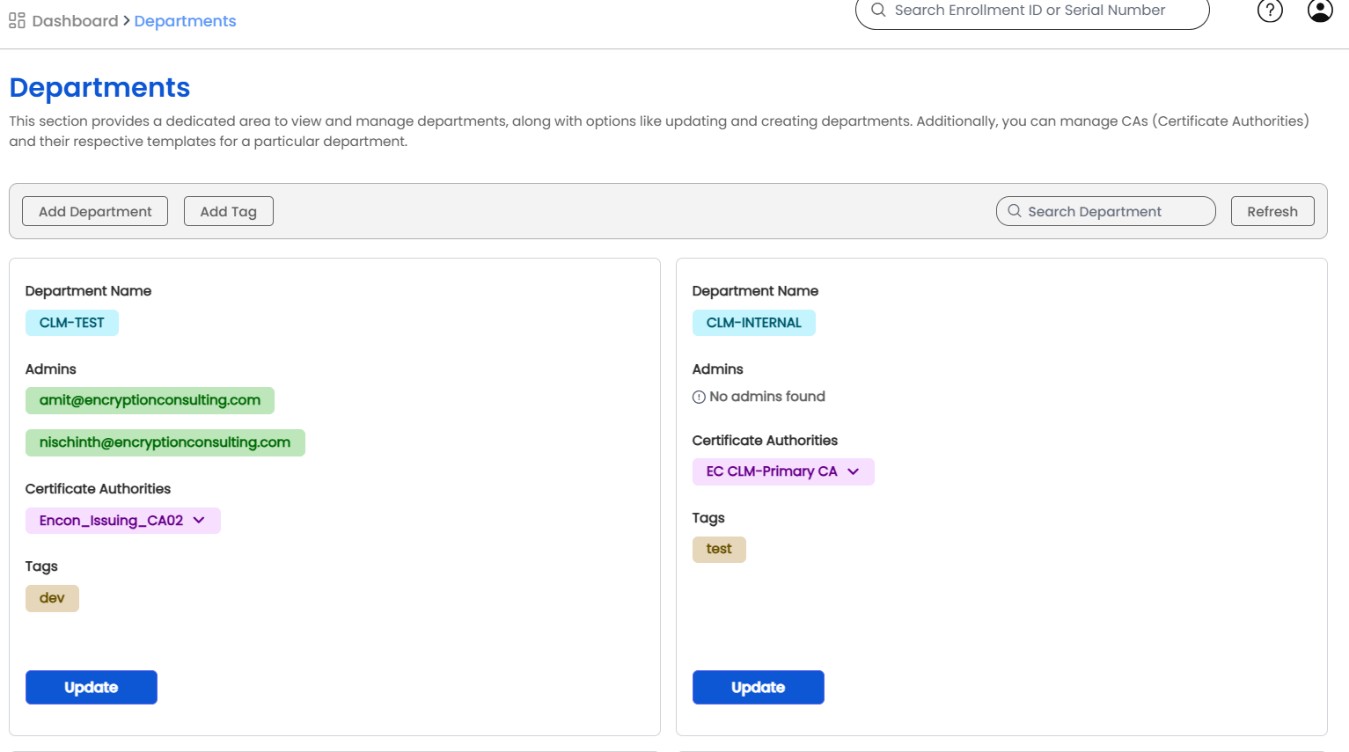
The Department section provides a segmented view of the organization, presenting detailed descriptions of each departmental unit, including the department name, assigned administrators, and associated Certificate Authorities (CAs), and tags.
Additionally, admin has privilege to create new departments and modify departmental properties. New tags can be created and assigned to departments by clicking on the Add Tag option.
A department can be deleted with the Delete button on its card, next to Add or Update. The button is shown to users with the Manage Departments permission, and only the Admin and global PKI admins can complete the deletion. The confirmation reads "This action will remove the department along with the CAs, templates and tags mapped to it. Are you sure that you want to delete <department name>?"
A department that still has administrators or users assigned to it cannot be deleted, and the request is refused with a message saying so. Reassign or delete those accounts first. When a department is deleted, the tags that referred to it no longer list it.